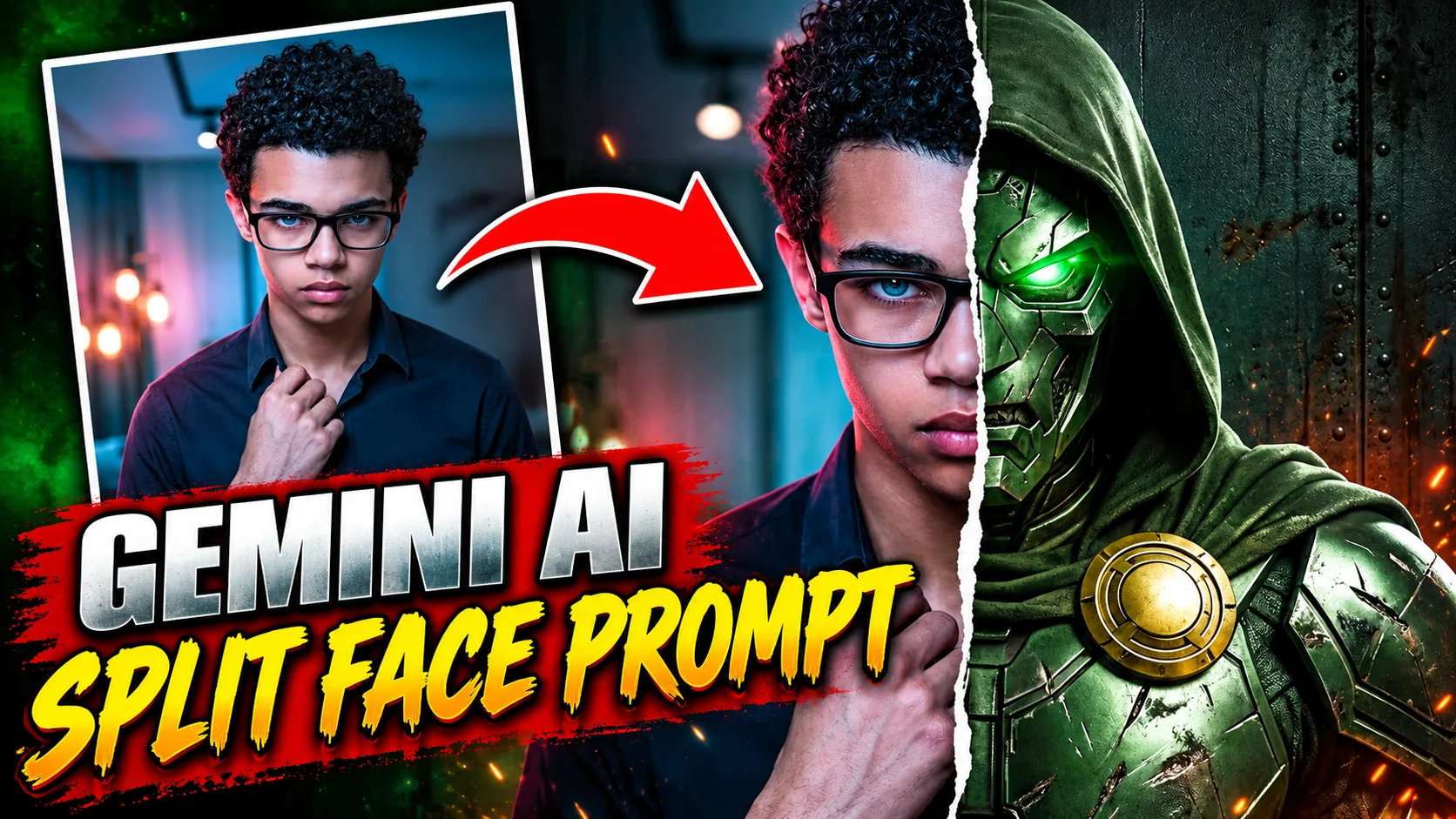
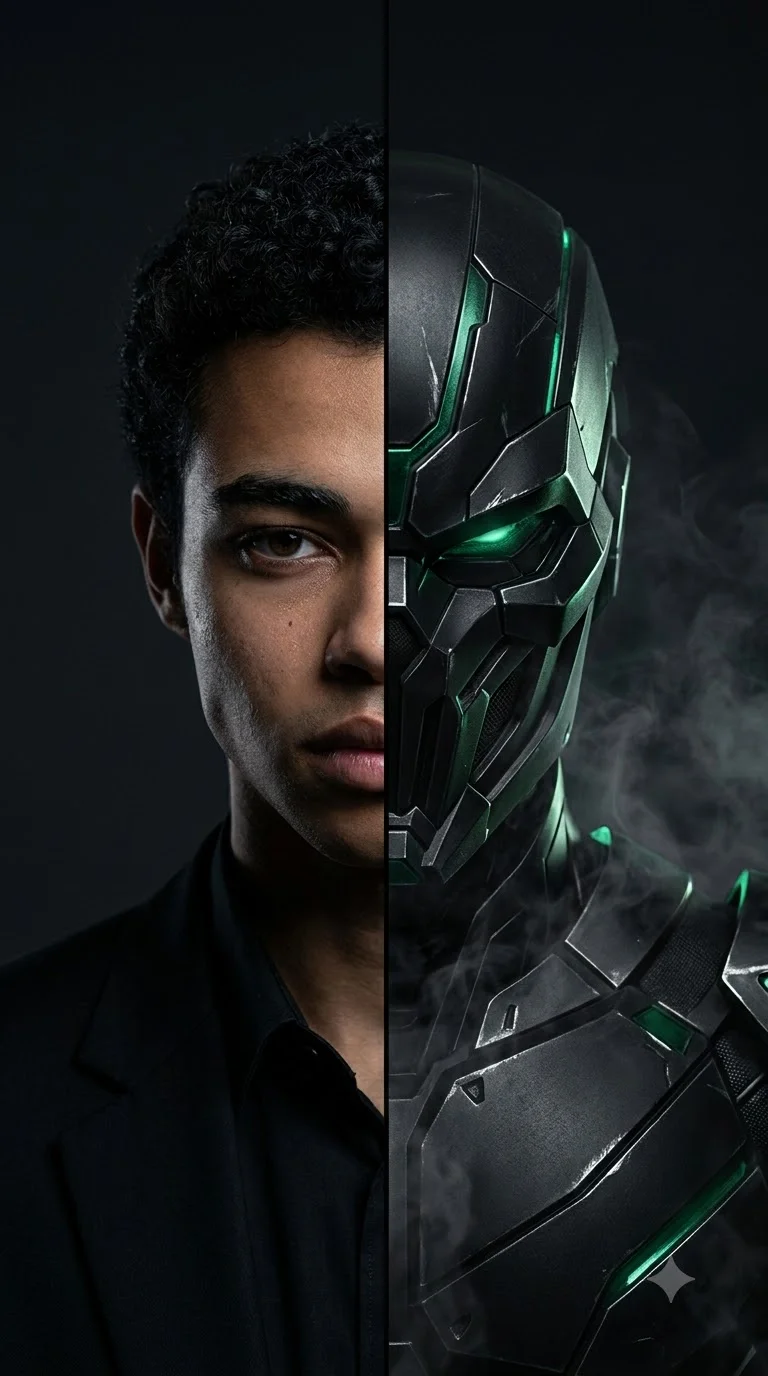
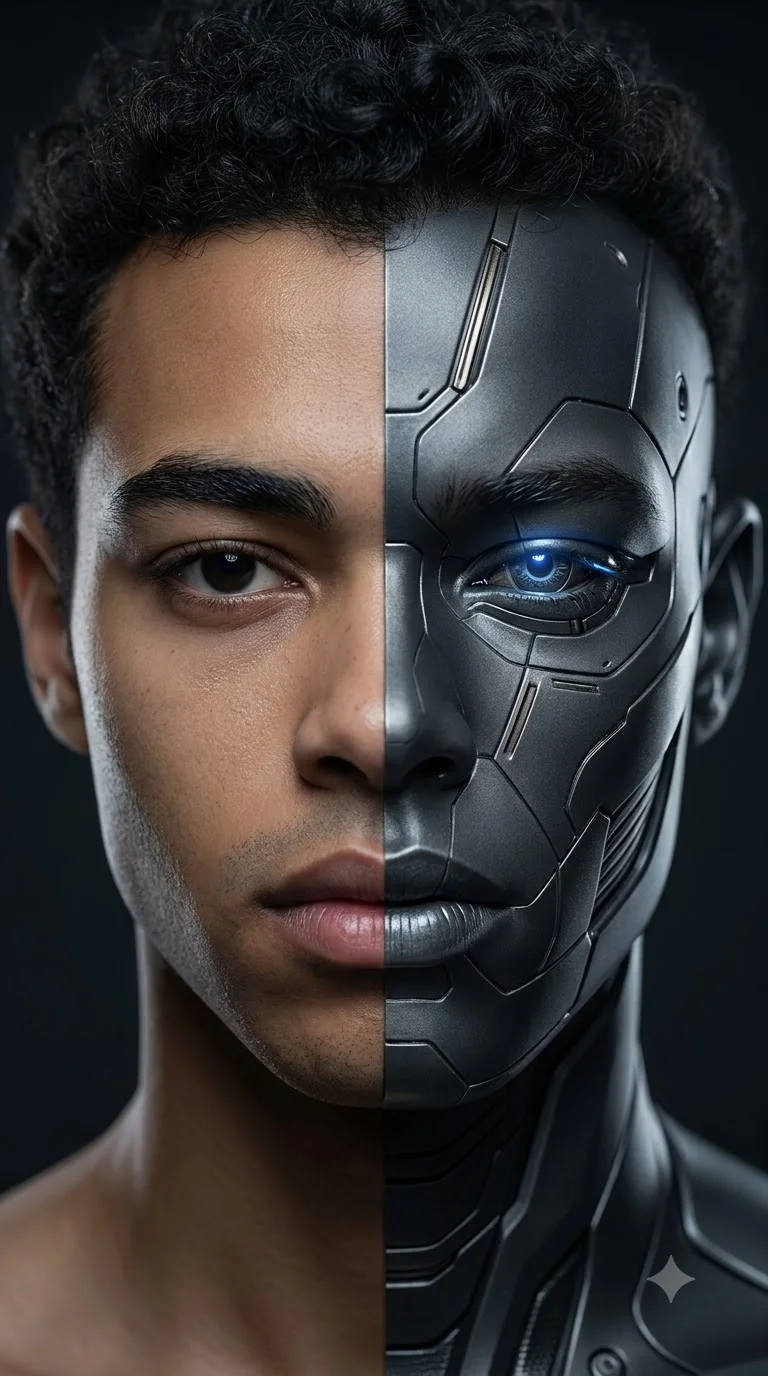
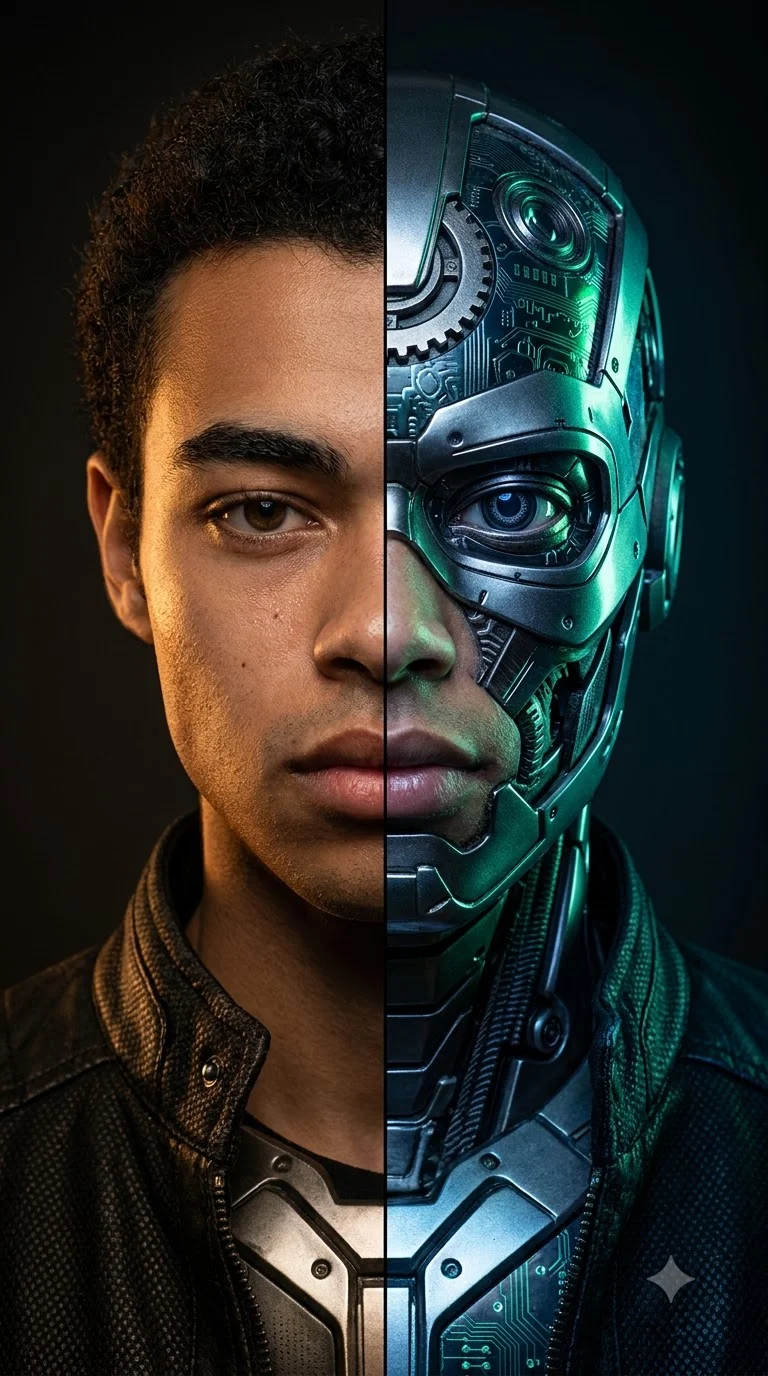
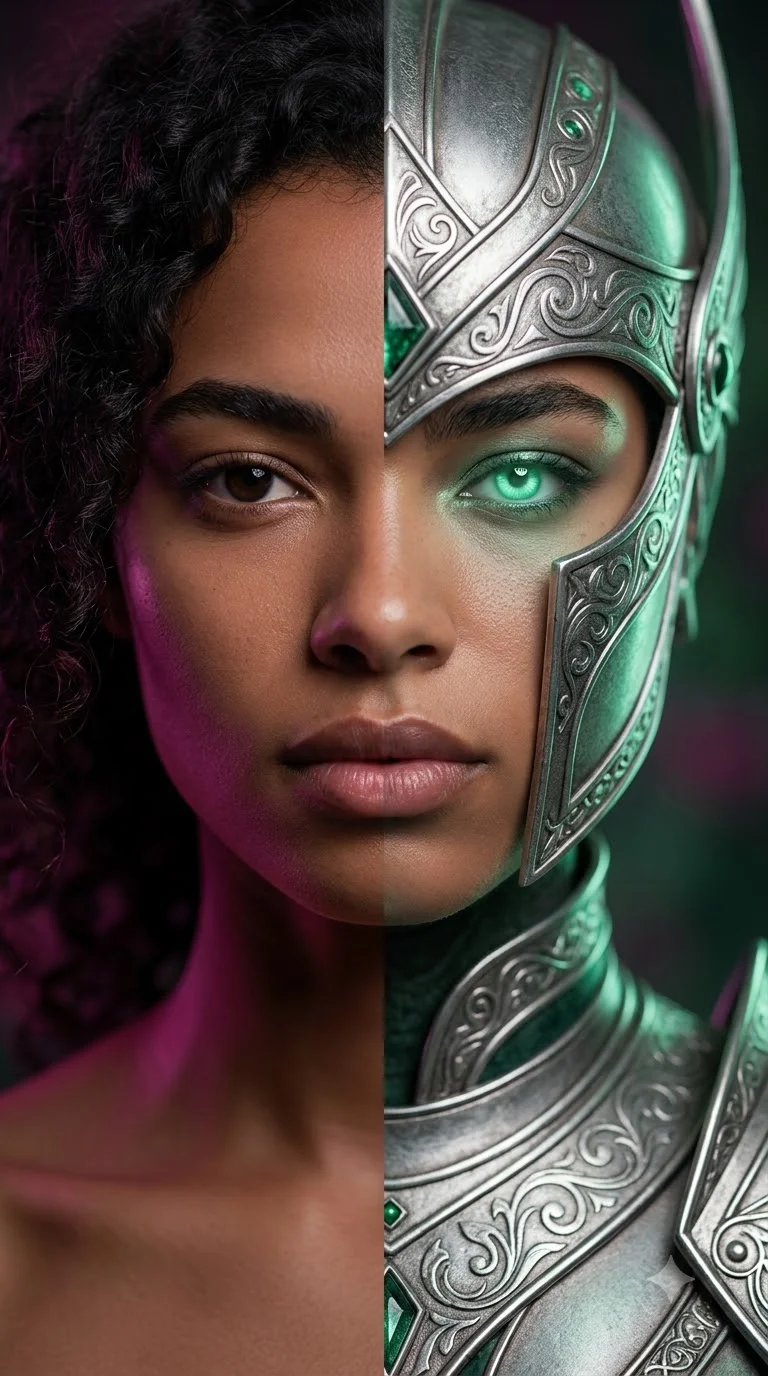
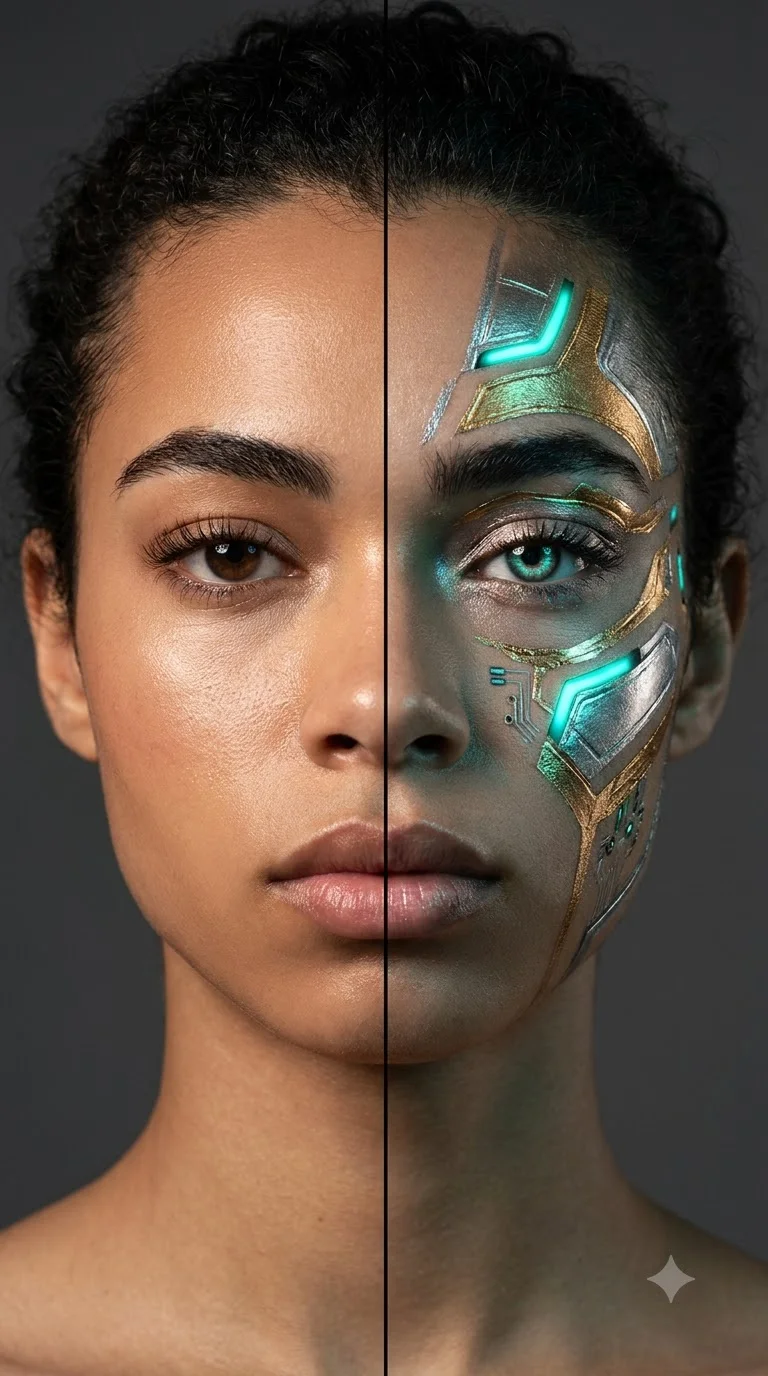
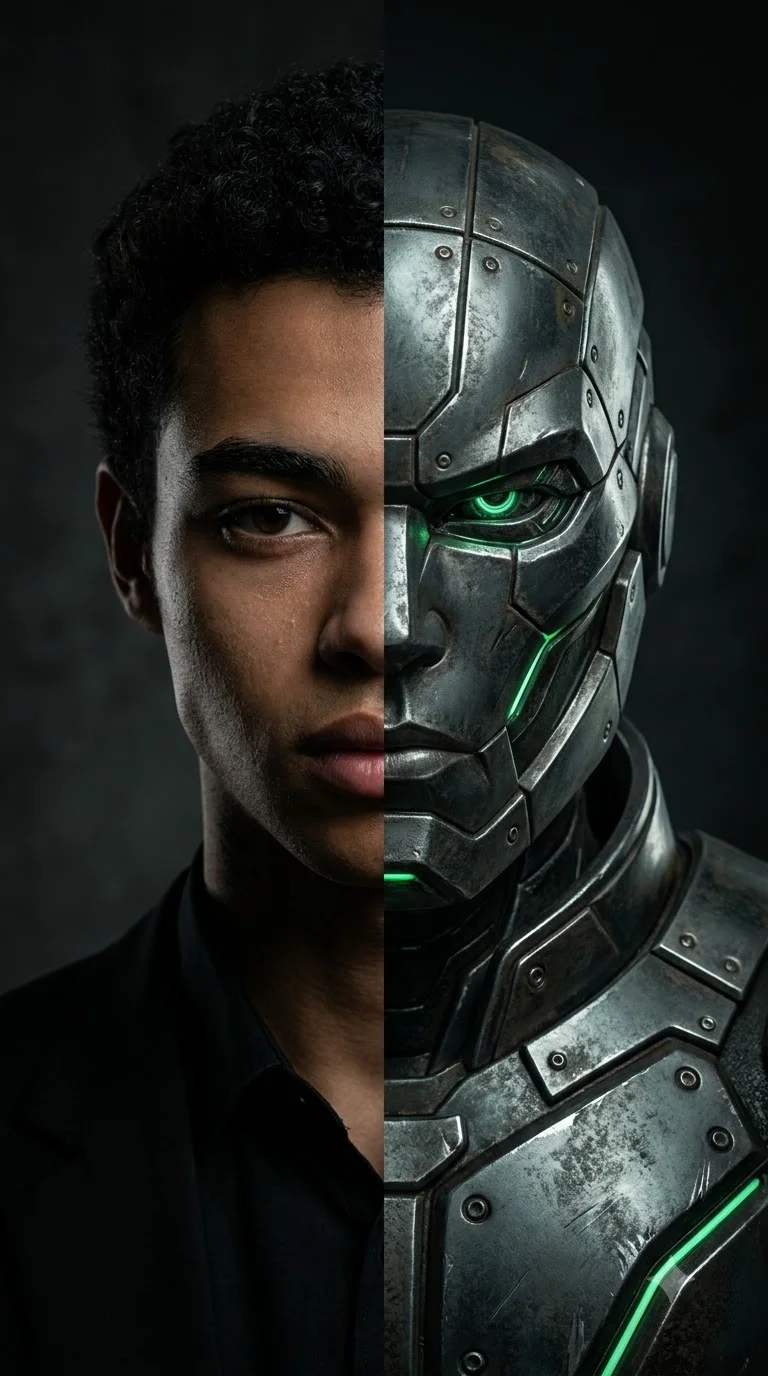
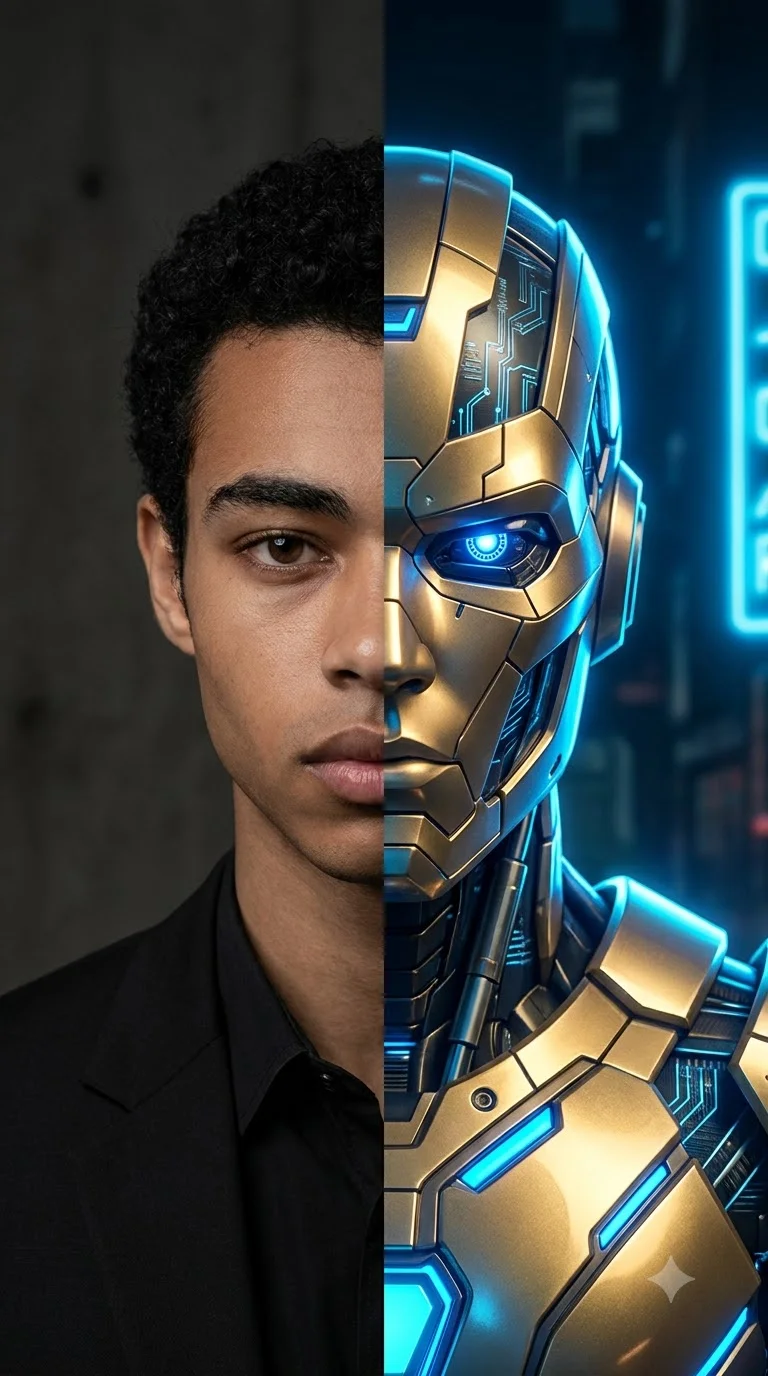
Want to create a cinematic split-face portrait using Gemini AI? These Super Genius split face prompts help you transform an ordinary photo into a dramatic dual-identity image featuring a sharp face split, realistic skin texture, glowing energy, metallic armor, and movie-poster lighting.
The split-face effect divides a portrait into two contrasting identities. One side can show your natural appearance, while the other reveals an original sci-fi character, futuristic armor, a fantasy transformation, or a dramatic alternate persona.
In this collection, you will find 20 copy-and-paste prompts for boys, girls, cinematic portraits, and AI photo editing. Each prompt explores a different composition, pose, lighting setup, or transformation style.
Tip: Upload your reference photo to Gemini before using a prompt that asks it to preserve your appearance. Results can vary, so you may need to refine the center split or facial alignment.
Best Super Genius Split Face Prompts
These first four prompts preserve the core concepts of the original collection: vertical separation, diagonal composition, green energy, and a final cinematic reveal. The transformed character designs are original rather than recreations of a specific movie character.
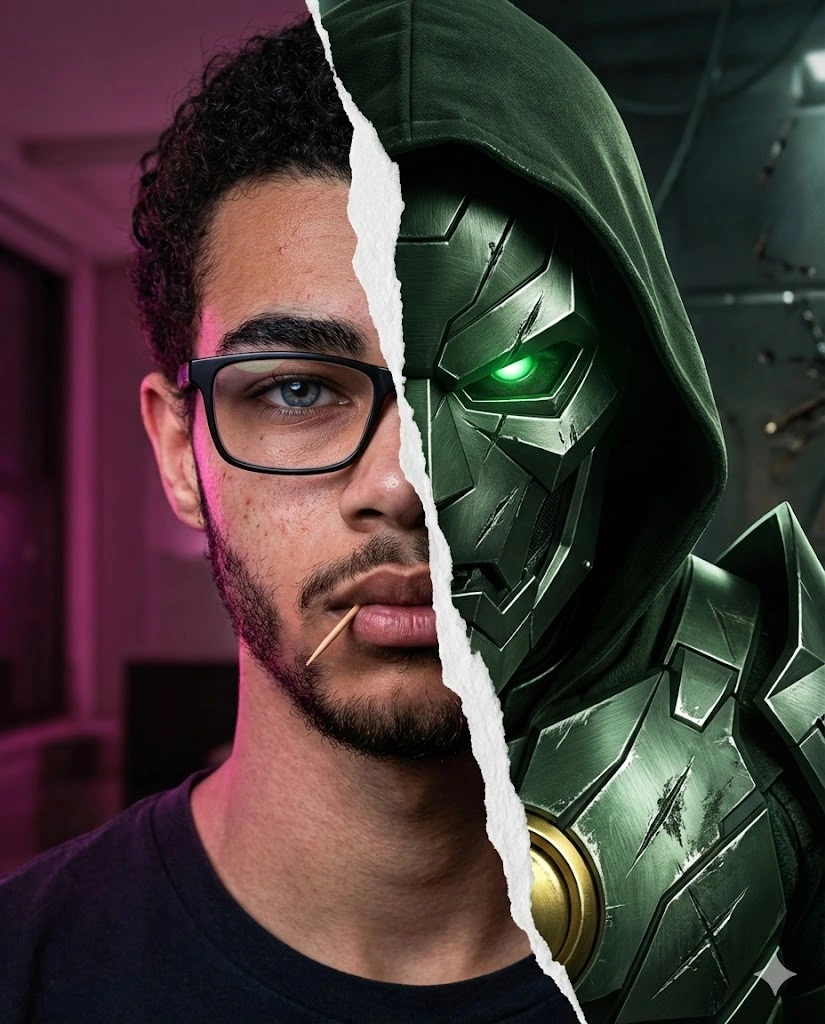
1. Vertical Torn-Paper Split Face Prompt
Create an ultra-realistic 8K cinematic movie-poster portrait in a 4:5 vertical composition. Use the uploaded photo as the reference for the human side and preserve the person's recognizable facial features, hairstyle, skin tone, and natural skin texture. Divide the image vertically down the center with a sharp torn-paper effect. On the left, show a realistic human portrait wearing black rectangular glasses, with a short trimmed beard and a calm, intense expression under soft magenta lighting. On the right, reveal an original dark-green metallic armored alter ego with an angular helmet, glowing eyes, intricate brushed-metal textures, battle-worn scratches, and a small golden circular armor detail. Keep the division clean and dramatic, with no blending of the two halves. Add cinematic contrast, detailed materials, shallow depth of field, and professional movie-poster lighting.
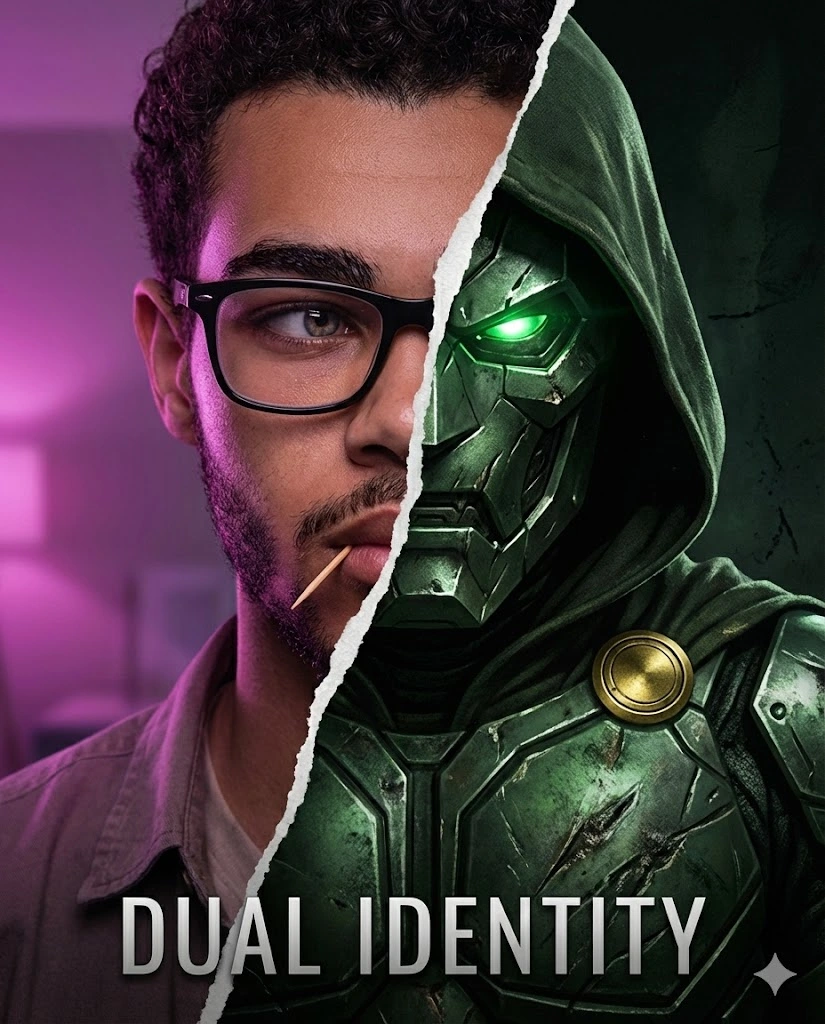
2. Diagonal Split Face Cinematic Poster
Create an ultra-realistic cinematic split-face poster in a 4:5 vertical composition using the uploaded photo as the human reference. Preserve the person's recognizable facial features and natural skin texture. Divide the composition diagonally from the upper-left corner toward the lower-right using a sharp, irregular tear effect. On one side, show the person leaning slightly backward with a confident, fearless expression, black rectangular glasses, and a dark outfit under magenta-purple ambient lighting. On the opposite side, reveal an original futuristic armored alter ego with dark-green metallic plates, glowing eyes, and intricate mechanical details. Keep the human and armored sides visually distinct. Use dramatic shadows, subtle atmospheric haze, realistic materials, and high-end cinematic poster styling.
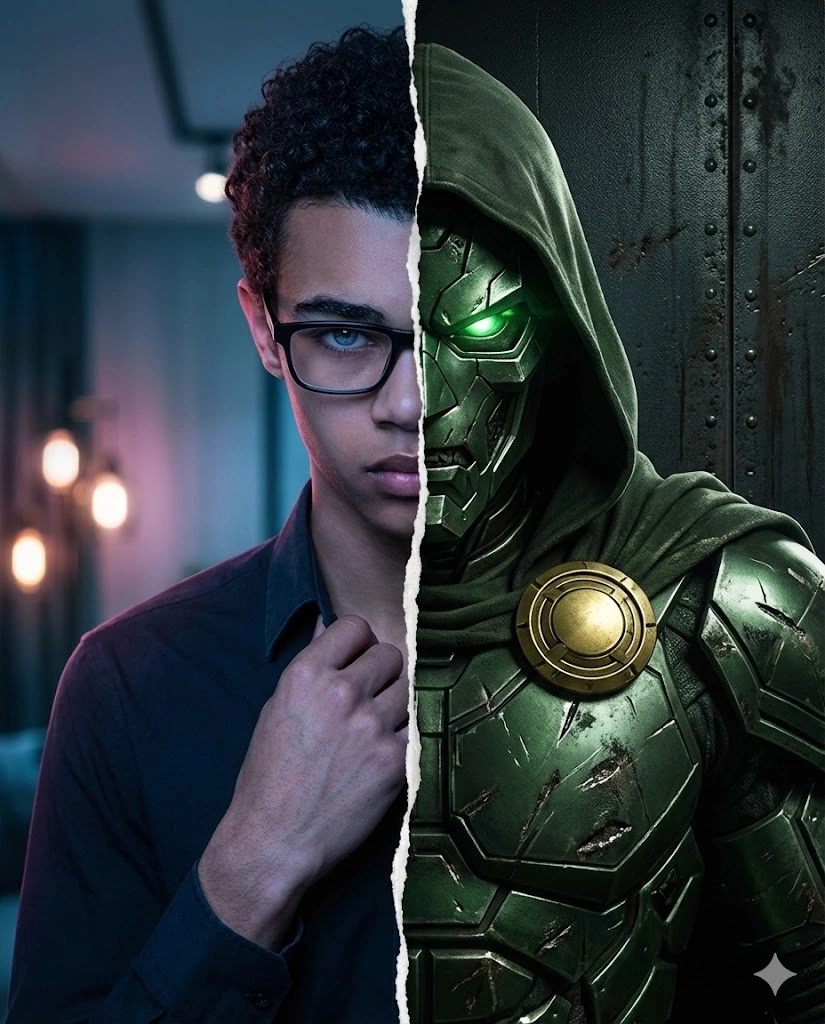
3. Green Energy Split Face Portrait
Generate an ultra-realistic 8K cinematic portrait with a vertical split between a realistic human identity and an original futuristic armored character. Use the uploaded image as the human reference and preserve recognizable facial features, hairstyle, and natural skin texture. Position the person with shoulders slightly angled, one hand adjusting the collar, and the eyes looking toward the camera. Place the human side in a moody interior with cool-blue and soft-magenta lighting. On the other side, create a dark-green metallic armored alter ego with luminous green details and a powerful angular silhouette. Separate both sides with a narrow crack of glowing green energy. Make the center seam sharp and controlled, with aligned eyes and facial proportions. Add cinematic rim lighting, detailed metal textures, subtle background bokeh, and a premium movie-poster finish.
4. Final Movie-Poster Reveal
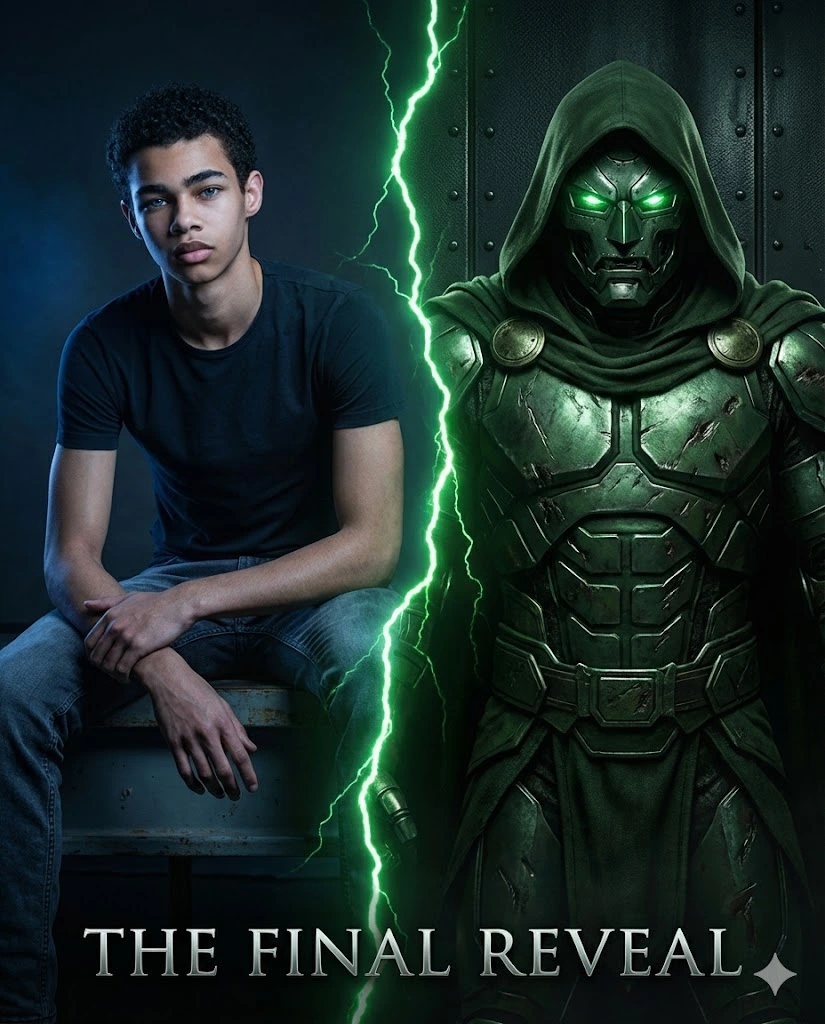
Create an ultra-realistic cinematic split-identity movie poster in a 4:5 vertical format. Use the uploaded image as the reference for the person's recognizable appearance. Show the person seated on a high stool or ledge in a relaxed but powerful pose, legs apart, elbows resting on the thighs, and hands loosely clasped. The person's head is lifted, with a calm, fearless expression directed toward the camera. Divide the composition vertically with a sharp glowing-green energy crack. The human side features natural skin texture and a dark outfit under focused blue lighting. The opposite side reveals an original dark-green armored alter ego with luminous eyes and finely detailed metallic armor. Use a dark studio background, dramatic highlights, realistic shadows, and a polished cinematic reveal aesthetic. Keep the face and split composition clear.
Half Face Prompts for Gemini
These prompts focus on a clean division between a human face and a transformed or stylized alternate identity.
5. Human and Original Armored Alter Ego
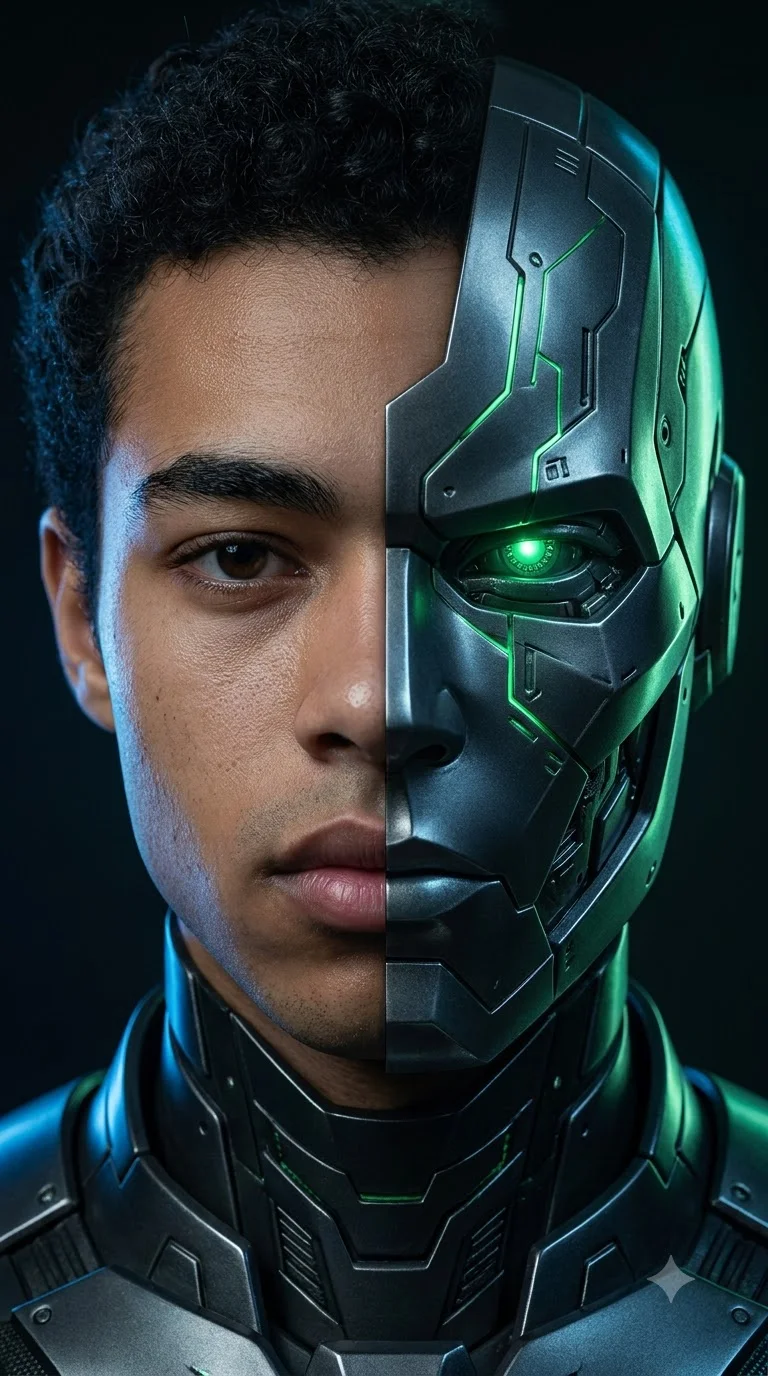
Transform the uploaded portrait into a photorealistic half-face cinematic image. Preserve the person's recognizable face, hairstyle, skin tone, and natural facial proportions. Divide the face precisely down the center with a clean, sharp boundary. The left half remains fully human, with realistic pores, natural lighting, and a neutral expression. The right half transforms into an original dark metallic armored character, with an angular cheek plate, subtle glowing green lines, intricate surface details, and a luminous artificial eye. Align the eyes, nose, and mouth carefully across the center seam. Use a dark background, cinematic blue and green rim lighting, realistic metal reflections, and professional portrait photography.
6. Green Metallic Half-Face Transformation
Create a dramatic close-up portrait using the uploaded photo as the identity reference. Preserve the person's recognizable facial features and natural skin texture on the human half. Transform only the opposite half into an original green metallic sci-fi design with fine armor segments, glowing energy lines, a mechanical temple plate, and realistic brushed-metal reflections. Keep the face divided by a precise vertical seam. Ensure that both eyes remain correctly positioned and that the nose and lips align naturally without blending the two materials together. Use soft studio lighting on the human side and green cinematic rim lighting on the transformed side. Add a dark blurred background, detailed textures, and an ultra-realistic editorial finish.
7. Human and Futuristic Face Split
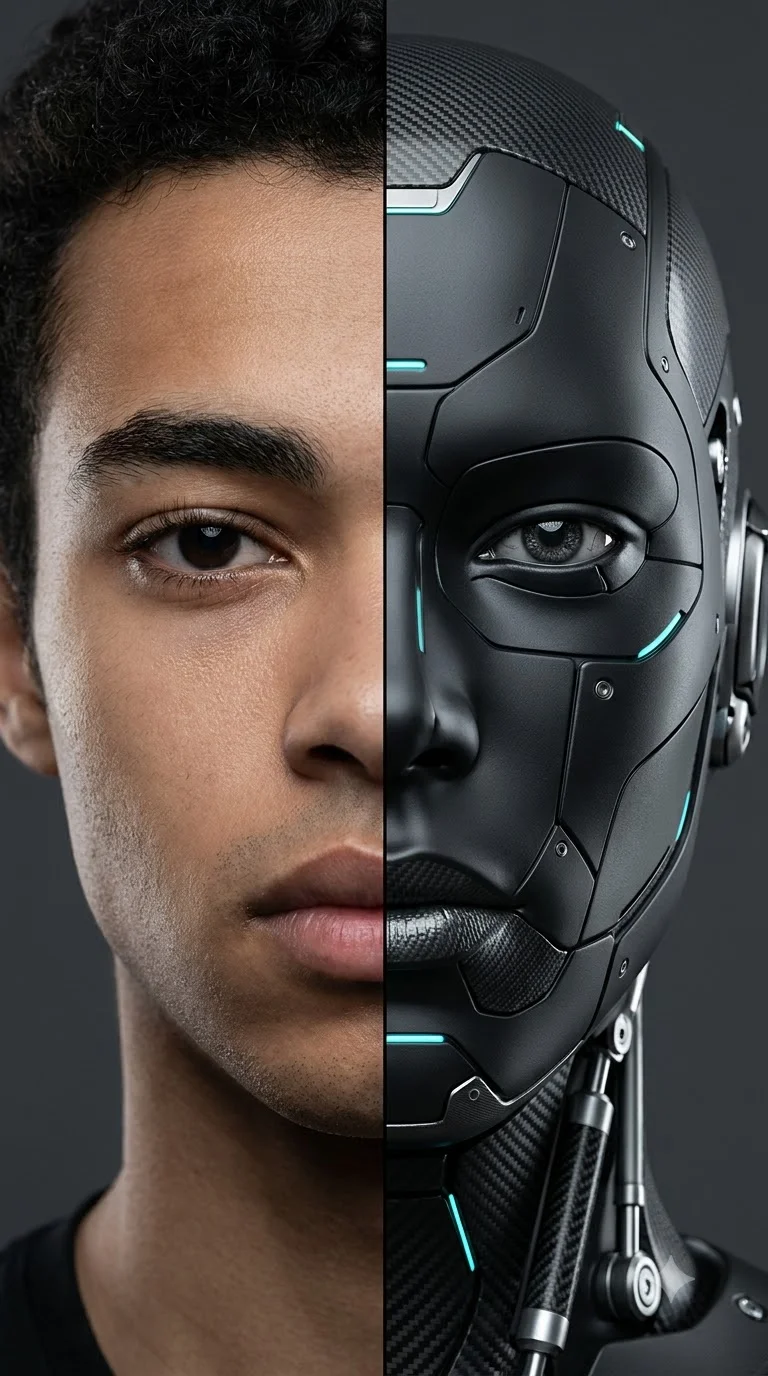
Generate a photorealistic split-face portrait of the person in the uploaded image. Keep the human half natural, with visible skin texture, realistic eyelashes, and the original facial structure. Transform the other half into an original futuristic synthetic character with matte-black panels, silver mechanical details, subtle cyan lights, and finely engineered textures. Create a clean vertical separation running through the forehead, nose, lips, and chin. Keep the eyes aligned and both halves equally sharp. Use a neutral charcoal background, controlled studio lighting, realistic highlights, and a sophisticated science-fiction poster aesthetic.
8. Glowing Energy Half-Face Portrait
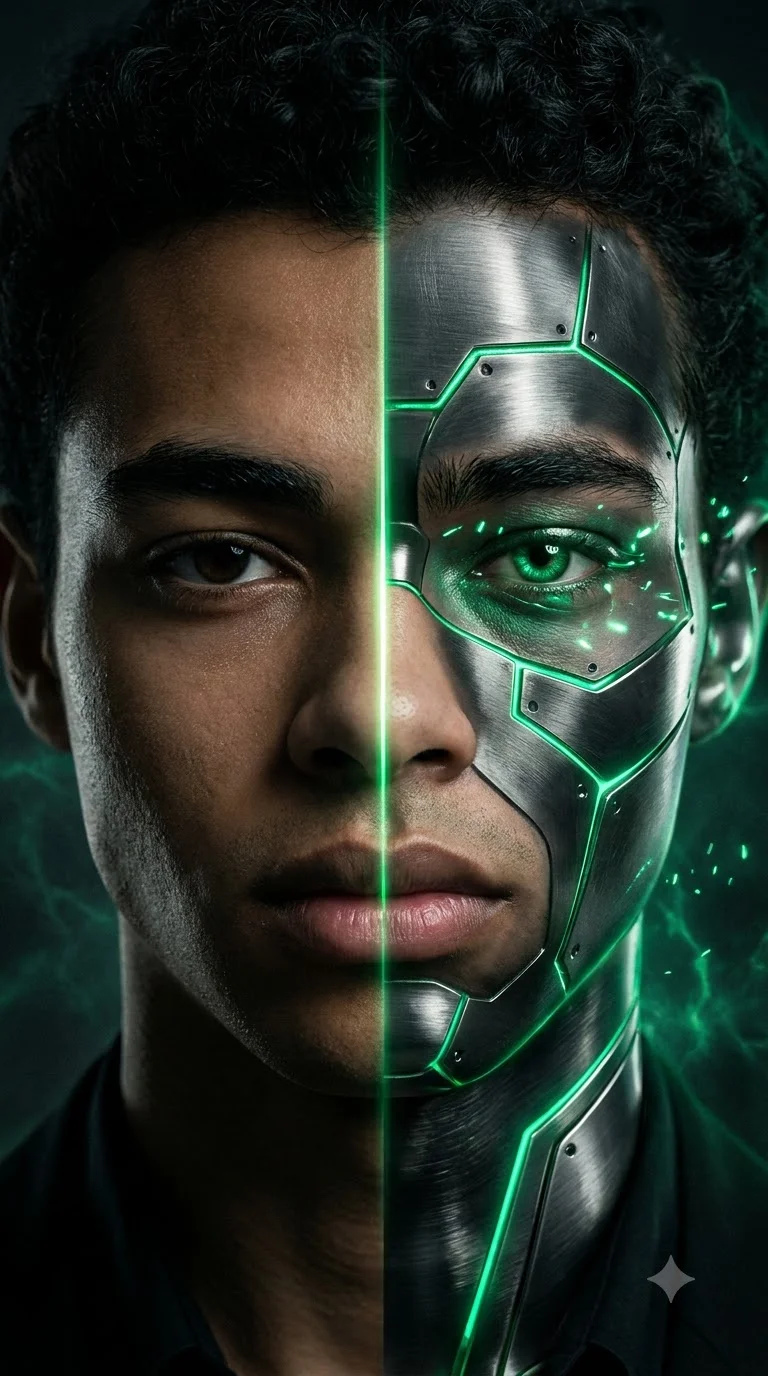
Create a cinematic close-up split-face portrait based on the uploaded reference photo. Preserve the person's recognizable face and natural skin texture on one side. On the opposite side, reveal an original fantasy alter ego with dark metallic textures, glowing emerald lines, and small energy patterns around the eye and cheek. Separate both identities with a narrow, sharply defined line of green energy running vertically through the center of the face. Do not let the glow obscure the eyes, nose, or mouth. Use dramatic side lighting, realistic reflections, a dark atmospheric background, and highly detailed facial textures. The result should look like a professional fantasy movie poster.
Gemini Split Face Prompts for Boys
These variations emphasize masculine fashion portraits, dramatic poses, and contrasting identities. They can be adapted to any adult reference subject.
9. Dark Cinematic Dual Identity
Transform the uploaded photo into a dark cinematic split-face portrait of the same adult man. Preserve his recognizable facial features, hairstyle, skin tone, and natural proportions. Keep one half of his face fully human, wearing a black jacket with a serious expression. Transform the other half into an original shadow-inspired armored alter ego with black metallic textures, subtle emerald highlights, and a detailed angular mask. Create a sharp vertical division with no soft blending between the identities. Use moody studio lighting, a deep charcoal background, subtle smoke, realistic skin pores, and high-contrast movie-poster composition.
10. Casual Look and Armored Alter Ego
Create a realistic 4:5 cinematic split-face portrait using the uploaded image as the human reference. Preserve the man's recognizable facial features and hairstyle. The human side shows him in a simple black shirt and jacket, with a relaxed but confident expression. The other side reveals an original futuristic armored persona with dark-green shoulder armor, metallic cheek plates, and small glowing details around the eye. Add a precise diagonal split between the two identities. Keep the facial alignment natural and the human side photorealistic. Use blue and green rim lighting, a softly blurred urban background, realistic material textures, and polished editorial photography.
11. Close-Up Split Portrait for Boys
Generate an ultra-realistic close-up portrait of the adult man in the uploaded photo. Preserve his recognizable face, natural skin texture, and original hairstyle. Divide the face into two sharply separated halves. One half shows the natural human face under soft neutral studio lighting. The other half features an original futuristic character with dark graphite armor, fine metallic grooves, and a subtle luminous eye detail. Frame the head and shoulders tightly so the center split is the main visual feature. Align the eyebrows, eyes, nose, and lips accurately. Use a dark blurred background, realistic shadows, detailed textures, and premium cinematic portrait lighting.
12. Split Face with Dramatic Studio Lighting
Create a high-detail cinematic portrait of the adult man in the uploaded reference image. Preserve his recognizable facial identity and natural proportions. Divide the face vertically into a human half and an original armored alter ego. Light the human half with warm amber studio lighting, showing natural pores and subtle facial details. Light the transformed half with cool blue and green highlights, revealing metallic panels and fine mechanical textures. Keep the seam crisp and the facial features properly aligned. Add a dark studio background, dramatic shadow falloff, realistic reflections, and a premium movie-poster finish. Do not add text, logos, or watermarks.
Half Face Prompts for Girls
These prompts use elegant portrait lighting, fantasy details, and original alternate identities. Upload a suitable reference photo when you want to preserve a person's appearance.
13. Elegant Human and Fantasy Split
Create an elegant, ultra-realistic split-face portrait of the adult woman in the uploaded reference photo. Preserve her recognizable facial features, hairstyle, skin tone, and natural skin texture on the human half. Transform the opposite half into an original fantasy character with delicate silver armor, subtle emerald accents, intricate ornamental details, and a softly glowing eye. Divide the face cleanly down the center, aligning both eyes, the nose, and the lips. Use soft magenta lighting on the human side and cool green rim lighting on the fantasy side. Add a dark blurred background, realistic material textures, refined cinematic contrast, and high-end beauty-editorial styling.
14. Human and Metallic Alter Ego
Transform the uploaded portrait of an adult woman into a photorealistic half-face cinematic image. Keep one half of her face natural and recognizable, preserving the original facial features and skin texture. On the opposite half, create an original futuristic alter ego with polished silver and deep-green metallic panels, delicate engraved patterns, and subtle glowing accents. Use a sharp vertical split line and ensure both sides align naturally. Frame the portrait from the shoulders upward. Add soft studio lighting, realistic reflections, a charcoal background, detailed textures, and a sophisticated science-fiction editorial finish.
15. Dark and Light Dual Identity
Create a cinematic split-face portrait of the adult woman in the uploaded image. Preserve her recognizable face, hairstyle, and natural skin texture. The left half represents a calm human identity illuminated by warm golden light, while the right half reveals an original dark fantasy alter ego with black metallic textures, subtle violet energy, and intricate ornamental armor. Divide the face with a clean vertical seam and maintain accurate alignment of the eyes, nose, and lips. Use a dark atmospheric background, realistic skin details, controlled highlights, and strong but balanced contrast. Keep the design elegant and original, without copying any existing fictional character.
16. Cinematic Split-Face Beauty Portrait
Generate an ultra-realistic cinematic beauty portrait of the adult woman in the uploaded reference photo. Preserve her recognizable facial features and natural skin texture. Divide the face into two precise halves: one side features natural makeup, soft skin highlights, and warm studio lighting; the other side features an original futuristic fantasy design with fine metallic patterns, luminous teal accents, and intricate surface details. Keep the center seam crisp and the facial geometry aligned. Use close-up framing, a neutral dark background, detailed eyelashes, realistic reflections, and professional editorial lighting. Do not add text, logos, or watermarks.
Gemini Split Face Photo Editing Prompts
Use these prompts when you want to transform an existing photo rather than create a completely new face from scratch.
17. Transform an Uploaded Selfie
Edit my uploaded selfie into a photorealistic split-face cinematic portrait. Preserve my recognizable facial features, skin tone, hairstyle, and natural proportions. Keep one half of my face completely human and transform the other half into an original futuristic armored character with dark metallic textures and subtle green luminous details. Create a clean vertical division through the center of the face. Align the eyes, nose, and lips carefully and avoid blending the two halves together. Use cinematic studio lighting, a dark background, realistic skin pores, detailed metallic reflections, and a 4:5 portrait composition.
18. Preserve Facial Identity Across Both Halves
Use the uploaded photo as the main identity reference for a cinematic split-face edit. Keep the person's recognizable facial geometry, eye shape, nose, lips, jawline, hairstyle, and skin tone consistent. Divide the portrait into two identities: the original human appearance on one side and an original metallic sci-fi alter ego on the other. The transformed half must follow the same underlying facial structure rather than introducing a different person's face. Use a sharp center seam, aligned facial features, realistic skin texture, subtle glowing details, balanced studio lighting, and a dark uncluttered background.
19. Create a Split-Face Movie Poster
Turn the uploaded portrait into a professional cinematic movie-poster composition in a 4:5 vertical format. Preserve the person's recognizable face and natural appearance on one side. On the opposite side, reveal an original futuristic armored alter ego with detailed dark-green metal plating, luminous accents, and a dramatic silhouette. Separate the identities with a sharp central tear or glowing energy seam. Use a powerful shoulder-up pose, intense but natural expression, dramatic blue-green rim lighting, atmospheric haze, deep shadows, and realistic materials. Keep sufficient negative space around the subject for a title to be added later. Do not include existing franchise logos, copyrighted character designs, or unwanted text.
20. Custom Split-Face Prompt Generator
Create a personalized split-face portrait using the uploaded image as the reference. Preserve the person's recognizable facial features, hairstyle, skin tone, and natural proportions. Divide the face into two distinct identities using a clean vertical or diagonal seam. Keep the original human appearance on one side and create an original alternate identity on the other, using these customizable elements: transformation style [metallic armor, fantasy, robotic, abstract art], accent color [green, blue, violet, gold], lighting [soft studio, dramatic cinematic, neon], and background [dark studio, urban night, atmospheric fantasy]. Ensure that both halves remain clearly separated and that the eyes, nose, and lips align naturally. Use realistic textures, detailed lighting, and a professional 4:5 portrait composition.
How to Create a Clean Split-Face Image in Gemini
A convincing split-face portrait depends on more than the transformation design. The center seam, facial alignment, lighting, and reference image all matter.
- 1. Upload a Clear Reference Photo: Choose a well-lit photo in which the face is visible. A front-facing or slightly angled portrait often makes it easier to align both halves.
- 2. Specify the Split Direction: Tell Gemini whether you want a vertical split, diagonal split, torn-paper edge, or glowing-energy seam. If the division is important, explicitly state that it must remain sharp and clearly visible.
- 3. Keep Facial Features Aligned: Use instructions such as: Align both eyes naturally. Keep the nose and lips positioned across the center seam. Preserve the original face geometry. Do not blend the human and transformed halves. Keep both sides clearly distinguishable. These instructions guide the composition, although exact alignment is not guaranteed on every generation.
- 4. Describe the Transformation: Be specific about the alternate identity. Instead of simply saying "make it futuristic," describe the materials, colors, and details you want—for example, graphite armor, emerald energy lines, silver panels, or fine mechanical textures.
- 5. Control Lighting and Background: Use contrasting light sources to separate the two identities. Warm light on one side and cool rim lighting on the other can help emphasize the division without making the image visually cluttered.
For additional composition ideas, see our AI Camera Angle Prompts.
How to Customize Split-Face Prompts
You can adapt any of the 20 prompts by changing one element at a time.
- Transformation style: Choose metallic armor, a robotic face, fantasy details, abstract art, or a futuristic alter ego.
- Split direction: Use a vertical center split, diagonal division, irregular torn-paper edge, or glowing energy line.
- Color palette: Try green and black, blue and silver, violet and charcoal, or gold and deep red.
- Expression: Choose a calm expression, confident gaze, serious look, or dramatic movie-poster expression.
- Background: Use a dark studio, futuristic interior, urban night scene, or softly blurred cinematic environment.
- Image framing: Try a close-up, head-and-shoulders portrait, or wider poster composition.
For realistic portrait textures and facial details, explore our Human Portrait AI Prompt. You can also improve the finishing stage with 4K Hyper-Realistic Image Enhancement Prompts.
Common Problems and How to Fix Them
- The Two Halves Blend Together: Add: "Keep a sharp, clearly visible center seam. Do not merge or blur the two identities."
- The Eyes Do Not Align: Add: "Align the eye positions, eyebrows, nose bridge, and mouth across the central division while maintaining natural facial proportions."
- The Transformed Half Looks Flat: Describe specific material details such as engraved metal, brushed surfaces, fine panel lines, realistic reflections, and directional lighting.
- The Original Face Changes Too Much: Use a clear reference image and explicitly ask the model to preserve the person's recognizable facial features, hairstyle, skin tone, and face geometry. Results may still vary.
- The Image Looks Too Busy: Simplify the background, reduce unnecessary effects, and keep the split-face design as the main visual focus.
Frequently Asked Questions
What are Super Genius split face prompts?
Super Genius split face prompts are detailed AI image instructions designed to create portraits with two contrasting identities, such as a realistic human face and an original futuristic or fantasy alter ego.
How do I create a half-face image in Gemini?
Upload your reference photo, choose a prompt, and describe the split direction, transformation style, lighting, and facial alignment. Generate the image and refine the prompt if the division is unclear.
Can I use these prompts for boys and girls?
Yes. The collection includes separate sections for adult male and female portrait styles, along with general-purpose photo-editing prompts.
How can I keep my face recognizable?
Use a clear reference photo and specify which features should remain consistent, including face shape, eyes, nose, lips, hairstyle, and skin tone. Exact identity preservation is not guaranteed.
How do I create a clean vertical split?
Use instructions such as "divide the face precisely down the center with a sharp vertical seam" and "keep both halves distinct without blending." You can also specify a torn-paper edge or glowing energy line.
Can I create a split-face movie poster?
Yes. Use Prompt 19, which combines a split-face composition with cinematic lighting, original character styling, and space for a title.
Can I change the colors and character design?
Yes. Replace the suggested colors, armor materials, lighting, and background with your preferred options while keeping the center split and facial alignment instructions.
Which aspect ratio works best?
A 4:5 portrait composition works well for editorial portraits and poster-style social posts. A 9:16 composition can work for Stories and vertical content. Choose the format based on where you plan to publish the image.
Final Thoughts
These 20 Super Genius split face prompts for Gemini AI cover cinematic dual identities, half-face transformations, original armored characters, and reference-photo editing.
For the strongest results, focus on three things: a clear center seam, aligned facial features, and a well-defined transformation style. Start with one prompt, generate the image, and adjust the split direction, lighting, or materials until the composition matches your vision.
Experiment with different original character designs to create distinctive split-face portraits without relying on existing franchise characters.