Gemini AI Girl Fashion Prompts for Realistic DSLR & 8K Photos

Gemini AI girl fashion prompts are specially written instructions that help you generate realistic, stylish, aesthetic, and creative girl fashion images with Gemini AI. These prompts can create different types of portraits, including DSLR-style photos, cinematic fashion portraits, editorial beauty images, high-fashion studio photos, fantasy portraits, and surreal artistic concepts.
You can use these prompts for Instagram posts, Pinterest pins, profile pictures, fashion inspiration, creative photography, digital art, and AI image editing. By adding details about the outfit, hairstyle, lighting, camera angle, background, and image quality, you can create more accurate and professional-looking results. For more ideas, explore our Gemini AI Girl Prompts collection.

Best Gemini AI Girl Fashion Prompts
The following Gemini AI girl fashion prompts include realistic portraits, stylish outfits, cinematic lighting, fantasy concepts, and high-fashion beauty photography. You can copy any prompt and use it with your own reference image.
Image 1: Ethereal Floral Girl Fashion Portrait
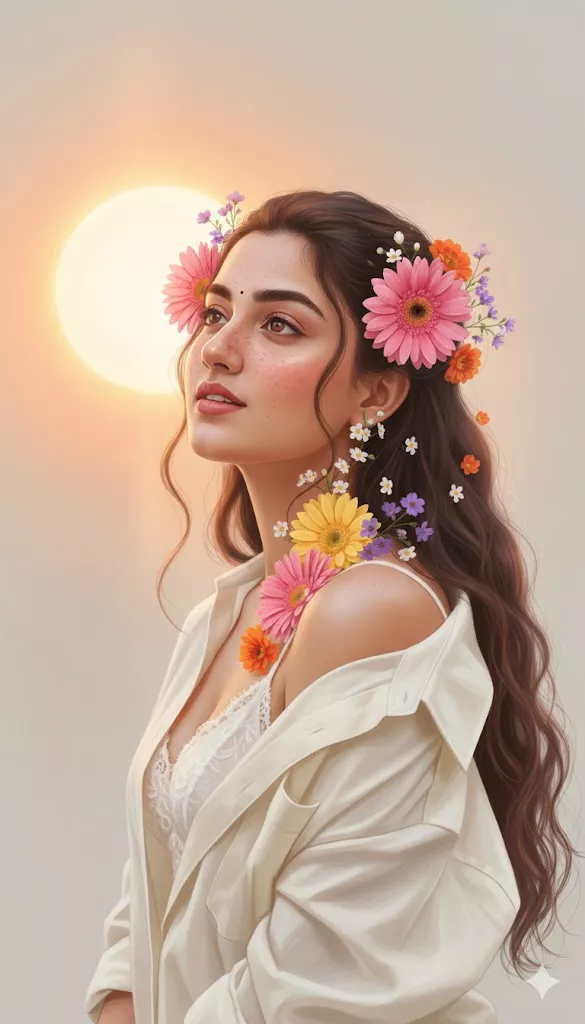
Image 2: Cinematic Green Trench Coat Portrait
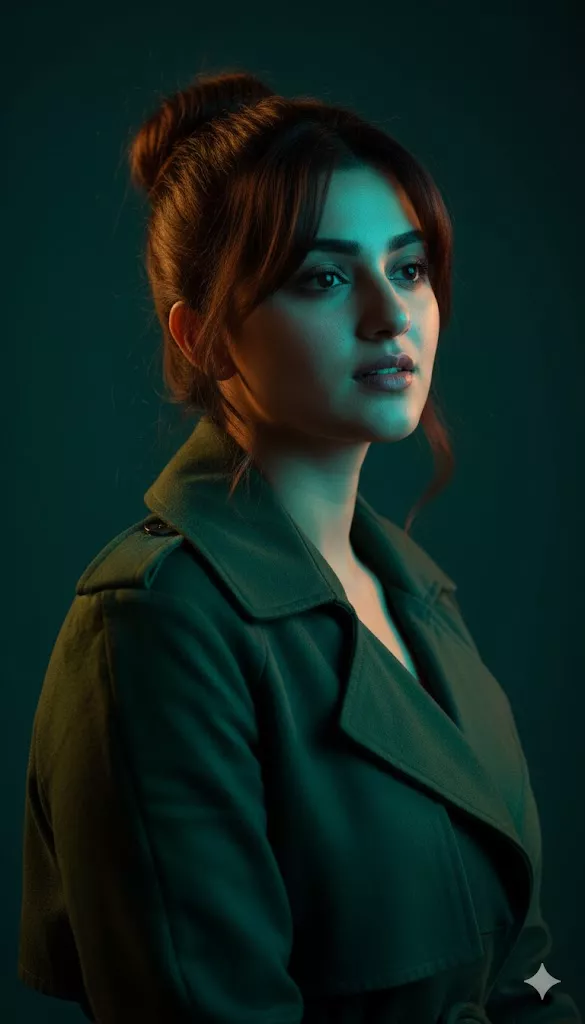
Image 3: Ultra-Close-Up Natural Girl Portrait
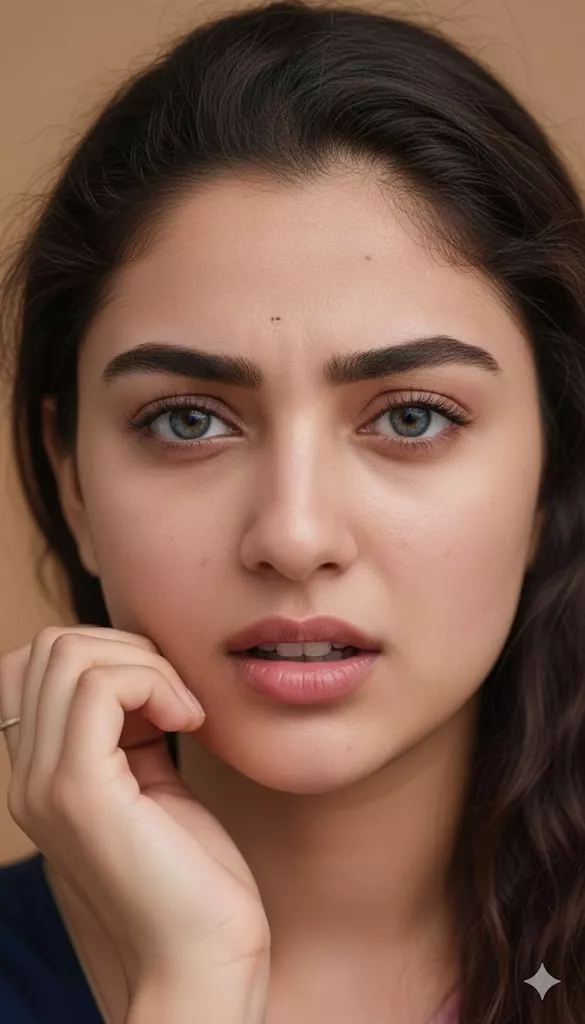
Image 4: Neon Cyberpunk Fashion Portrait
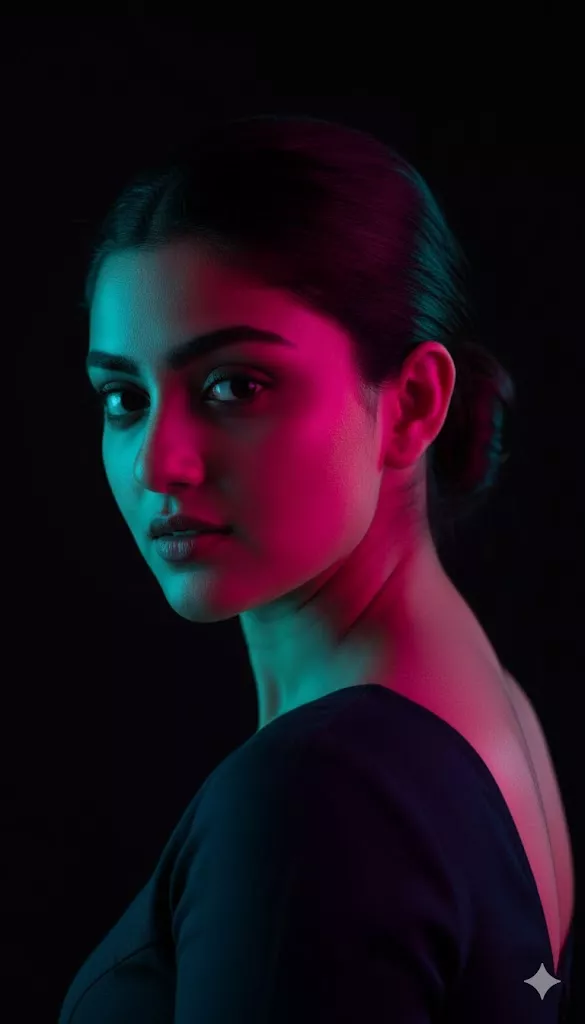
Image 5: White Flower Crown and Snake Fashion Portrait
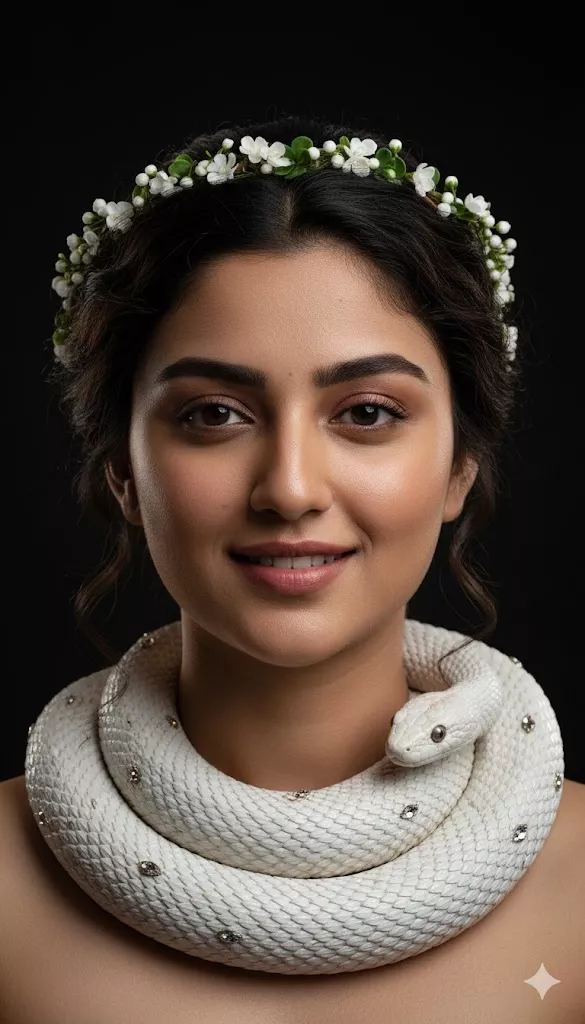
Image 6: Victorian Gothic Snake Portrait
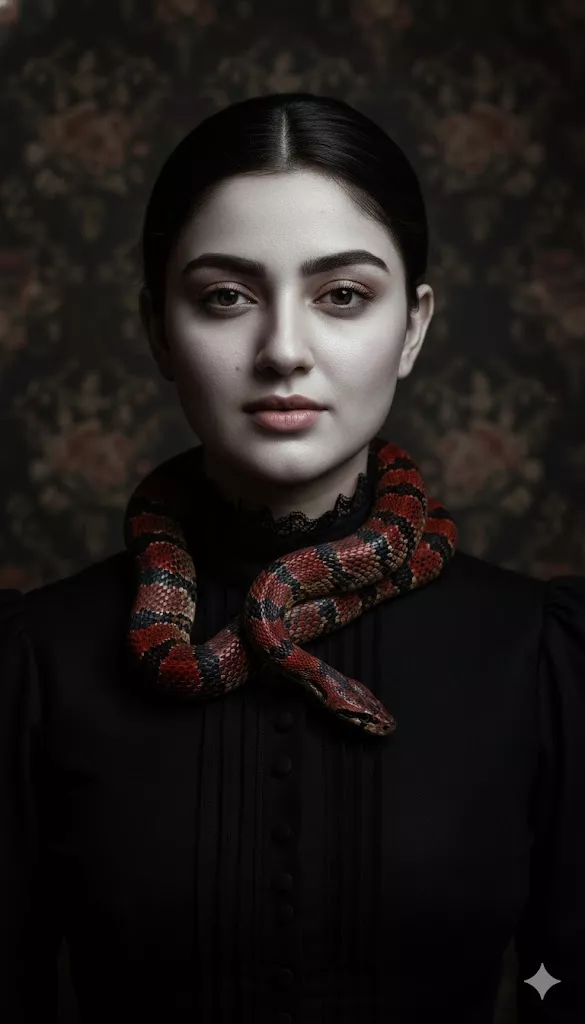
Image 7: Goldfish Crown Aesthetic Portrait
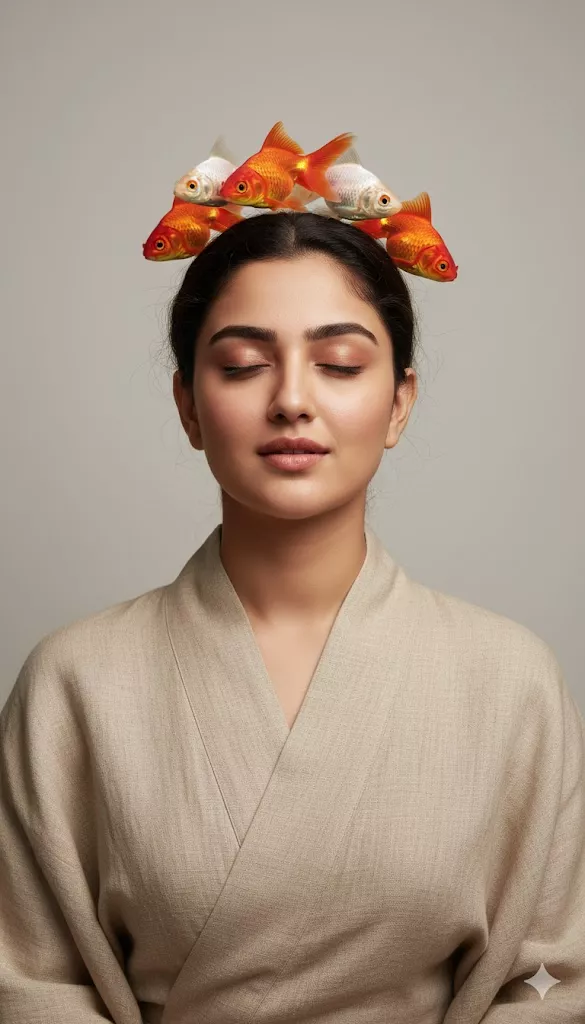
Image 8: Monstera Leaf Green Fashion Portrait
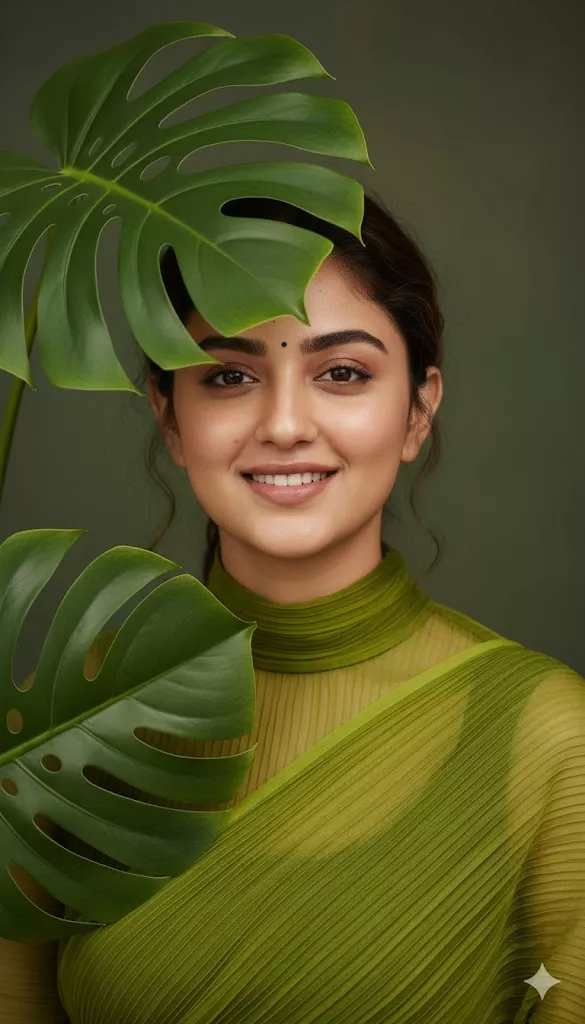
Image 9: Butterfly and Floral Fashion Portrait
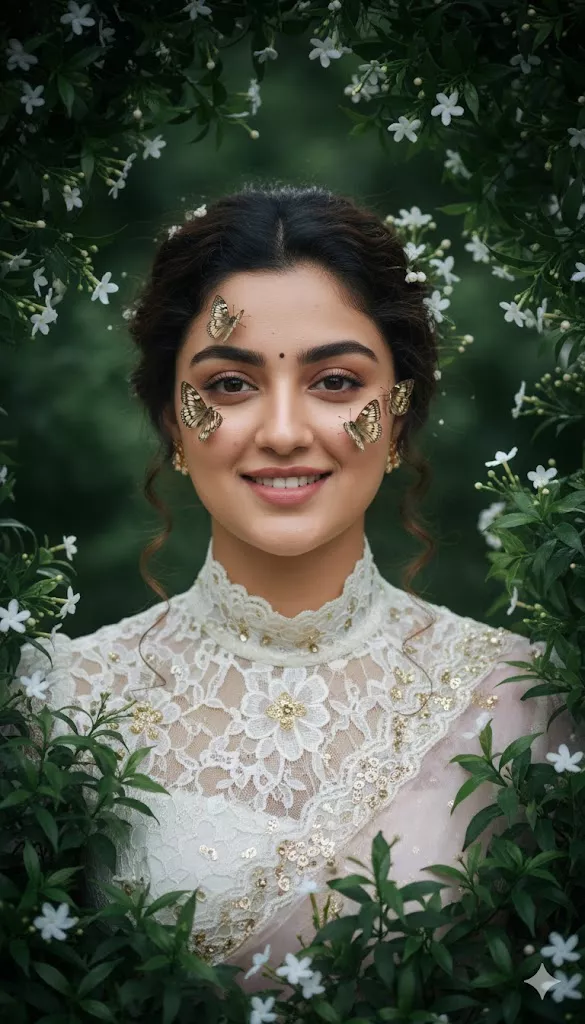
Image 10: Albino Python and Red Makeup Portrait
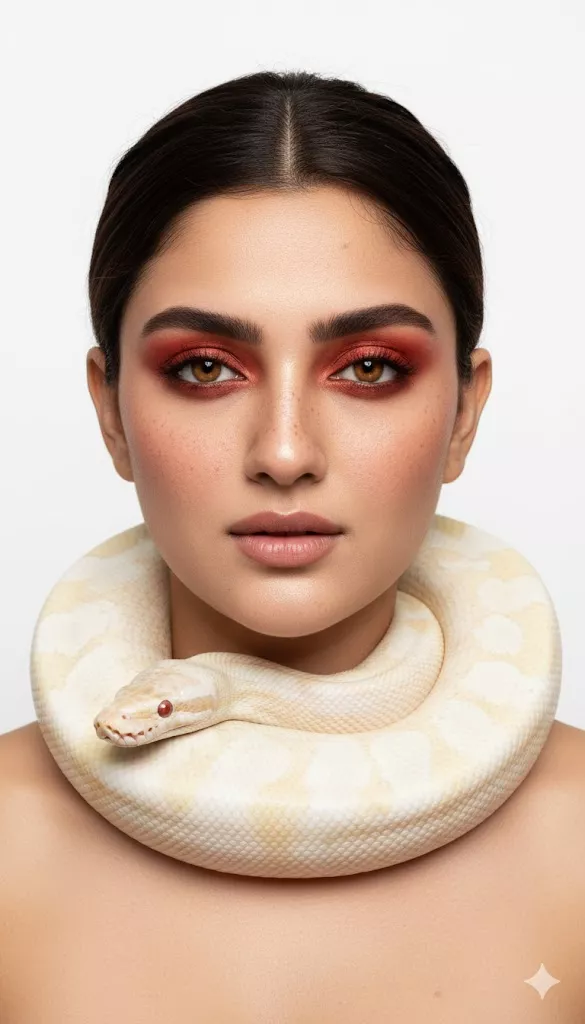
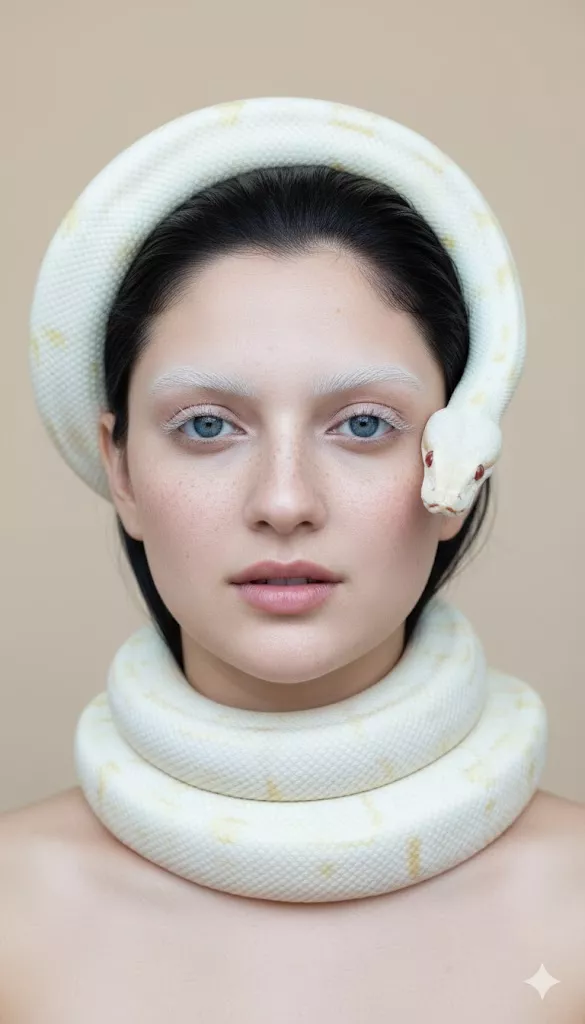
Image 11: White Albino Python Editorial Portrait
Realistic DSLR Girl Fashion Prompts
Realistic DSLR girl fashion prompts focus on natural facial details, realistic skin texture, sharp eyes, detailed hair, accurate clothing, and professional portrait photography. These prompts are useful when you want your AI-generated image to look like it was captured with a real DSLR camera.
Realistic DSLR Portrait Prompt: Create a realistic DSLR-style portrait of the uploaded woman wearing a stylish modern outfit. Preserve her facial identity, natural skin texture, realistic eyes, and original facial structure. Use an 85mm portrait lens, shallow depth of field, soft natural daylight, detailed hair strands, realistic fabric texture, and sharp focus on the eyes. Keep the background softly blurred with natural bokeh. The image should look like a professional fashion photograph with balanced skin tones and natural color grading.
8K Girl Fashion Portrait Prompt: Create an ultra-detailed 8K fashion portrait of the uploaded person wearing a modern, elegant outfit. Preserve accurate facial features and natural skin texture. Use professional DSLR photography, realistic lighting, detailed clothing fabric, sharp eyes, natural hair strands, realistic shadows, and a clean background. The final image should look like a high-resolution professional fashion photograph.
For more realistic portrait ideas, explore our Ultra-Detailed 8K DSLR-Style Portrait Prompts.
Cinematic Girl Fashion Prompts
Cinematic girl fashion prompts use dramatic lighting, strong color contrast, atmospheric backgrounds, and emotional expressions. They are useful for creating movie-style portraits and fashion editorial images.
Moody Cinematic Fashion Prompt: Create a moody cinematic fashion portrait of the uploaded woman wearing a dark green tailored jacket. Use soft amber light from one side and cool teal light from the opposite side. Add subtle shadows, realistic skin texture, detailed fabric, a dark studio background, and a thoughtful facial expression. Use professional portrait photography, shallow depth of field, and cinematic color grading.
Neon Cinematic Fashion Prompt: Create a futuristic neon fashion portrait of the uploaded person wearing a stylish black outfit. Illuminate one side of the face with magenta light and the other side with cyan-blue light. Use a black background, high contrast, sharp facial details, realistic skin texture, and a cinematic cyberpunk atmosphere. The image should look like a professional fashion magazine cover.
Golden-Hour Cinematic Prompt: Create a realistic cinematic fashion portrait of the uploaded woman standing outdoors during golden hour. She is wearing an elegant modern outfit with realistic fabric texture. Use warm sunlight, soft shadows, natural skin tones, subtle lens flare, shallow depth of field, and a softly blurred background. Capture the image in professional DSLR photography style.
Editorial and High-Fashion Girl Prompts
Editorial and high-fashion prompts are useful for creating magazine-style beauty portraits, studio photography, designer outfits, and luxury fashion concepts.
High-Fashion Studio Prompt: Create a high-fashion studio portrait of the uploaded woman wearing a tailored designer outfit with a clean silhouette and detailed fabric texture. Preserve her facial identity and natural skin details. Use professional studio lighting, a seamless dark background, sharp focus, realistic makeup, elegant posture, and editorial fashion photography style.
Luxury Beauty Portrait Prompt: Create a luxury beauty portrait of the uploaded subject with accurate facial structure, natural skin texture, detailed eyes, and realistic hair. She is wearing an elegant high-fashion outfit with subtle jewellery. Use soft studio lighting, gentle shadows, a clean background, realistic makeup, and professional magazine-style photography.
Tailored Outfit Fashion Prompt: Create a realistic editorial fashion portrait of the uploaded woman wearing a perfectly tailored blazer, fitted trousers, and elegant accessories. Show the texture and stitching of the outfit clearly. Use an 85mm DSLR lens, soft studio lighting, a minimal background, natural skin texture, realistic proportions, and high-resolution fashion photography. For more outfit ideas, explore our Gemini AI Girl Style Prompts.
Fantasy Girl Fashion Prompts
Fantasy girl fashion prompts combine fashion photography with flowers, animals, nature, surreal elements, and artistic concepts. They are useful for creating unique Pinterest images, creative portraits, and imaginative AI artwork.
Floral Fantasy Girl Prompt: Create a dreamy fantasy portrait of the uploaded woman surrounded by delicate flowers and soft green leaves. Her hair is decorated with pink, white, and yellow flowers. She wears a flowing cream-colored outfit with detailed fabric texture. Use soft golden light, pastel colors, realistic skin texture, and a romantic painterly atmosphere.
Butterfly Fantasy Portrait Prompt: Create a hyperrealistic fantasy portrait of the uploaded woman surrounded by green foliage and small white flowers. Add delicate butterflies resting naturally near her face and shoulders. She wears an elegant white lace dress with subtle gold details. Use soft diffused lighting, realistic skin texture, detailed wings, and a professional fashion photography composition.
Surreal Goldfish Fashion Prompt: Create a surreal but photorealistic fashion portrait of the uploaded woman wearing a loose beige kimono. Place three orange goldfish and one white goldfish gently on her head like a crown. Use a soft grey-beige studio background, diffused lighting, realistic skin texture, detailed fish scales, and an artistic high-fashion composition.
Mythological Snake Fashion Prompt: Create a high-fashion mythological portrait of the uploaded woman wearing an elegant outfit with a delicate flower crown. Add a realistic white-gold patterned snake wrapped naturally around her neck and shoulders. Use soft cinematic lighting, a deep black background, accurate facial features, realistic skin texture, and an ethereal editorial style.
How to Use Gemini AI Girl Fashion Prompts
- Open Gemini AI.
- Upload a clear reference image if you want to preserve your facial identity.
- Copy one prompt from this article.
- Paste the prompt into Gemini AI.
- Describe the outfit, hairstyle, lighting, camera style, and background.
- Mention the desired image ratio, such as portrait, square, or landscape.
- Ask Gemini to generate the image.
- If the result is not accurate, add more specific instructions.
- Regenerate the image with improved outfit, lighting, or camera details.
Reference Image Instructions: If you are using your own photo, add this instruction: Use the uploaded image as the facial reference. Preserve the person’s identity, facial structure, skin tone, hairstyle, and natural facial details. Do not change the person’s identity.
Outfit Instructions: Mention the exact outfit style, color, fabric, and design. (e.g., She is wearing a cream blazer, white inner top, tailored black trousers, and minimal gold jewellery.)
Lighting Instructions: You can use soft daylight, studio softbox lighting, golden-hour lighting, teal-orange cinematic lighting, neon lighting, rim lighting, diffused light, or high-contrast studio lighting.
Camera Instructions: You can add professional DSLR photography, 85mm portrait lens, 50mm lens, shallow depth of field, sharp focus on eyes, natural bokeh, high-resolution photography, or realistic portrait photography.
Background Instructions: You can specify a plain beige studio background, dark cinematic background, minimal white background, outdoor garden, luxury studio, blurred city background, or textured floral wall.
Aspect Ratio Instructions: For different platforms, use 1:1 for Instagram square posts, 4:5 for Instagram portrait posts, 9:16 for Instagram Reels, Stories, and Pinterest Idea Pins, 2:3 for Pinterest standard pins, or 16:9 for YouTube thumbnails and website banners.
How to Get Better DSLR-Style Results
To create realistic images, use detailed camera and photography instructions in your prompt. The following keywords can help improve the final output.
DSLR Photo Prompt: Use the phrase DSLR photo prompt when you want a realistic portrait with natural skin texture, sharp details, and professional photography quality. (e.g., Create a realistic DSLR photo portrait of the uploaded woman with natural skin texture, sharp eyes, realistic hair strands, soft background blur, and professional portrait lighting.)
DSLR Camera Prompt: Use the phrase DSLR camera prompt when you want to control the camera style, lens, depth of field, and composition. (e.g., Use a professional DSLR camera with an 85mm portrait lens, shallow depth of field, sharp focus on the eyes, realistic bokeh, and natural skin tones.)
8K Photo Prompt: Use the phrase 8K photo prompt to request a highly detailed and sharp image. (e.g., Create an ultra-detailed 8K photo with realistic skin texture, sharp facial details, detailed hair strands, natural fabric texture, and professional lighting.)
Gemini 8K Photo Prompt: A Gemini 8K photo prompt should include both image quality and realistic photography instructions. (e.g., Generate a realistic Gemini 8K photo of the uploaded person wearing a stylish fashion outfit. Preserve facial identity, natural skin texture, realistic hair, detailed fabric, sharp eyes, professional DSLR photography, soft cinematic lighting, and high-resolution image quality.)
Professional Portrait Prompt: A professional portrait prompt should explain the subject, outfit, pose, camera, lighting, background, and final image quality. (e.g., Create a professional portrait of the uploaded woman wearing an elegant modern outfit. Use an 85mm lens, soft studio lighting, realistic skin texture, natural facial expression, detailed hair, shallow depth of field, clean background, and professional fashion photography composition.)
Avoid Unwanted AI Details: Add this instruction when necessary: Avoid distorted hands, extra fingers, unnatural skin, plastic facial texture, blurry eyes, incorrect anatomy, unrealistic clothing, excessive smoothing, and artificial-looking lighting.
For better composition, you can also use our AI Camera Angle Prompts.
Frequently Asked Questions
1. What are Gemini AI girl fashion prompts?
Gemini AI girl fashion prompts are detailed text instructions used to generate girl fashion images with Gemini AI. They describe the outfit, pose, lighting, background, camera style, and image quality.
2. How can I create DSLR-style girl photos in Gemini?
Upload a clear reference image and use a prompt that includes DSLR photography, an 85mm lens, shallow depth of field, realistic skin texture, sharp eyes, natural lighting, and professional portrait composition.
3. Can I generate 8K fashion portraits with Gemini AI?
Yes. You can add terms such as 8K, ultra-detailed, photorealistic, sharp focus, realistic skin texture, detailed hair, and professional DSLR photography to request a high-quality fashion portrait.
4. Can I use my own reference image?
Yes. Upload your own image and instruct Gemini AI to preserve your facial identity, facial structure, skin tone, and natural appearance while changing the outfit or background.
5. How can I make AI fashion portraits more realistic?
Use a clear reference image, realistic lighting, natural skin texture, detailed hair strands, accurate facial structure, realistic clothing fabric, professional camera instructions, and a simple background.
6. Which lighting is best for fashion photography prompts?
Soft daylight and studio softbox lighting are useful for clean and realistic fashion portraits. Golden-hour lighting creates a warm effect, while teal-orange and neon lighting are useful for cinematic and dramatic portraits.



















