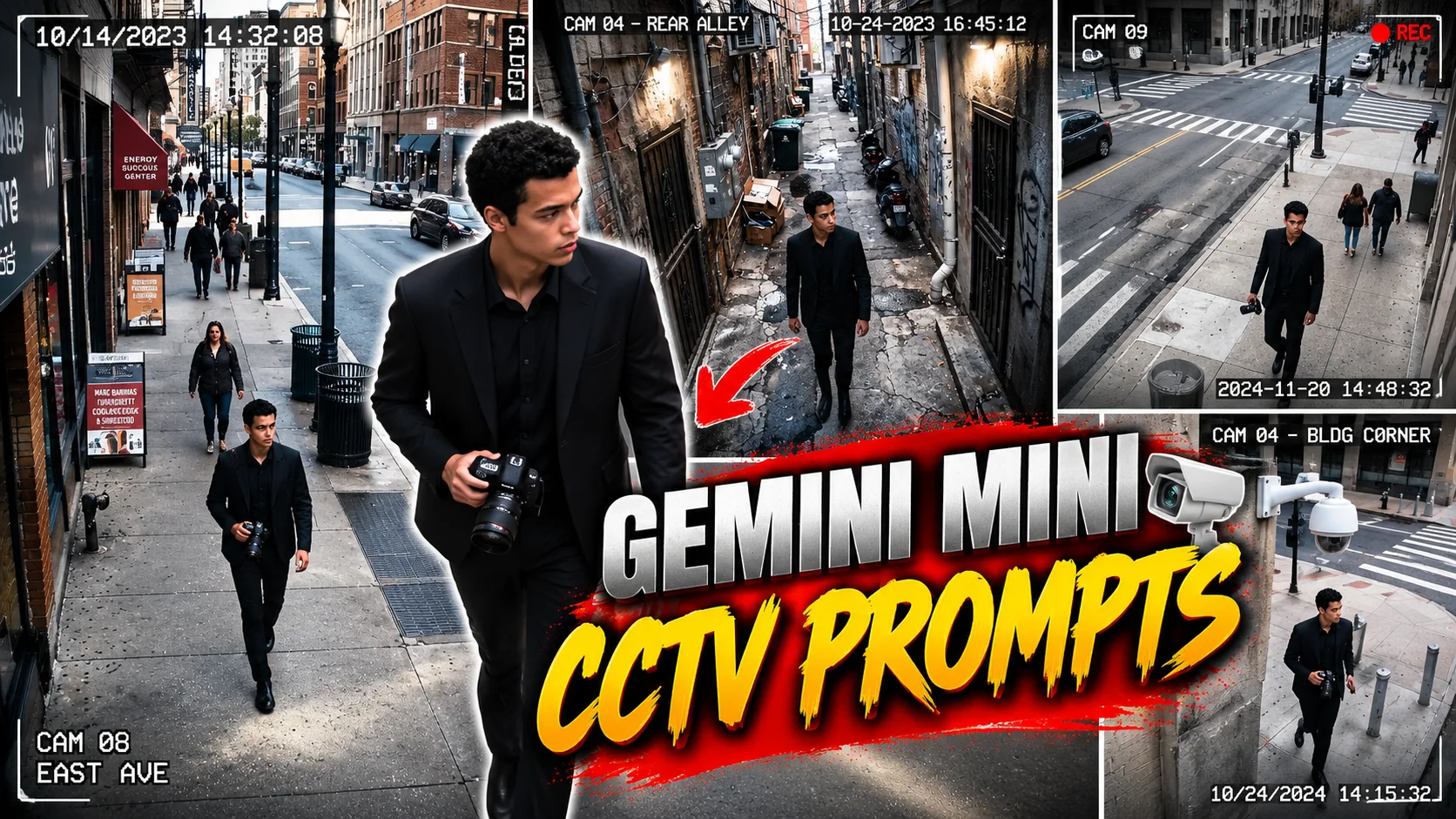
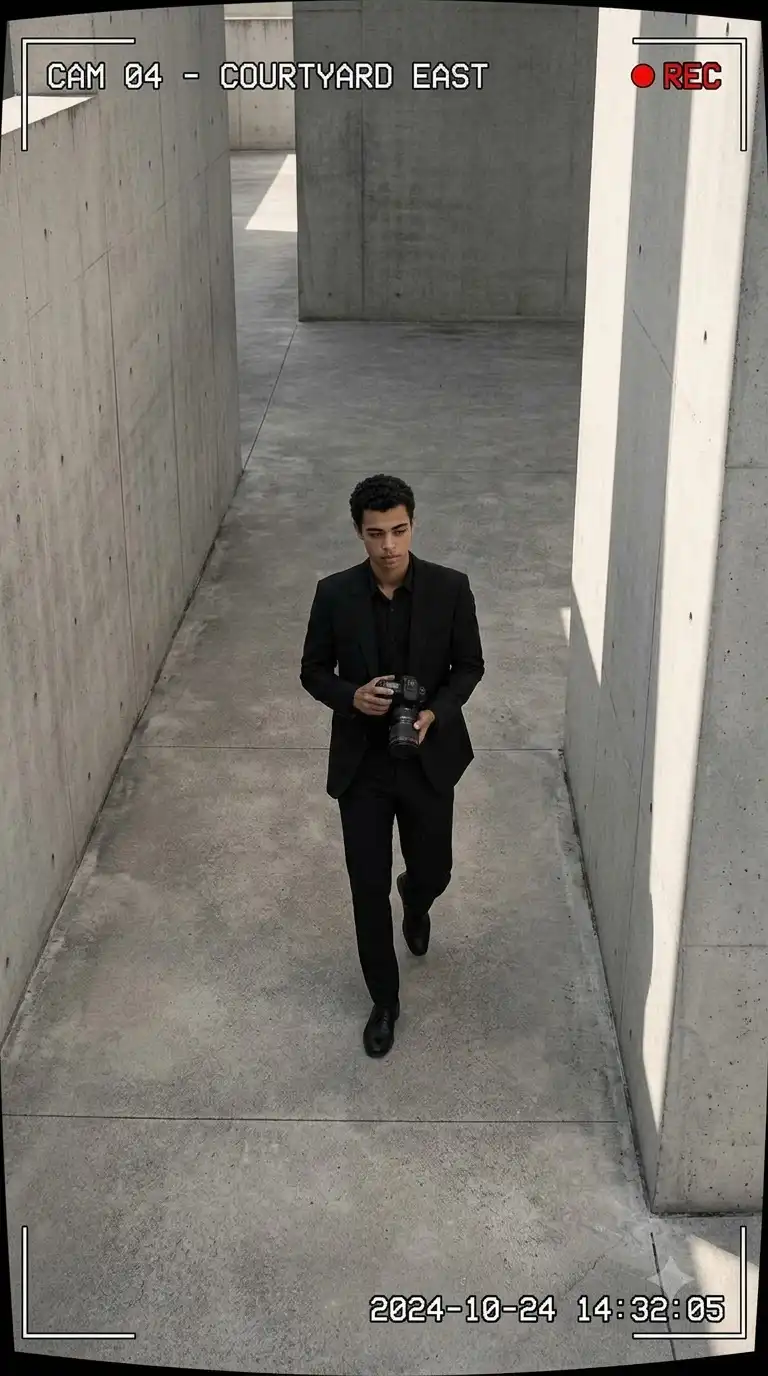
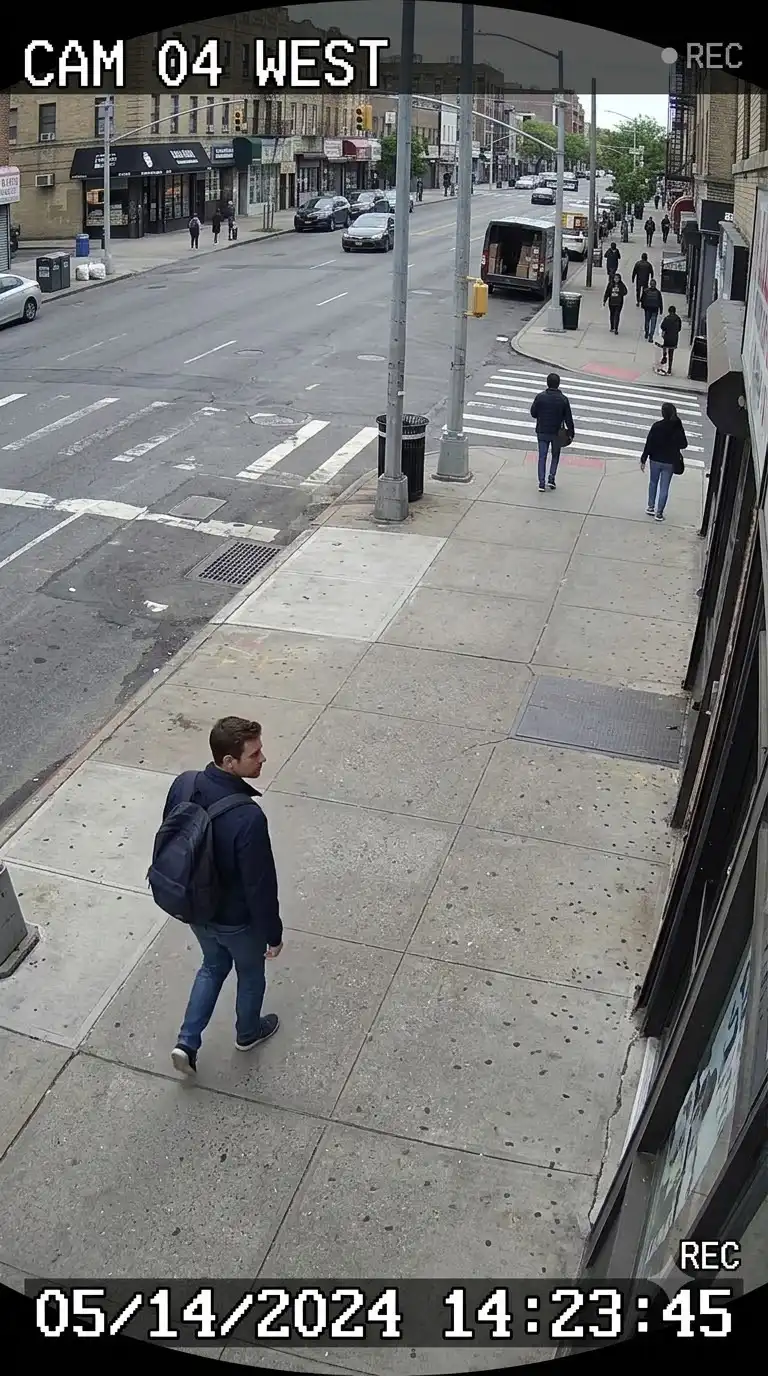
Looking for the best Gemini Mini prompt to create realistic CCTV, surveillance, and street-style AI photos?
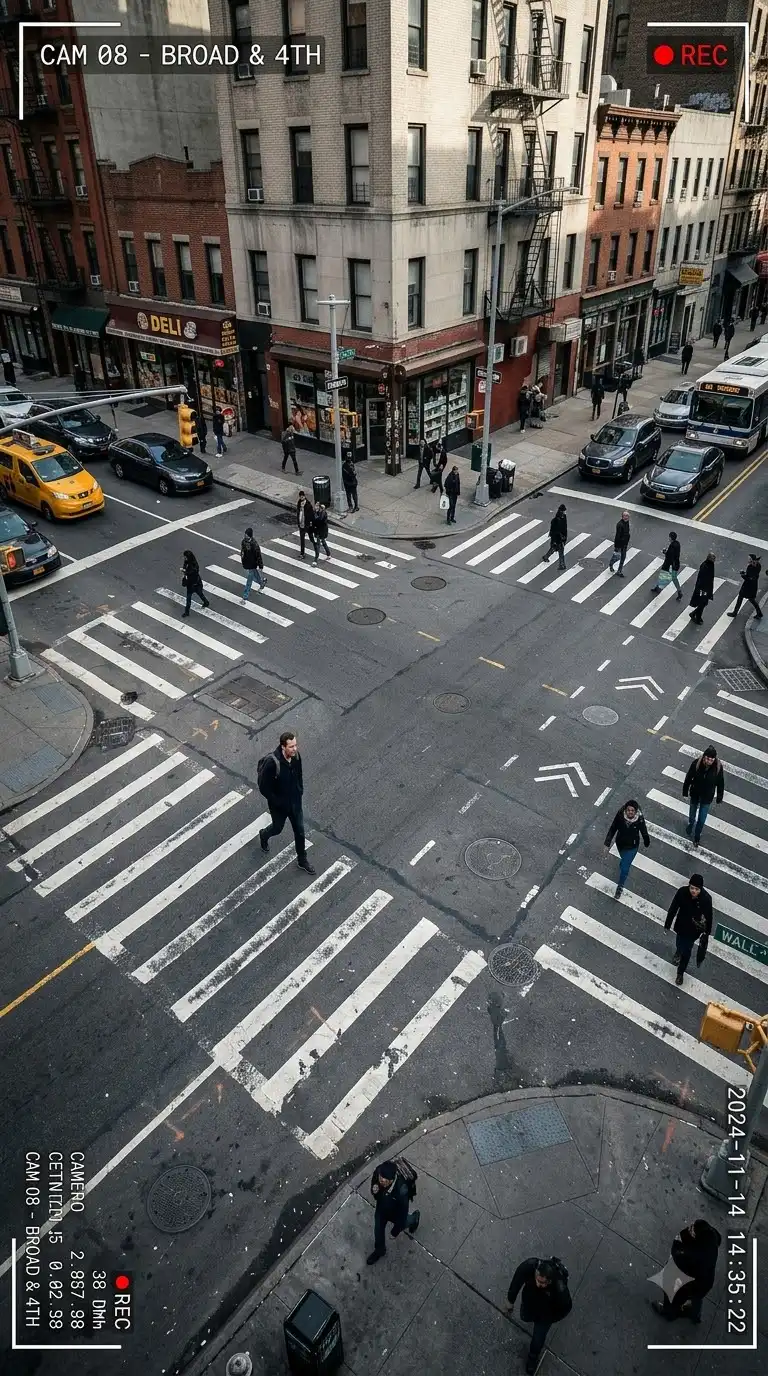
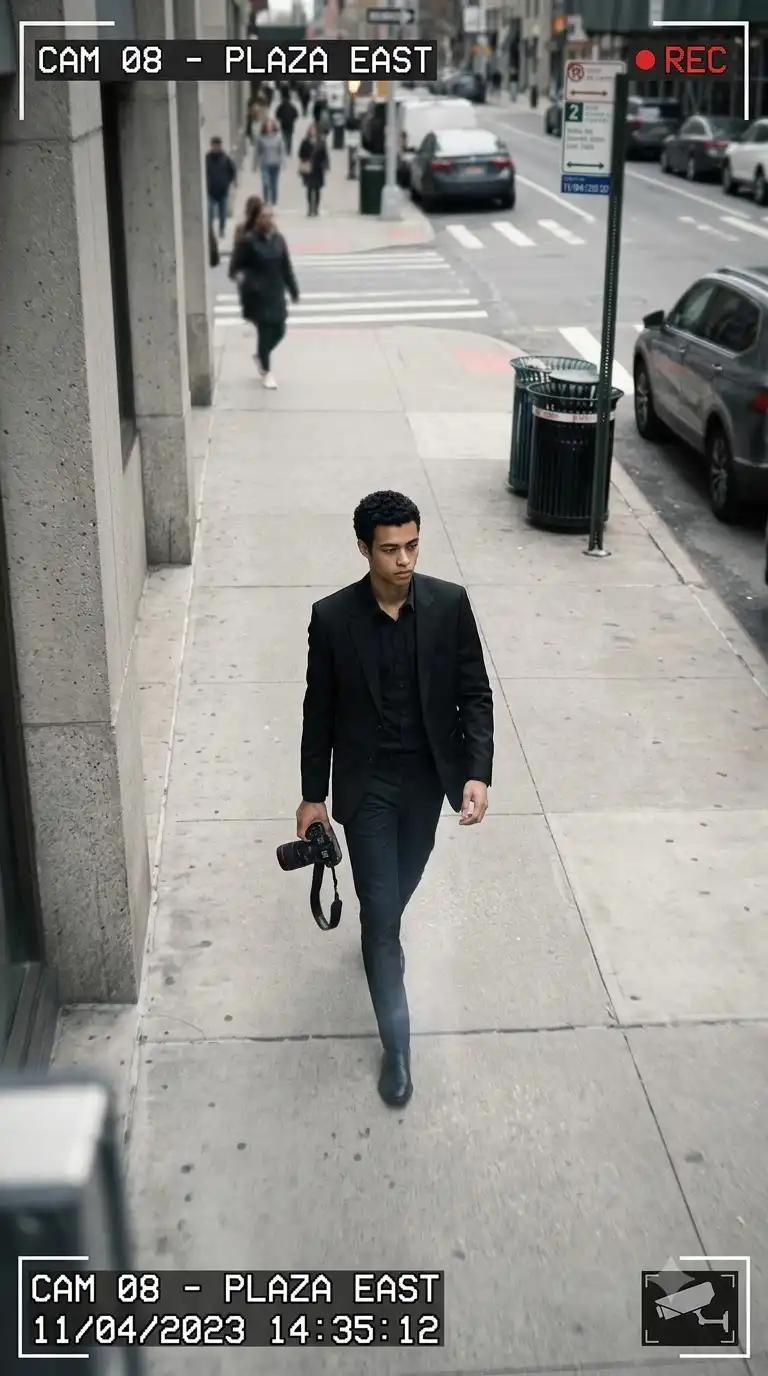
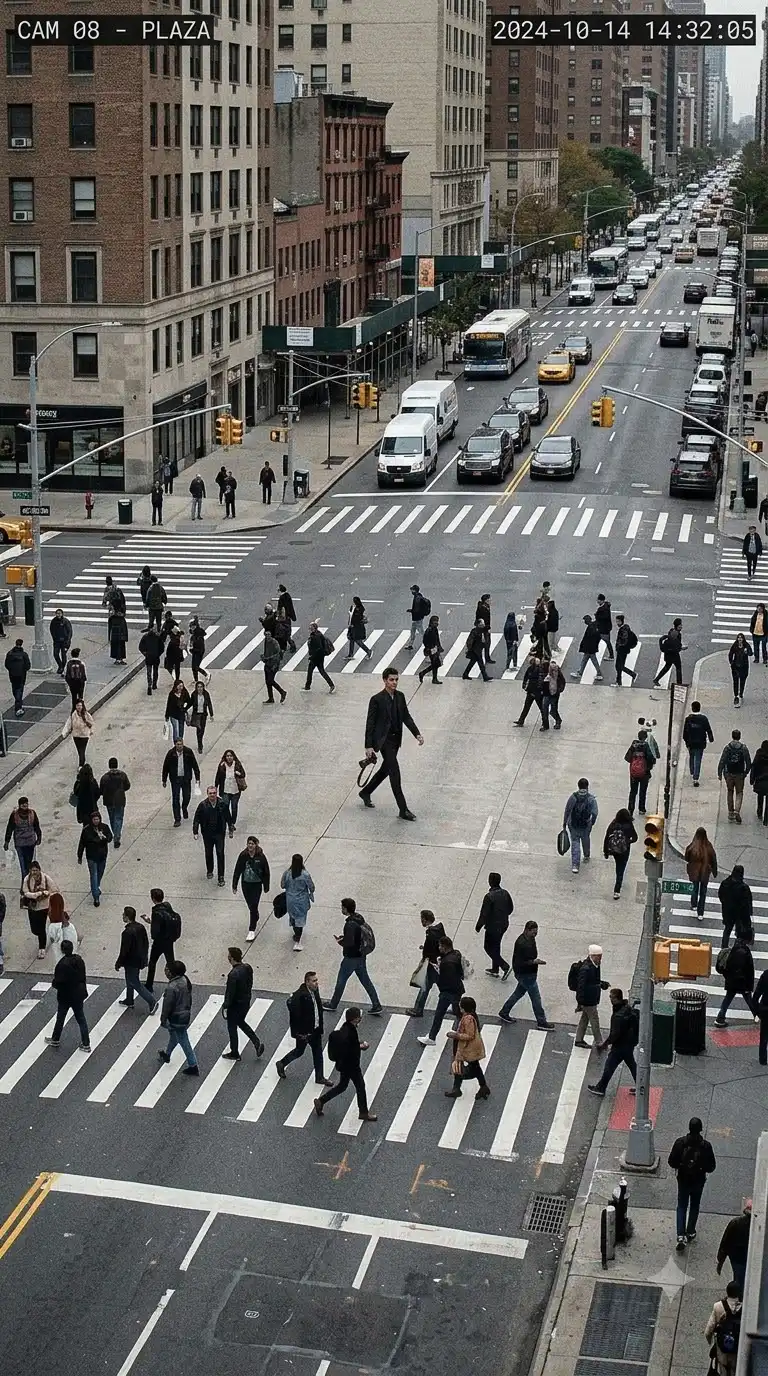
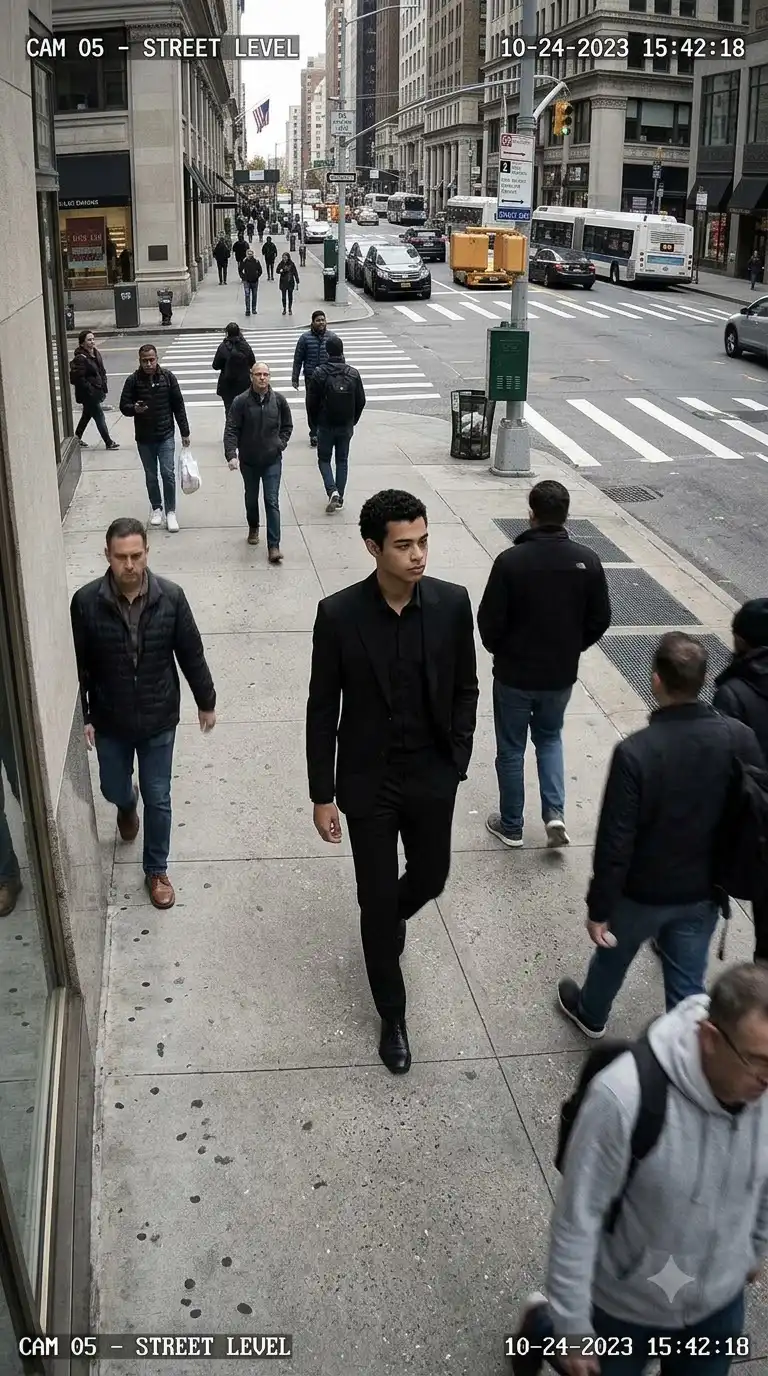
These Gemini Mini prompts transform a single uploaded image into ultra-realistic surveillance-style portraits with high-angle camera views, wide-angle perspective, natural body language, street environments, realistic lighting, and cinematic urban photography.
The collection below includes 25 copy-and-paste Gemini Mini prompts covering CCTV street portraits, pedestrian crossings, urban stairs, night surveillance, rainy streets, security-camera angles, and photo-editing variations.
Upload your reference image, copy one of the prompts, and let Gemini transform your photo into a realistic surveillance-style scene.
Best Gemini Mini Surveillance Prompts
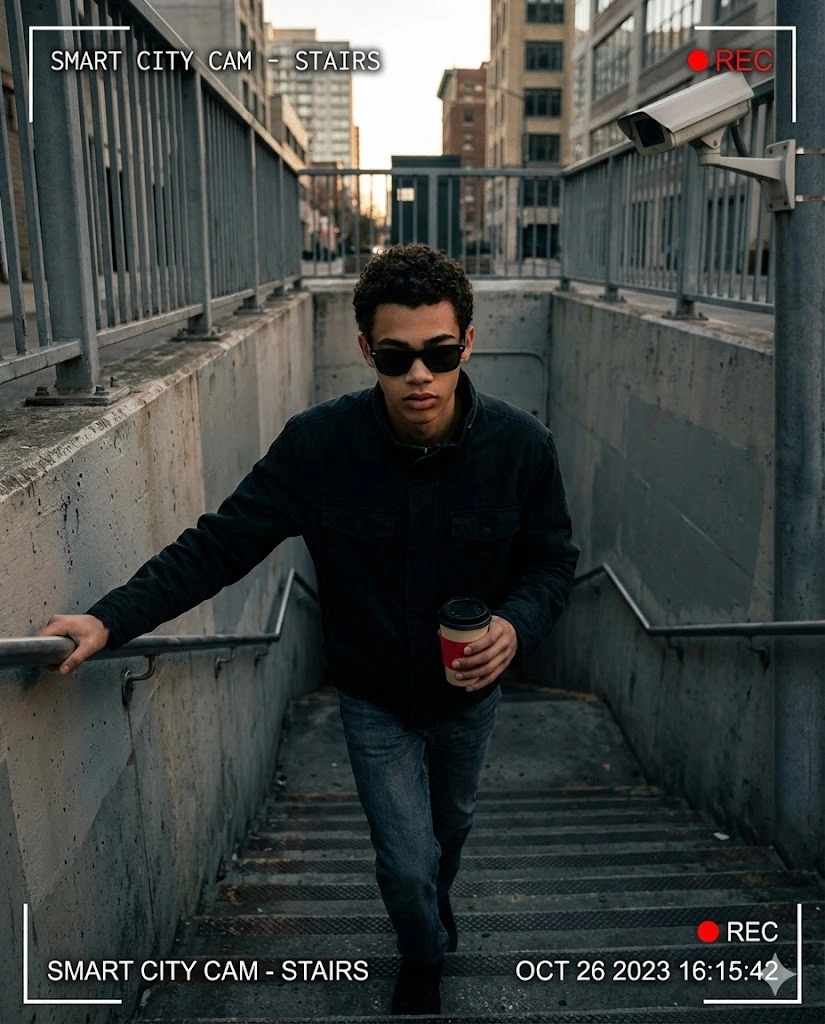
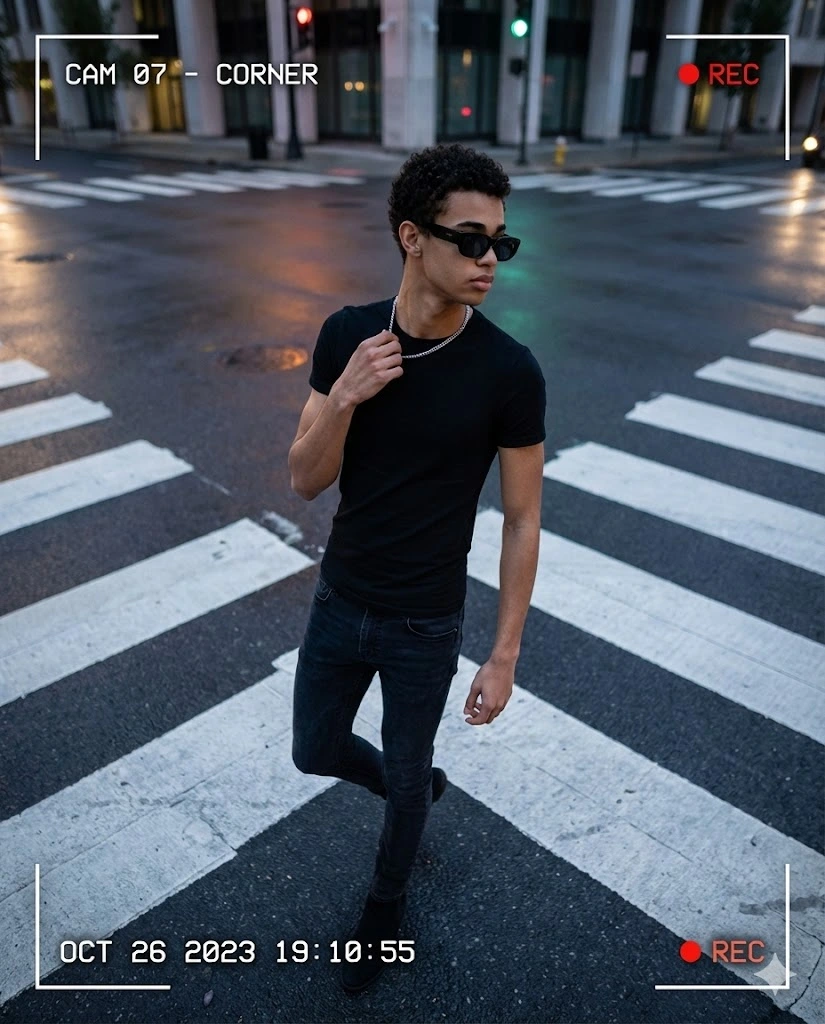
These first five prompts build on the original surveillance portrait concepts, including the high-angle CCTV perspective, pedestrian crossing, urban stairs, coffee cup, sunglasses, and observational photography style.
1. High-Angle CCTV Street Portrait
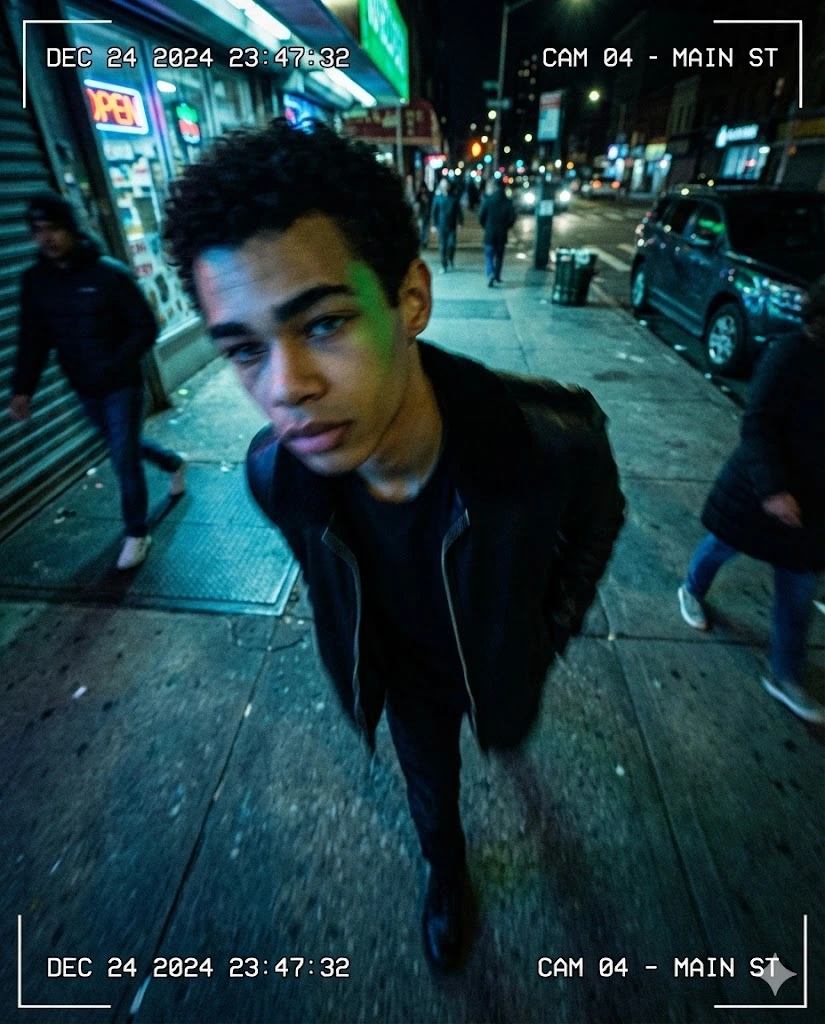
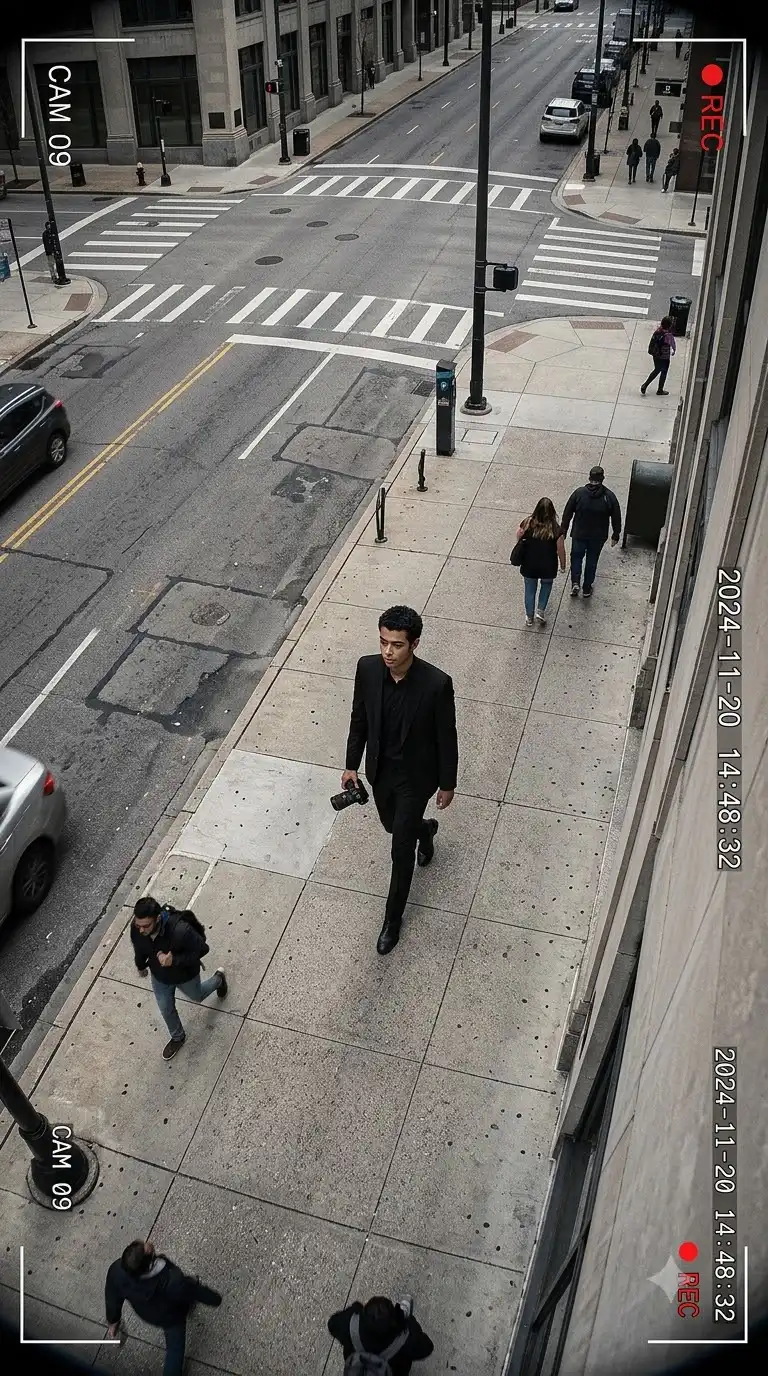
Transform the uploaded image into an ultra-high-resolution DSLR-style surveillance portrait with a vertical image size of 1664x2080. Make the image look as if it was captured by a smart-city CCTV camera using a wide-angle lens mounted high above the street. Preserve the person's facial identity, natural facial features, body proportions, hairstyle, and skin texture. Show the subject walking naturally through an urban street while slightly leaning forward, with relaxed shoulders and realistic walking motion. Use exaggerated wide-angle perspective, subtle natural motion blur, realistic street lighting, authentic environmental detail, and an observational surveillance-camera composition. The image should look like a real security-camera photograph rather than a posed studio portrait.
2. Zebra Crossing CCTV Portrait
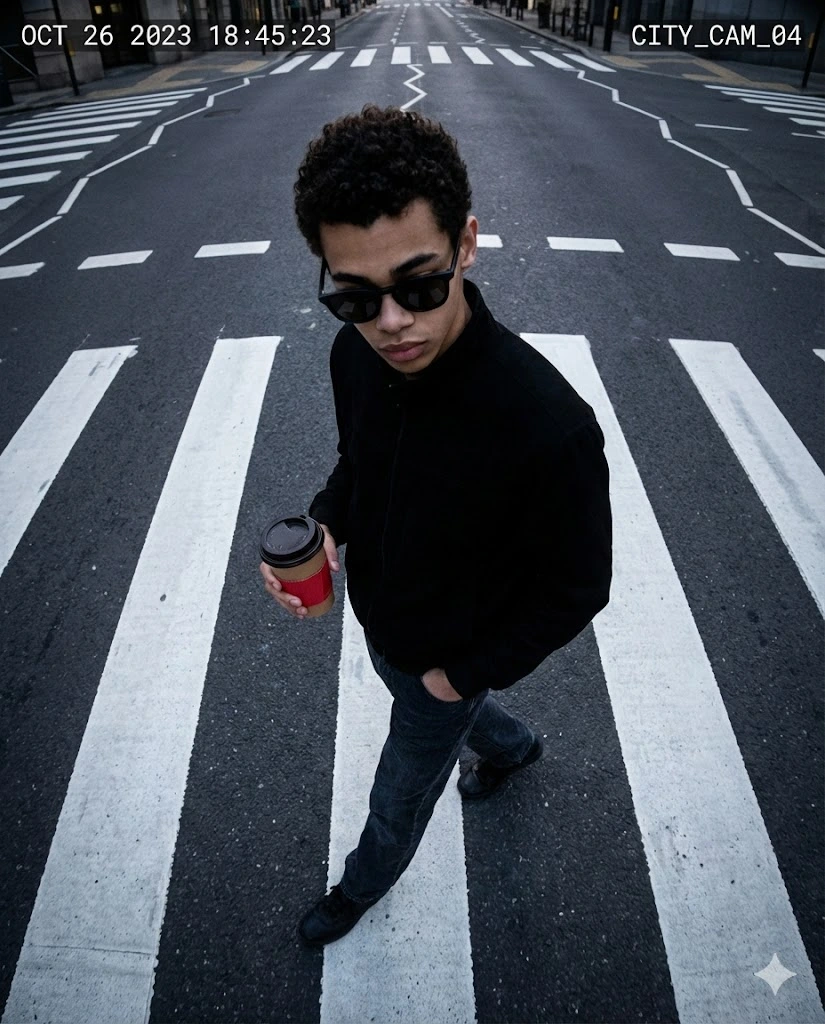
Transform the uploaded image into an ultra-high-resolution DSLR-style surveillance photograph with a fixed portrait resolution of 1664x2080. Capture the subject from a smart-city CCTV camera mounted high above a pedestrian zebra crossing using a wide field-of-view lens. Preserve the same facial identity and natural appearance from the uploaded image. Show the subject walking across the road with relaxed shoulders and a natural mid-stride posture. One hand is inside the pocket of black jeans while the other holds a takeaway coffee cup with a red sleeve. The subject wears stylish black sunglasses and looks slightly downward rather than directly at the camera. Make the road markings stretch toward the edges because of wide-angle perspective. Add realistic daylight, natural street activity, subtle motion blur, realistic shadows, and authentic surveillance photography.
3. Side-Turn Surveillance Street Portrait
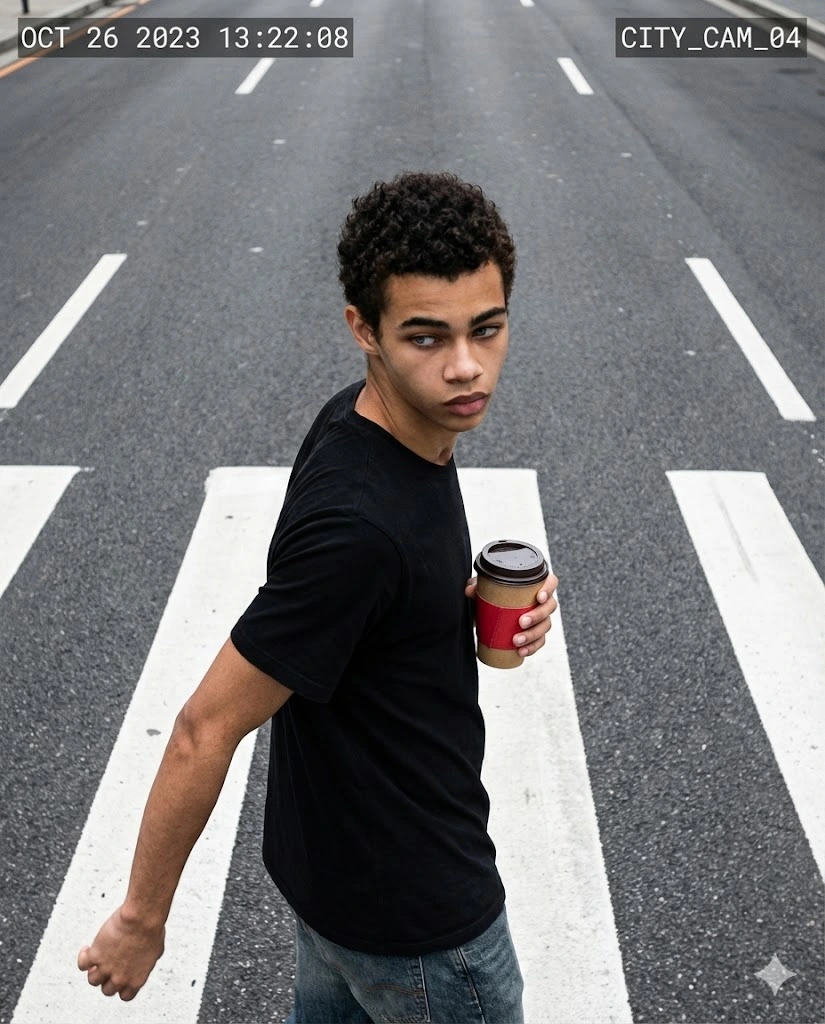
Transform the uploaded image into an ultra-high-resolution surveillance-style street portrait with a fixed portrait resolution of 1664x2080. Preserve the person's facial identity and natural appearance. Capture the scene from a high, slightly tilted smart-city CCTV camera using a wide-angle lens. Show the subject walking diagonally across a pedestrian crossing while naturally turning their head to the side as if they have just noticed something nearby. The torso should be slightly twisted with one shoulder leading forward. One hand swings naturally while the other holds a takeaway coffee cup with a red sleeve near the chest. Use realistic street lighting, natural body movement, wide-angle distortion, subtle motion blur, and authentic surveillance-camera framing.
4. Urban Staircase CCTV Portrait
Transform the uploaded image into an ultra-high-resolution DSLR-style surveillance portrait with a fixed image size of 1664x2080. Keep the futuristic surveillance street-photography aesthetic and preserve the person's facial identity. Show the subject walking down a short set of urban concrete stairs, captured by a high-mounted CCTV camera using a wide-angle lens. The body should be angled naturally downward to create realistic walking motion. One hand lightly touches the stair handrail for balance while the other holds a takeaway coffee cup with a red sleeve near the waist. The head is slightly tilted downward and the subject wears stylish black sunglasses. No backpack or large bag. Use realistic urban lighting, natural shadows, subtle lens distortion, and observational CCTV composition.
5. Pedestrian Crossing Surveillance Portrait
Transform the uploaded image into an ultra-high-resolution DSLR-style surveillance portrait with a fixed portrait resolution of 1664x2080. Capture the subject from a high-mounted CCTV camera using a wide-angle lens. Show the subject standing in the middle of an empty pedestrian crossing after walking halfway across the road. The subject is slightly leaning backward with relaxed shoulders, one leg forward and the other slightly behind in a natural pause-in-motion stance. One hand is raised near the chest adjusting a silver chain necklace while the other hangs naturally by the side. The head is turned away from the camera and the subject wears stylish black sunglasses. Create an authentic unnoticed-yet-observed surveillance feeling with realistic street lighting, wide-angle perspective, natural shadows, and subtle image grain.
Gemini CCTV Photo Prompts
These prompts focus specifically on Gemini CCTV photo prompt searches and different security-camera perspectives.
6. Corner-Mounted CCTV Street View
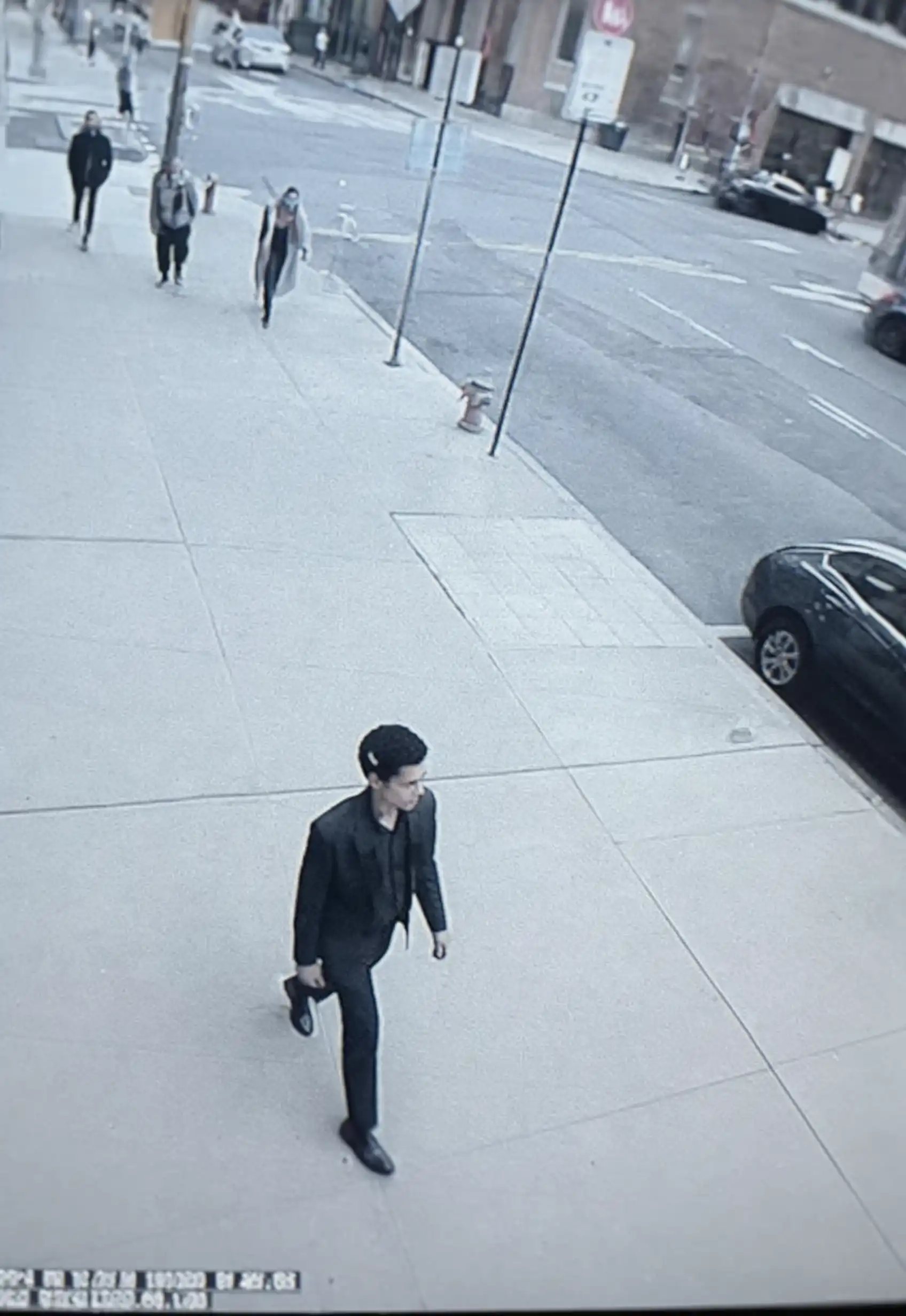
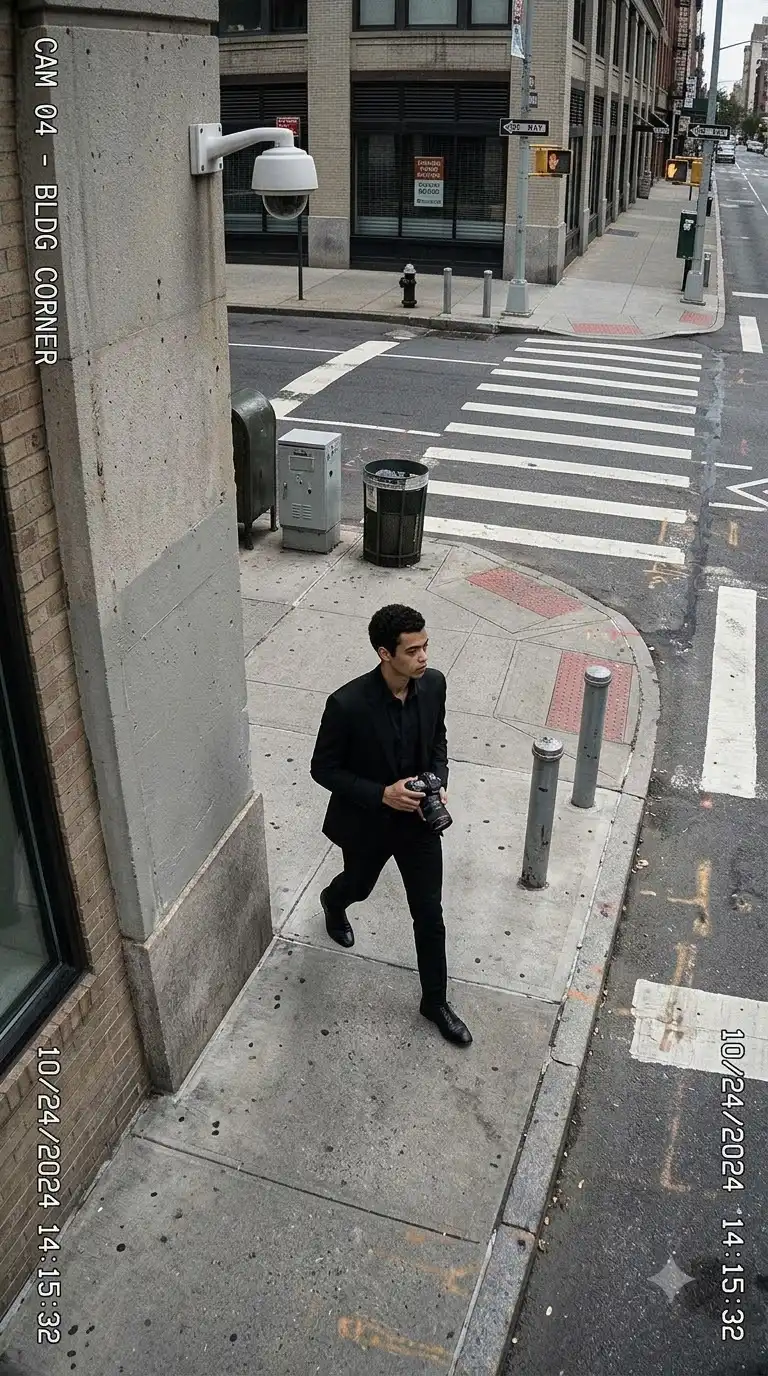
Transform the uploaded image into a realistic CCTV street photograph captured from a security camera mounted high on the corner of an urban building. Preserve the subject's facial identity, natural skin texture, hairstyle, and body proportions. Use a wide field-of-view lens with slight perspective distortion. Show the subject walking naturally along a city sidewalk while looking away from the camera. Include realistic buildings, road markings, parked vehicles, street signs, pedestrians, and environmental details. Use imperfect framing, natural ambient lighting, subtle digital noise, realistic motion blur, and authentic security-camera aesthetics.
7. High-Building Security Camera Portrait
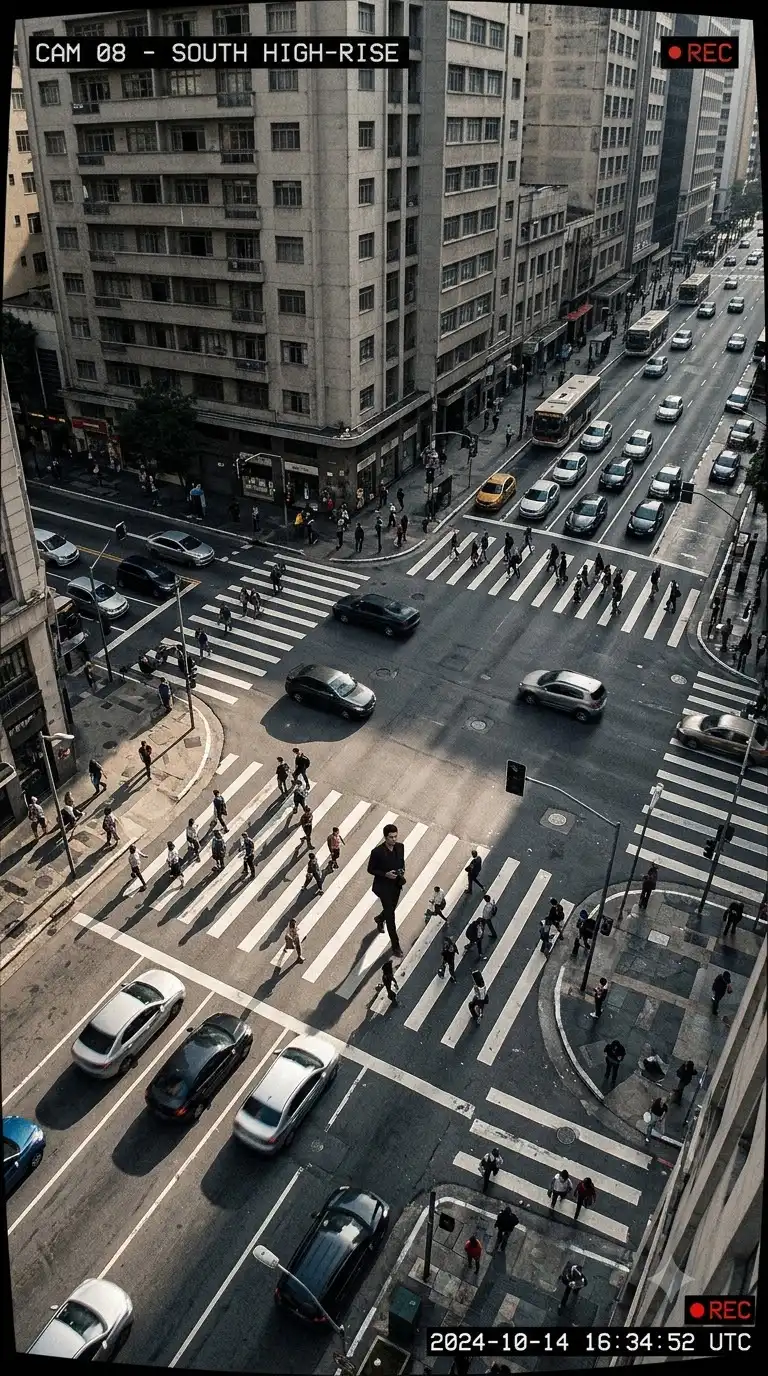
Transform the uploaded reference image into a realistic surveillance photograph viewed from a security camera mounted on a tall building. Preserve the subject's face and natural appearance. Show the subject walking through a large urban intersection far below the camera. Use a wide-angle perspective that makes the street geometry appear stretched toward the edges. Include vehicles, pedestrians, crosswalk markings, buildings, streetlights, and realistic shadows. Make the image feel observational and unposed, with subtle compression artifacts, natural motion blur, realistic lighting, and authentic CCTV perspective.
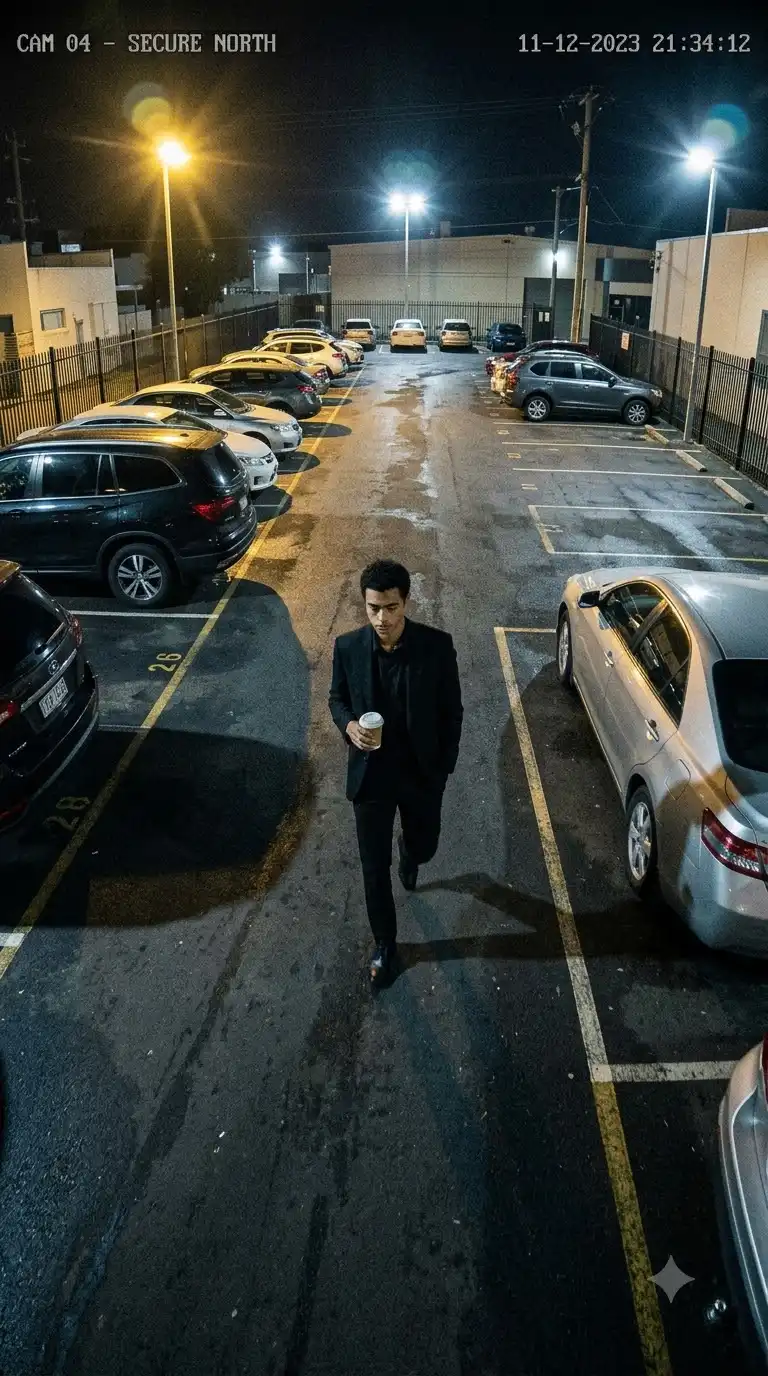
8. Parking Lot CCTV Scene
Transform the uploaded image into an ultra-realistic parking-lot security-camera photograph. Preserve the subject's facial identity and natural body proportions. Capture the scene from a CCTV camera mounted high on a building corner. Show the subject walking between parked cars while carrying a small takeaway coffee cup. Use a wide field of view, realistic parking-lot lights, asphalt reflections, vehicle shadows, subtle motion blur, natural body language, slight digital grain, and realistic security-camera framing. The image should feel like an authentic surveillance recording converted into a high-resolution photograph.
9. Convenience Store CCTV Portrait
Transform the uploaded image into a realistic convenience-store surveillance photograph. Preserve the subject's face and natural features. Show the subject entering a small urban convenience store while a ceiling-mounted security camera captures the scene from above. Include shelves, glass doors, product displays, fluorescent lights, tiled flooring, and realistic background details. Use a slightly wide-angle CCTV perspective, subtle lens distortion, imperfect framing, natural movement, realistic shadows, and authentic surveillance-camera image quality.
10. Underground Passage CCTV Scene
Transform the uploaded image into an ultra-realistic CCTV photograph inside an urban underground pedestrian passage. Preserve the subject's facial identity and natural appearance. Capture the subject walking through the passage from a ceiling-mounted security camera positioned at an angle. Include concrete walls, overhead fluorescent lights, floor markings, distant pedestrians, and realistic environmental details. Use wide-angle perspective, subtle digital noise, realistic motion blur, slightly imperfect exposure, natural body language, and authentic security-camera aesthetics.
Gemini Surveillance Street Portrait Prompts
These prompts combine the surveillance aesthetic with realistic urban street photography.
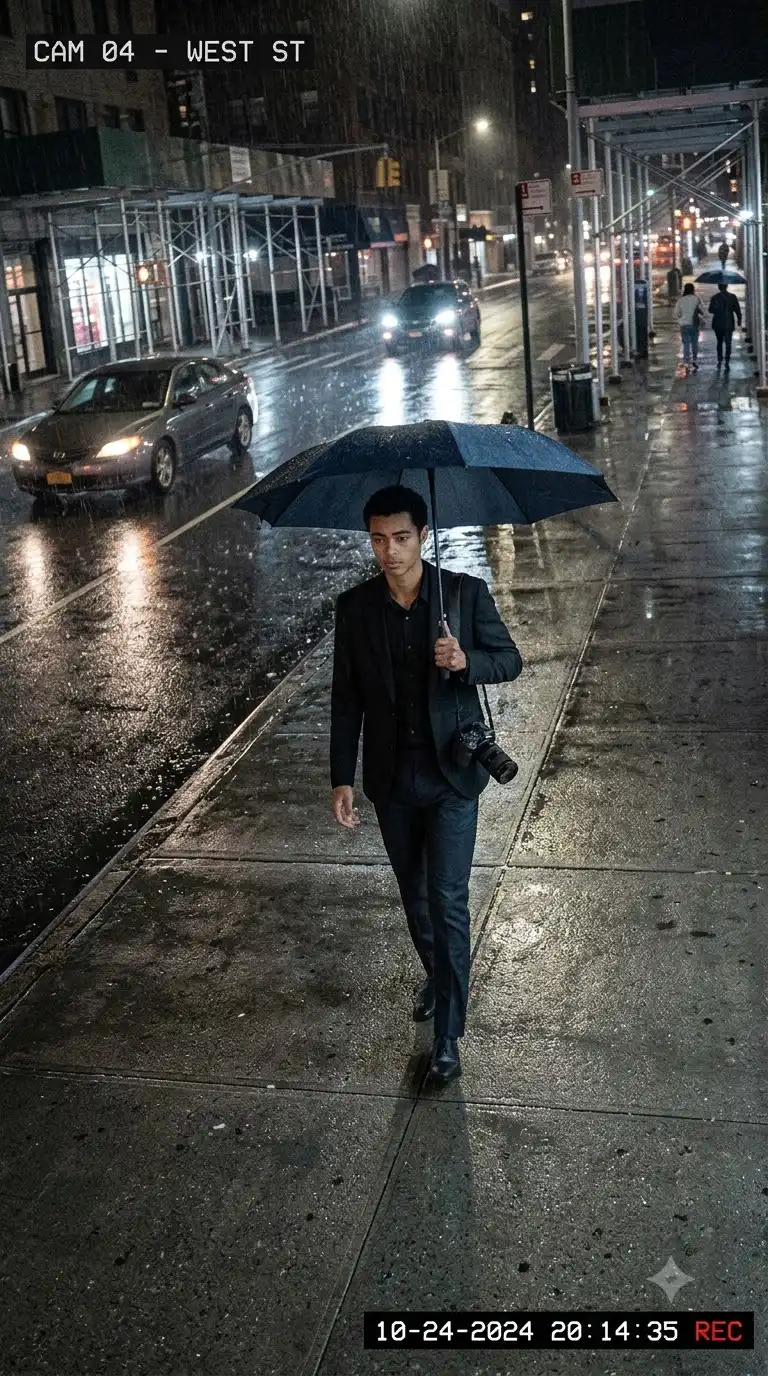
11. Rainy Street Surveillance Portrait
Transform the uploaded image into a realistic high-mounted CCTV street portrait during light rain. Preserve the subject's facial identity, natural skin texture, hairstyle, and body proportions. Show the subject walking along a wet city street while holding a dark umbrella. Capture the scene from a building-mounted security camera using a wide-angle lens. Include wet asphalt, reflections from streetlights, passing vehicles, distant pedestrians, light rain, and realistic urban architecture. Add subtle motion blur, natural low-light exposure, slight lens distortion, and authentic surveillance-camera framing.
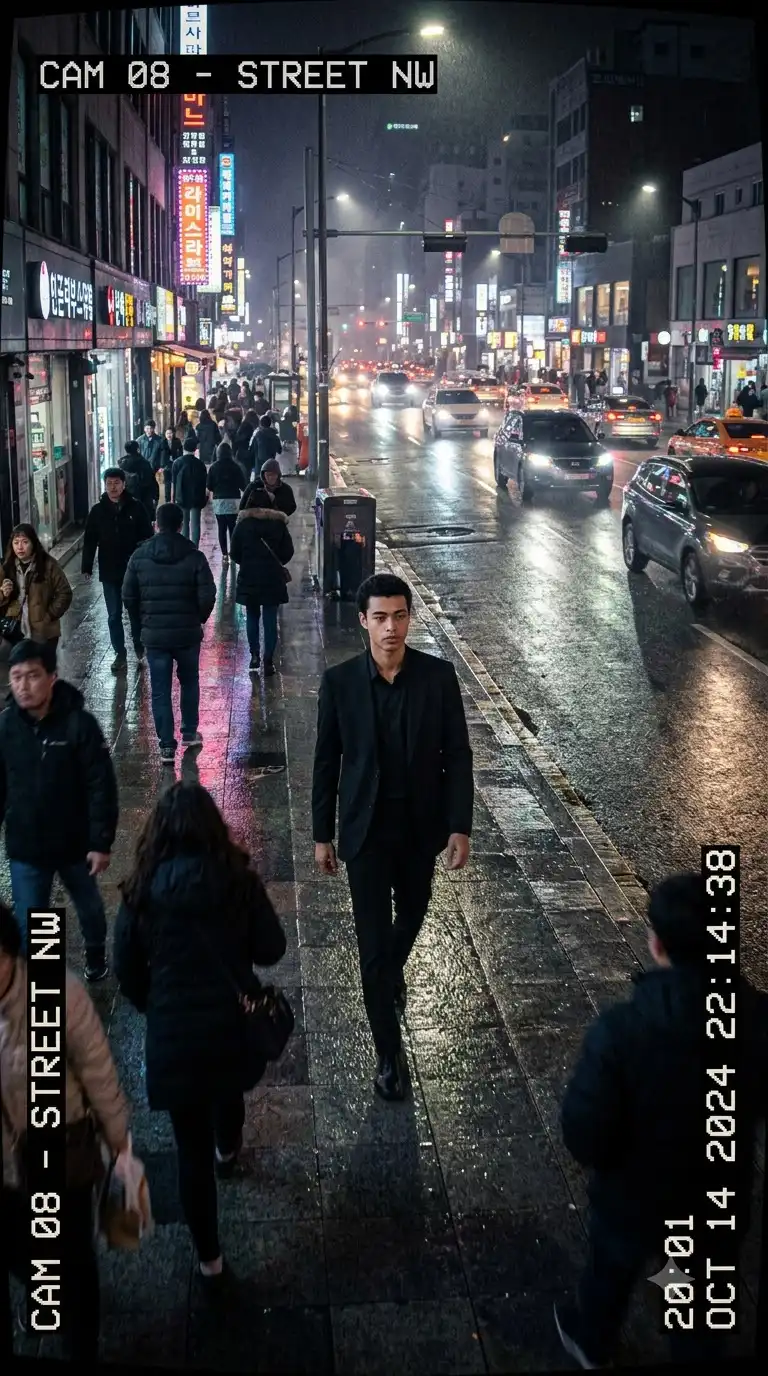
12. Night Neon CCTV Portrait
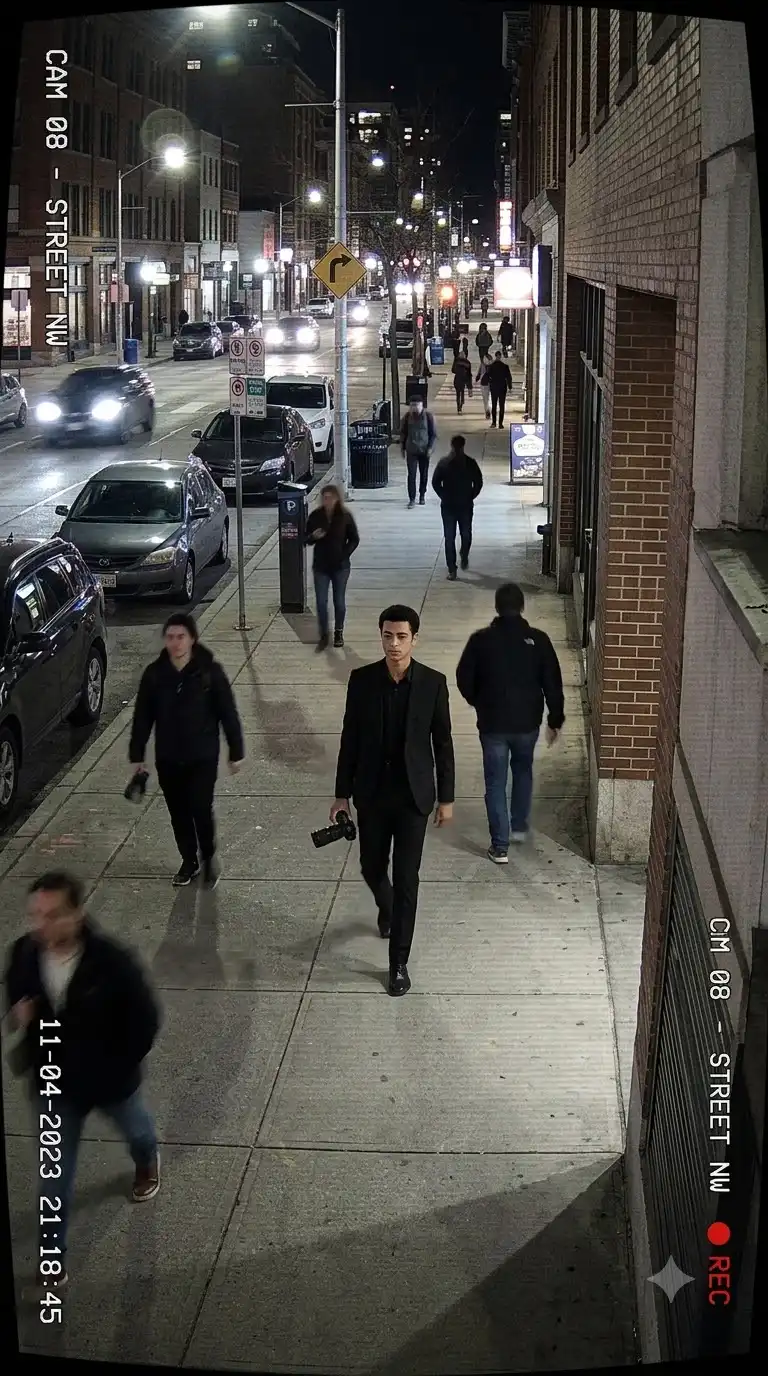
Transform the uploaded image into an ultra-realistic nighttime surveillance photograph. Preserve the subject's facial identity and natural appearance. Capture the subject walking through a busy urban street illuminated by neon signs, shop lights, and passing vehicles. Use a high-mounted CCTV camera with a wide field of view. Add wet pavement, realistic reflections, atmospheric haze, subtle motion blur, slight digital grain, and imperfect security-camera framing. Keep the subject naturally unaware of the camera and avoid a posed expression.
13. Busy Crosswalk Surveillance Shot
Transform the uploaded image into a realistic CCTV photograph of the subject crossing a busy urban intersection. Preserve the person's face, hairstyle, natural body proportions, and skin texture. Capture the scene from a high-mounted security camera using a wide-angle lens. Surround the subject with realistic pedestrians, road markings, vehicles, traffic lights, storefronts, and city architecture. Use natural walking motion, slight motion blur, realistic shadows, wide-angle distortion, and authentic surveillance-camera composition.
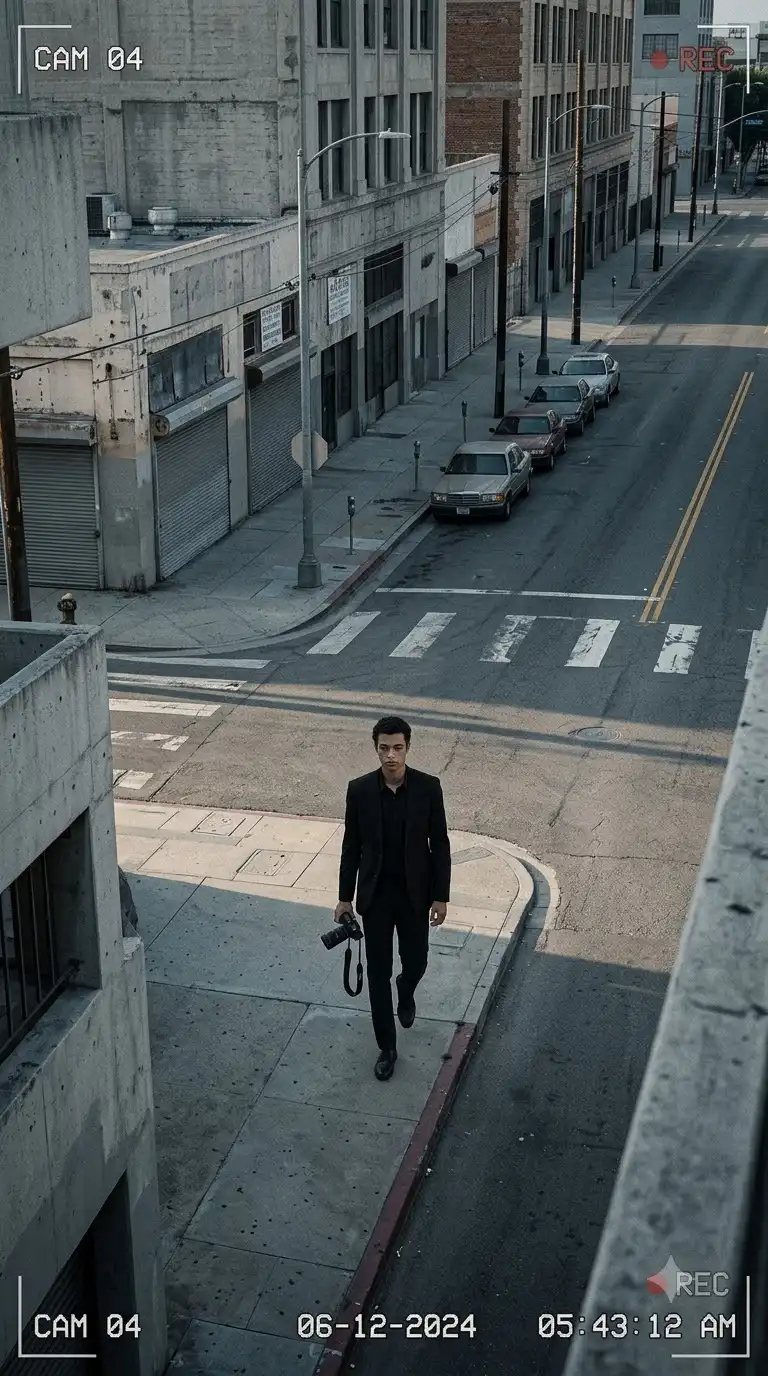
14. Empty Street Security Camera Portrait
Transform the uploaded image into a cinematic but realistic security-camera photograph of the subject walking alone through an empty urban street. Preserve the person's facial identity and natural appearance. Capture the scene from a high corner-mounted CCTV camera using a wide field of view. Include concrete buildings, streetlights, parked vehicles, road markings, and subtle environmental details. Use early-morning ambient light, realistic shadows, slight digital noise, natural walking posture, and imperfect surveillance framing.
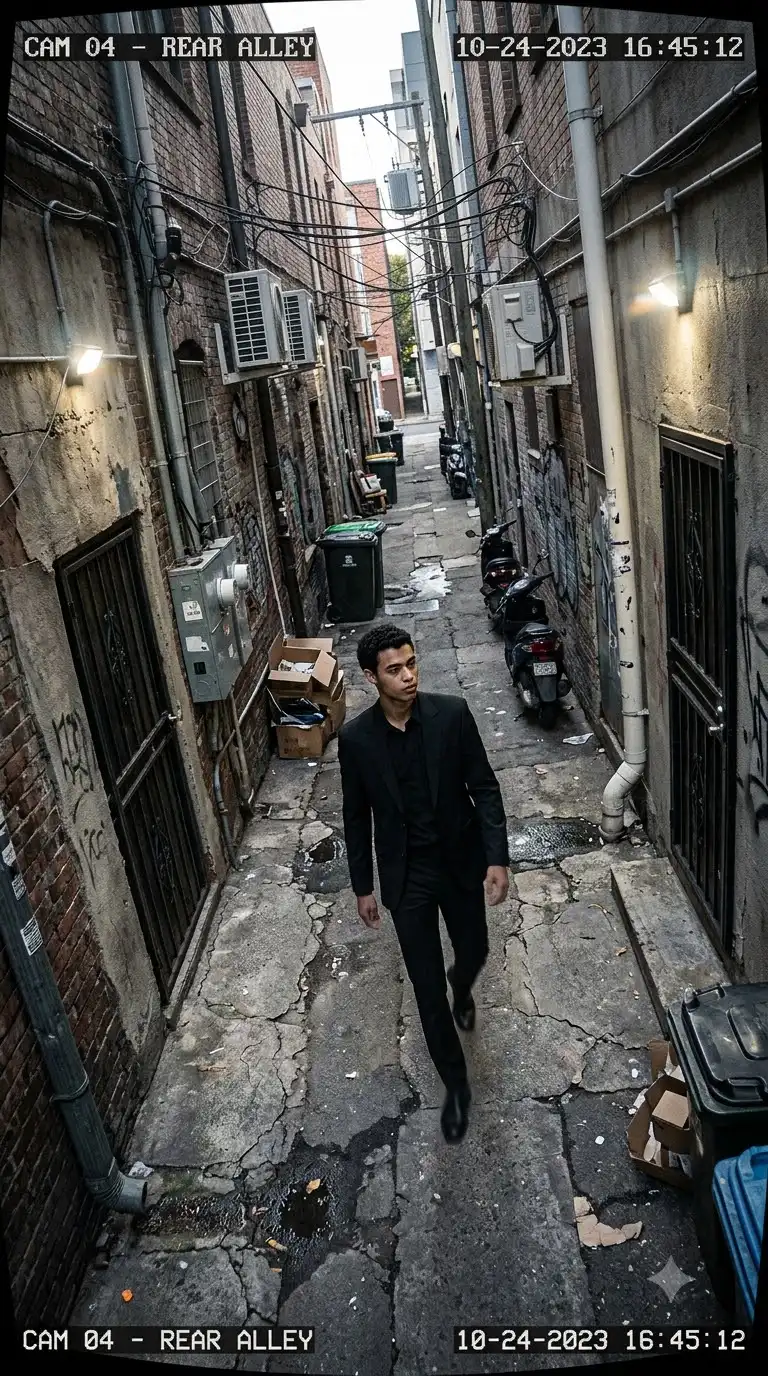
15. Urban Alley Surveillance Portrait
Transform the uploaded image into a realistic CCTV surveillance portrait in a narrow urban alley. Preserve the subject's facial identity and natural body proportions. Capture the subject walking naturally through the alley while looking slightly to the side. Use a high-mounted wide-angle security camera. Include textured walls, pipes, utility boxes, parked scooters, overhead wires, small lights, and realistic street details. Use subtle lens distortion, realistic shadows, natural motion blur, and authentic surveillance photography.
Cinematic CCTV Camera Angle Prompts
Camera perspective is one of the most important parts of a convincing surveillance image. For more camera-position ideas, you can also explore our AI camera angle prompts.
16. Extreme High-Angle CCTV View
Transform the uploaded image into an ultra-realistic extreme high-angle CCTV photograph. Preserve the subject's facial identity and natural appearance. Place the camera far above the subject on the corner of a tall urban building. Show the subject walking along a large city sidewalk with road markings and surrounding architecture visible from above. Use a wide field of view, realistic perspective compression, natural shadows, subtle motion blur, digital surveillance grain, and authentic security-camera framing. The scene should look observational and unposed.
17. Wide-Angle Corner Camera
Transform the uploaded image into a realistic photograph captured by a wide-angle CCTV camera mounted on the corner of an urban building. Preserve the person's face and natural appearance. Show the subject walking past the camera at a diagonal angle while looking away. Create exaggerated but realistic perspective around nearby buildings, road markings, and street objects. Add subtle lens distortion, natural body movement, realistic ambient lighting, mild digital noise, and authentic security-camera composition.
18. Low-Quality Security Camera Look
Transform the uploaded image into a realistic security-camera photograph while preserving the subject's facial identity. Use a fixed surveillance-camera viewpoint with a slightly wide field of view, realistic digital compression, mild image noise, subtle scanline texture, imperfect exposure, and natural motion blur. Show the subject walking through an urban environment with realistic street lights, vehicles, buildings, and pedestrians. Keep the scene believable and observational rather than cinematic or posed.
19. Long-Distance Surveillance View
Transform the uploaded image into a realistic long-distance surveillance photograph. Preserve the subject's face and natural proportions. Place the CCTV camera far away on a building or street pole and capture the subject walking across a large urban area. Include surrounding buildings, vehicles, pedestrians, road markings, and environmental details. Use a wide surveillance perspective with natural atmospheric depth, realistic distance compression, subtle digital grain, imperfect framing, and natural walking motion.
20. Overhead Street Monitoring Shot
Transform the uploaded image into a realistic overhead CCTV monitoring photograph. Preserve the person's facial identity and natural appearance. Position the security camera high above a city intersection and capture the subject walking through the frame. Include crosswalk markings, vehicles, pedestrians, traffic signals, sidewalks, and realistic urban architecture. Use a wide-angle lens, natural shadows, subtle motion blur, realistic environmental lighting, and authentic surveillance-camera composition.
Gemini Mini Photo Editing Prompts
Gemini Mini can also be used to transform an existing photo into a surveillance-style image. The original article is specifically built around transforming a single uploaded image into this type of portrait.
21. Turn a Selfie Into a CCTV Photo
Transform my uploaded selfie into an ultra-realistic CCTV surveillance photograph. Preserve my exact facial identity, natural facial features, hairstyle, skin tone, and body proportions. Change the camera perspective so the image looks captured by a high-mounted security camera on an urban street. Use a wide-angle field of view, slightly imperfect framing, natural ambient lighting, subtle motion blur, realistic digital noise, and authentic street details. Do not make the image look like a studio portrait. Make it feel like an unexpected security-camera capture.
22. Turn a Fashion Photo Into a Surveillance Portrait
Transform my uploaded fashion photograph into a realistic urban surveillance photograph. Preserve my face, hairstyle, outfit, natural skin texture, and body proportions. Replace the original camera perspective with a high-mounted CCTV camera positioned on a building corner. Show me walking naturally through a city sidewalk while looking away from the camera. Add realistic buildings, vehicles, pedestrians, road markings, natural shadows, subtle lens distortion, slight motion blur, and authentic security-camera image characteristics.
23. Convert a Street Photo Into a CCTV Image
Transform the uploaded street photograph into a realistic CCTV security-camera image while preserving the subject's identity and original clothing. Change the viewpoint to a high-mounted wide-angle surveillance camera. Make the subject appear naturally captured while walking through the street rather than intentionally posing. Add realistic environmental lighting, road markings, pedestrians, vehicles, architectural details, subtle digital compression, mild grain, natural motion blur, and slightly imperfect framing.
24. Security-Camera Version of a Reference Photo
Transform the uploaded reference image into a realistic security-camera photograph. Preserve the person's facial identity, hairstyle, clothing, skin texture, and natural body proportions. Recreate the scene as though it were captured by a fixed CCTV camera mounted high on a nearby building. Use a wide-angle lens, realistic perspective distortion, natural ambient lighting, subtle image compression, mild digital noise, and authentic surveillance framing. Keep the person's pose natural and observational.
25. CCTV Portrait With a New Background
Transform the uploaded image into an ultra-realistic CCTV-style portrait while preserving the person's exact facial identity and natural appearance. Keep the person as the main subject but place them in a completely new urban street environment captured by a high-mounted security camera. Use a wide-angle field of view, realistic buildings, sidewalks, vehicles, streetlights, pedestrians, and natural environmental details. Give the subject relaxed, unaware body language. Use realistic lighting, subtle motion blur, mild digital grain, natural shadows, and authentic surveillance-camera composition.
How to Create Realistic CCTV Photos in Gemini
A convincing CCTV-style image is more than simply adding the words “security camera” to a prompt. The camera perspective, framing, lighting, movement, and environment all need to support the surveillance aesthetic.
- 1. Use a high camera position: CCTV cameras are commonly positioned above normal eye level. Mention: high-mounted camera, building corner camera, overhead camera, security camera, smart-city CCTV.
- 2. Use a wide field of view: A wide-angle lens helps create the characteristic surveillance perspective. You can specify: wide-angle lens, wide field of view, exaggerated perspective, slight lens distortion.
- 3. Avoid overly perfect poses: A surveillance image should feel observational. Instead of: standing perfectly and looking directly at camera, use: walking naturally while looking away from the camera.
- 4. Add realistic movement: Motion blur can make a surveillance image feel more authentic. Examples: mid-stride, turning while walking, entering a building, crossing a road, walking down stairs.
- 5. Use environmental details: Add real-world elements such as: road markings, parked vehicles, pedestrians, streetlights, concrete walls, shop fronts, sidewalks, traffic signals. These details help establish the location.
CCTV vs Normal Street Portrait
| Normal Street Portrait | CCTV-Style Portrait |
|---|
| Eye-level camera | High-mounted camera |
| Controlled composition | Imperfect framing |
| Subject often looks at camera | Subject often looks away |
| Portrait-focused lens | Wide field of view |
| Clean image | Slight digital noise |
| Deliberate pose | Natural movement |
| Controlled lighting | Ambient/security lighting |
| Minimal distortion | Slight lens distortion |
The current article's surveillance concept already relies on high-angle views, wide-angle perspective, natural movement, and realistic street conditions.
How to Use Gemini Mini Prompts
Follow these steps to create your own surveillance-style AI photos.
- Step 1: Upload Your Reference Photo. Choose a clear image where your face and body are visible. A sharp reference image generally gives Gemini more visual information to work with.
- Step 2: Copy a Prompt. Choose one of the 25 prompts above based on the scene you want.
- Step 3: Ask Gemini to Preserve Your Identity. The prompts already include instructions to preserve facial identity and natural appearance.
- Step 4: Generate the Image. Let Gemini create the first version.
- Step 5: Refine the Result. If the result is close but needs improvement, change one element at a time: camera height, camera angle, pose, background, lighting, clothing, weather, time of day.
For higher-quality portrait and image-enhancement ideas, you can also explore 4K hyper-realistic image enhancement prompts.
How to Customize a Gemini CCTV Prompt
You can easily change the main elements of any prompt.
- Change the Location: Replace urban street with shopping district, railway station, underground passage, parking lot, residential street, office building, school corridor, city intersection.
- Change the Camera Position: Try high-angle CCTV, overhead security camera, corner-mounted camera, distant surveillance camera, building-mounted camera.
- Change the Time: Try early morning, afternoon, sunset, late evening, midnight.
- Change the Weather: Try clear weather, light rain, heavy rain, fog, overcast sky.
- Change the Movement: Try walking, turning, crossing the road, entering a building, walking downstairs, standing still, looking sideways.
How to Make Gemini CCTV Images More Realistic
For realistic results, combine several visual characteristics rather than relying on one keyword.
A useful formula is: Reference Photo + Camera Position + Lens + Subject Movement + Environment + Lighting + Image Texture + Realism.
For example: Reference photo + high-mounted CCTV + wide-angle lens + walking subject + urban intersection + natural daylight + subtle motion blur + realistic digital noise.
This creates a much clearer visual instruction than simply saying: "Make my photo look like CCTV."
Optional CCTV Timestamp and HUD Effects
If you want a more recognizable security-monitor aesthetic, you can optionally add: camera number, date, time, REC indicator, monitoring frame, subtle digital overlay, security-camera label.
For example: Add a small unobtrusive CCTV timestamp in the upper-right corner and a subtle camera identifier reading “CAM 04.”
Keep these elements subtle. The subject should remain the primary focus of the image.
Create More Realistic Human Portraits
When the main priority is facial realism, reference-photo quality becomes especially important. For additional ideas around realistic faces, skin texture, and portrait composition, see our Human Portrait AI Prompts. For more urban photography concepts, you can also explore Urban Street Portrait Prompts.
Gemini Mini Prompt Formula
You can create your own prompts using this structure:
Transform the uploaded image + preserve identity + camera perspective + subject action + location + lighting + environment + image texture + realistic surveillance details.
Example: Transform the uploaded image into a realistic high-mounted CCTV photograph. Preserve the person's facial identity and natural appearance. Show the subject walking across a busy urban intersection while looking away from the camera. Use a wide-angle security-camera perspective with realistic road markings, vehicles, pedestrians, natural shadows, subtle motion blur, mild digital grain, and authentic surveillance framing.
This formula can be adapted to almost any location or subject.
Frequently Asked Questions
What is a Gemini Mini prompt?
A Gemini Mini prompt is a detailed instruction that tells Gemini how to generate or transform an image. These prompts can specify the subject, camera angle, environment, lighting, pose, and visual style.
How do I create a CCTV photo with Gemini?
Upload your reference image and use one of the CCTV prompts above. Ask Gemini to preserve your facial identity while changing the camera perspective to a high-mounted or wide-angle security-camera view.
What is the best Gemini CCTV photo prompt?
For a strong starting point, use the High-Angle CCTV Street Portrait or Zebra Crossing CCTV Portrait prompt. Both establish the key surveillance elements: high camera position, wide-angle perspective, natural movement, and realistic street surroundings.
Can Gemini turn my selfie into a surveillance photo?
Yes. Upload your selfie and use the Turn a Selfie Into a CCTV Photo prompt. It is specifically designed to transform an existing photo into a surveillance-style image.
How do I make a CCTV image look realistic?
Use a high-mounted camera perspective, wide field of view, natural body movement, imperfect framing, realistic environmental lighting, subtle motion blur, and mild digital image texture.
Can I change the CCTV camera angle?
Yes. You can switch between high-angle, overhead, corner-mounted, distant, and building-mounted perspectives. For more camera-position ideas, see the AI camera angle prompts collection.
Can I add a CCTV timestamp?
Yes. You can optionally ask Gemini to add a subtle timestamp, camera number, REC indicator, or monitoring overlay. These elements work best when they remain secondary to the actual photograph.
Can I create night surveillance photos?
Yes. Use the Night Neon CCTV Portrait prompt or modify any existing prompt with nighttime lighting, streetlights, wet pavement, neon signs, and realistic low-light conditions.
Can I use the same reference image for multiple prompts?
Yes. The original workflow is designed around generating variations from a single uploaded image.
Final Thoughts
These Gemini Mini prompts for CCTV and surveillance photos give you 25 different ways to transform a normal reference image into a realistic security-camera or observational street photograph.
You can create: high-angle CCTV portraits, zebra-crossing surveillance images, urban staircase scenes, rainy street surveillance, night CCTV photography, parking-lot security images, underground surveillance scenes, wide-angle street portraits, overhead monitoring views, cinematic surveillance edits.
For the most convincing results, focus on camera position, natural movement, realistic lighting, environmental details, and imperfect surveillance framing rather than simply adding more descriptive words.
Start with one prompt, generate the image, and then refine the camera angle, location, pose, lighting, or weather until you get the exact surveillance look you want.