12 Lofi Dusk Prompts for Gemini: Copy and Paste


Want to turn an ordinary selfie into a moody, cinematic Lofi Dusk portrait? These Lofi Dusk prompts for Gemini help you create realistic evening photos with nostalgic camera grain, atmospheric backgrounds, soft glow and carefully controlled lighting.
You will find 12 copy-and-paste prompts for different looks, including a classic flash portrait, a rainy street scene, a rooftop at blue hour, a retro bedroom, a neon-lit city and a warm sunset silhouette. Each prompt is designed around a different visual concept rather than simply changing the colour of the same effect.

To get started, upload a photo you own or have permission to edit, choose a prompt, and paste it into Gemini or another image editor that supports reference-photo editing. AI results can vary, so review the generated image and adjust the instructions if needed.
Quick Copy-and-Paste Lofi Dusk Prompt
If you want the classic Lofi Dusk look, start with this general-purpose prompt.
Best for: First-time users who want a balanced Lofi Dusk effect without an overly dramatic edit.

Tip: If the result looks too bright, ask the AI to reduce the flash intensity while keeping the background and face readable.
12 Best Lofi Dusk AI Photo Prompts
1. Classic Lofi Dusk Portrait Prompt
Look: A simple, realistic portrait with a dark evening background and the signature direct-flash aesthetic. Use this when you want the classic Lofi Dusk appearance without a complicated scene.
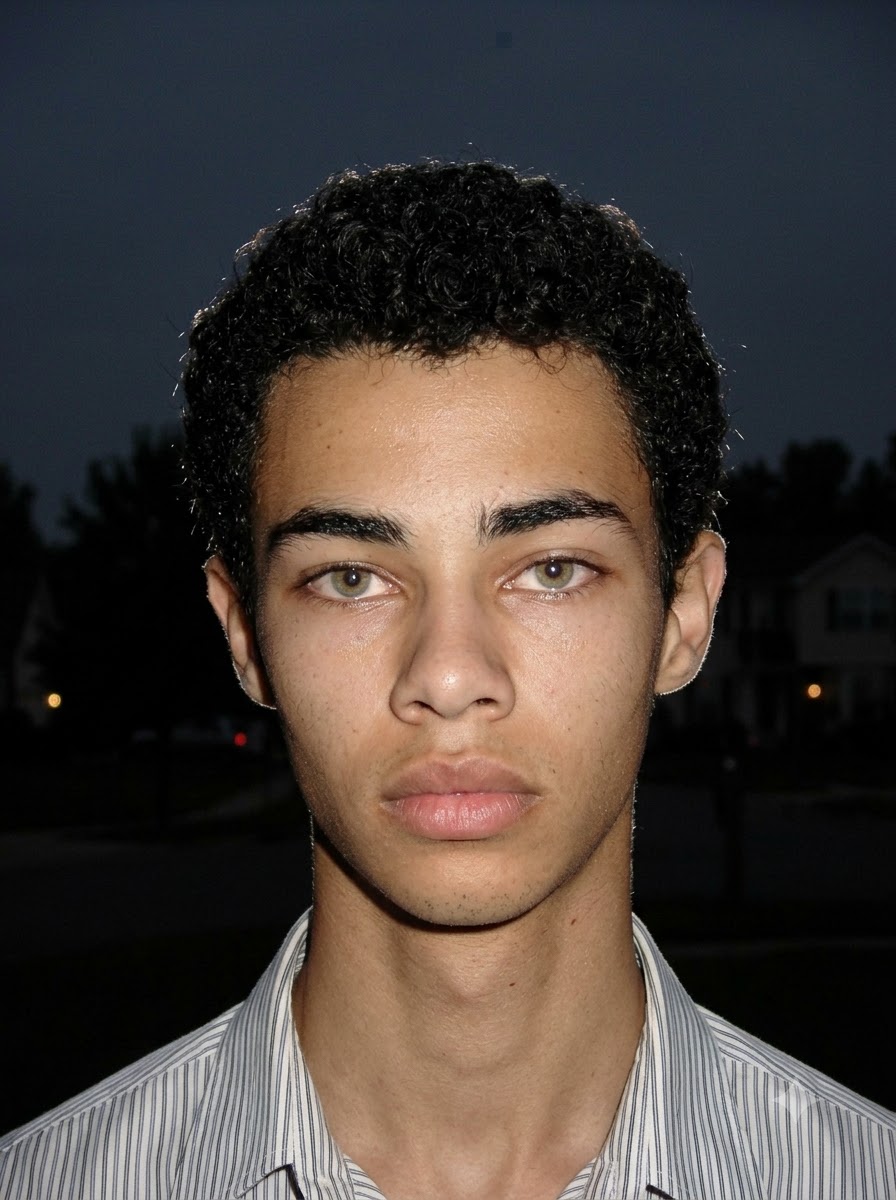
Recommended framing: Medium close-up.
2. Neon City Lofi Dusk Prompt
Look: An urban night portrait with distant neon lights and colourful city bokeh. Unlike the classic portrait, this version uses the city environment as a major part of the composition.
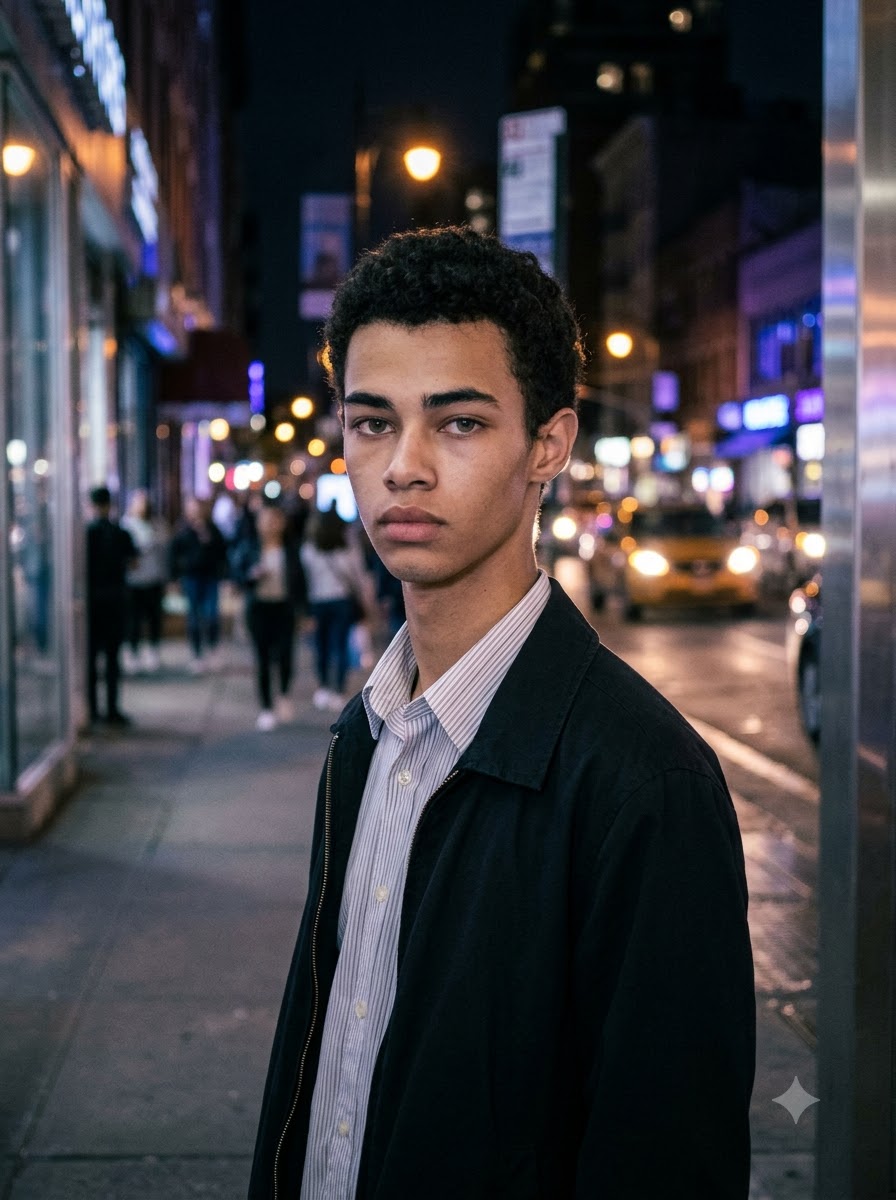
Recommended framing: Three-quarter portrait.
3. Rainy Street Lofi Dusk Prompt
Look: A cinematic rainy-evening photograph with wet pavement and reflected streetlights. This prompt focuses on the ground reflections and rainy atmosphere rather than a glowing outline alone.
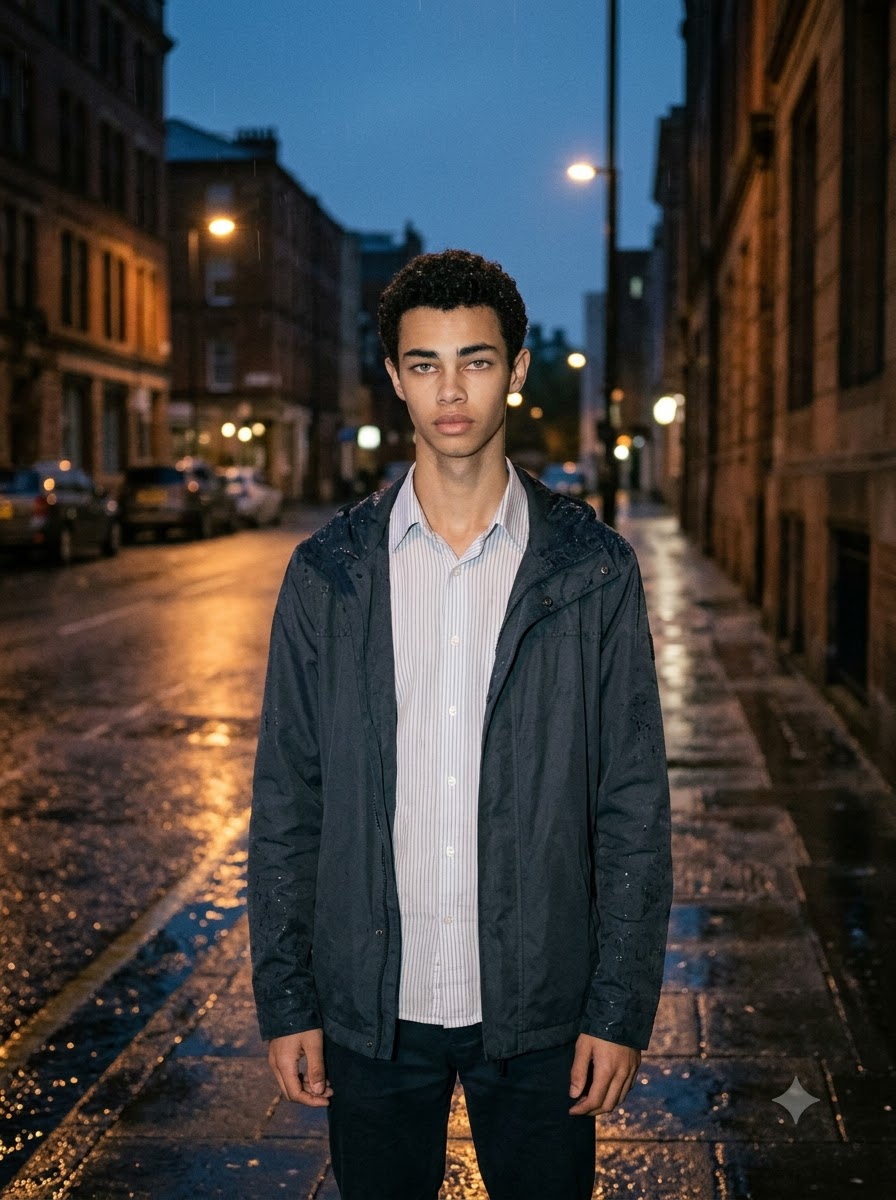
Recommended framing: Knee-up environmental portrait.
4. Rooftop Blue-Hour Lofi Dusk Prompt
Look: A calm rooftop portrait with a deep blue sky and distant city lights. The emphasis here is on open space and a visible evening skyline, not a nearly black background.
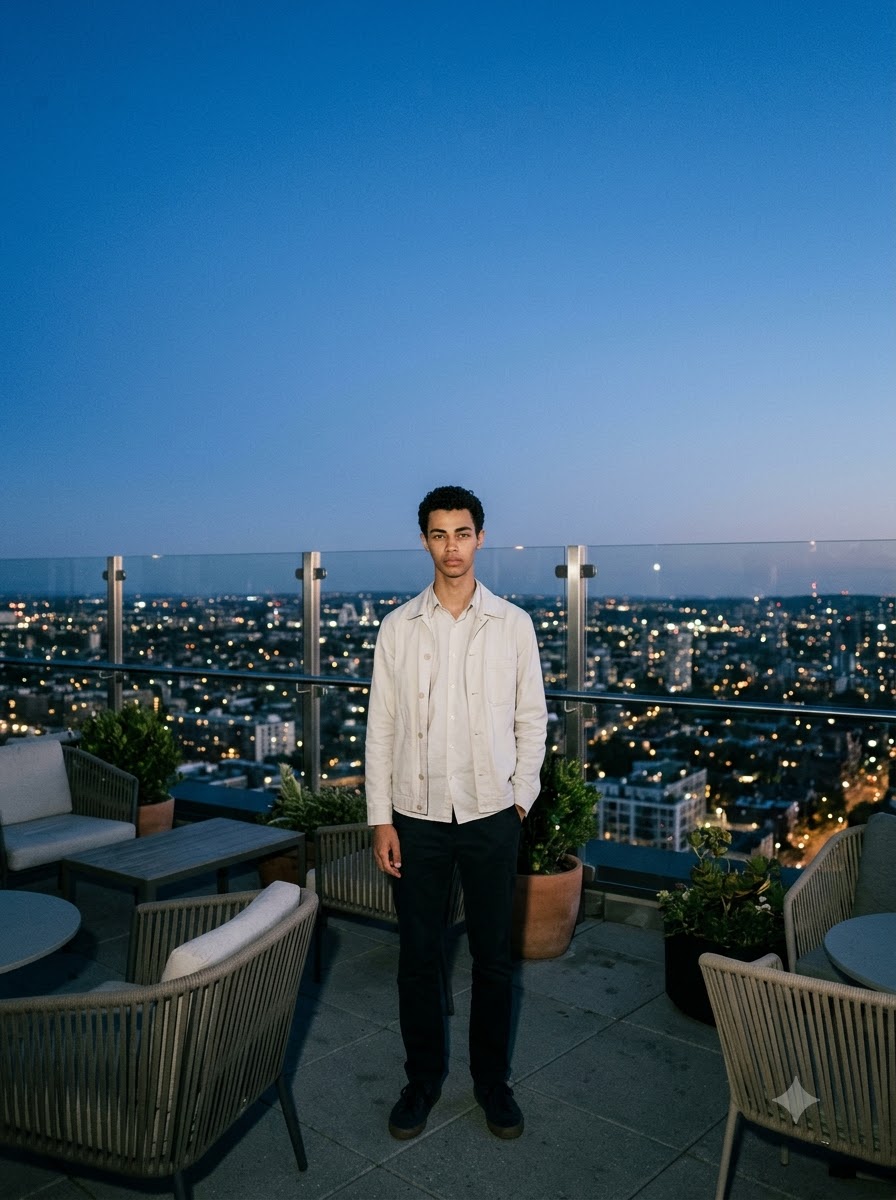
Recommended framing: Vertical full-body portrait.
5. Warm Streetlamp Lofi Dusk Prompt
Look: An intimate evening portrait lit by one warm streetlamp. This version prioritizes amber light and natural shadow transitions rather than a strong white halo.
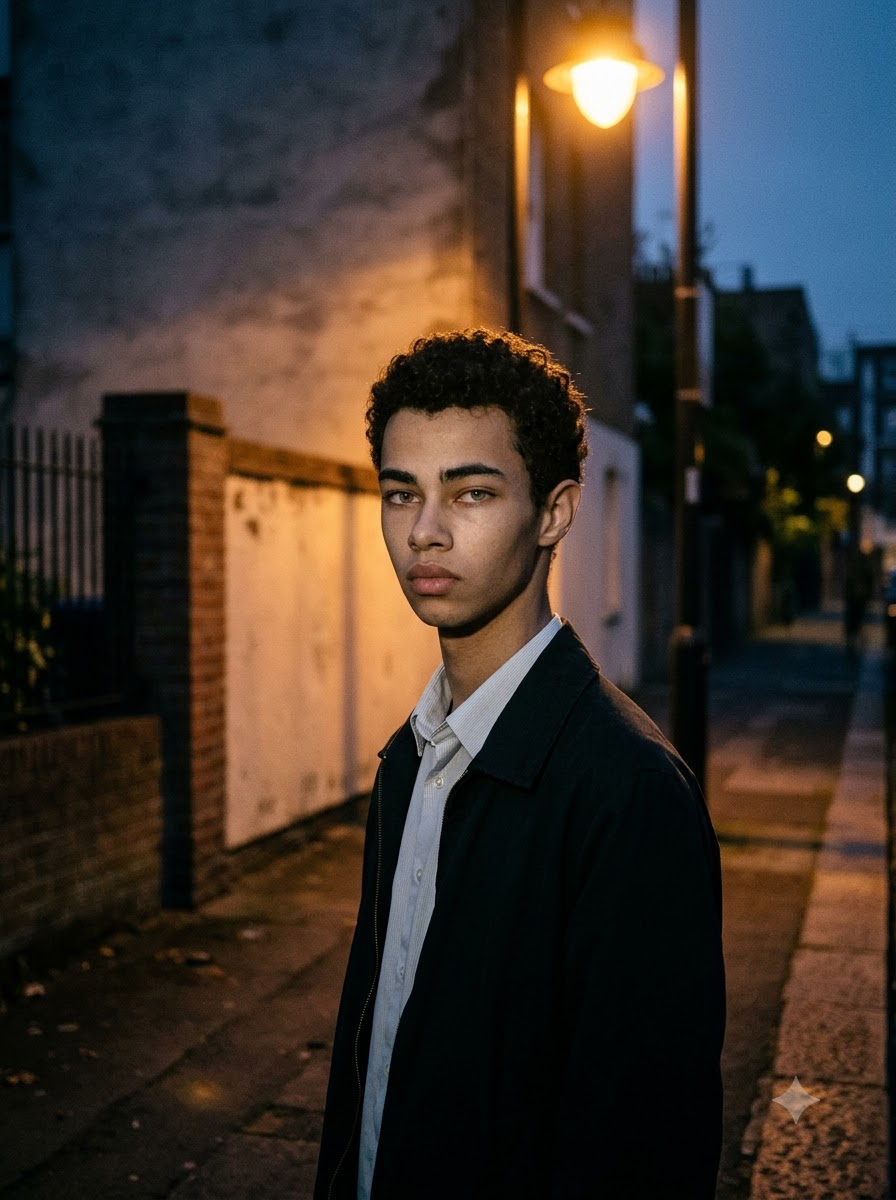
Recommended framing: Three-quarter side portrait.
6. Soft Dreamy Lofi Dusk Prompt
Look: A gentle, romantic evening portrait with soft light and restrained grain. Use this variation when you prefer a softer finish instead of a harsh flash aesthetic.
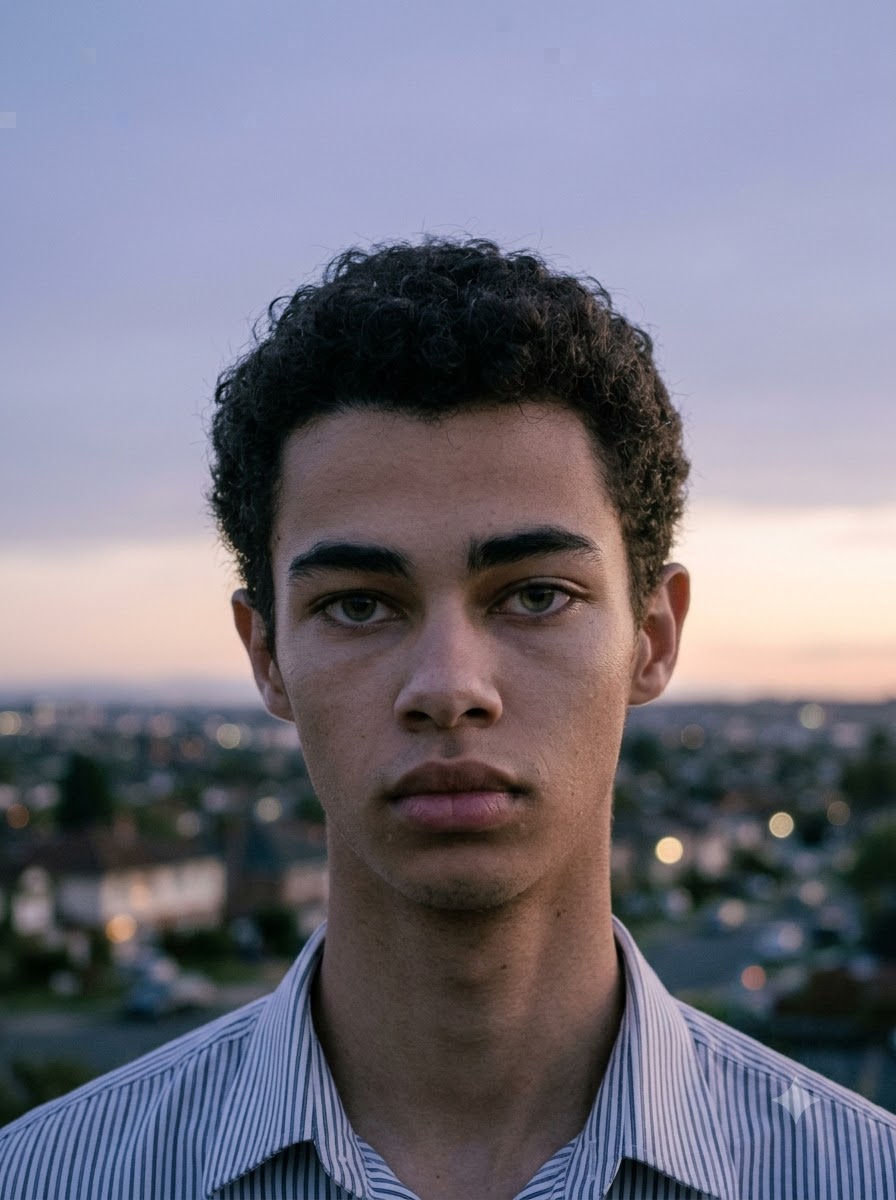
Recommended framing: Relaxed shoulder-level portrait.
7. Retro 2000s CCD Camera Lofi Dusk Prompt
Look: A casual early-2000s compact-camera photograph with direct flash and nostalgic texture. This version emphasizes the spontaneous snapshot quality rather than polished cinematic lighting.
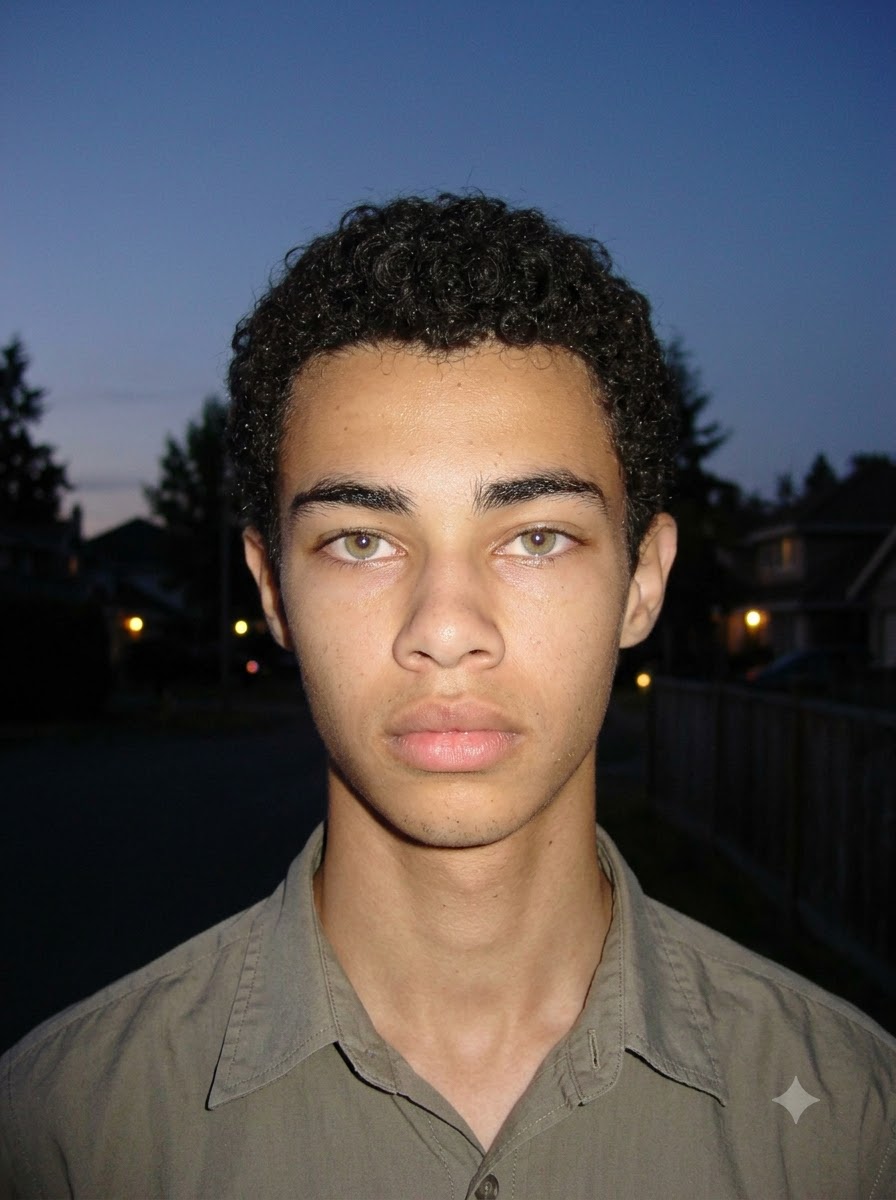
Recommended framing: Casual snapshot with environmental space.
8. Lofi Dusk Mirror Selfie Prompt
Look: An indoor mirror selfie with dim room lighting and a vintage camera feel. This concept keeps the mirror, phone and room environment important to the final composition.
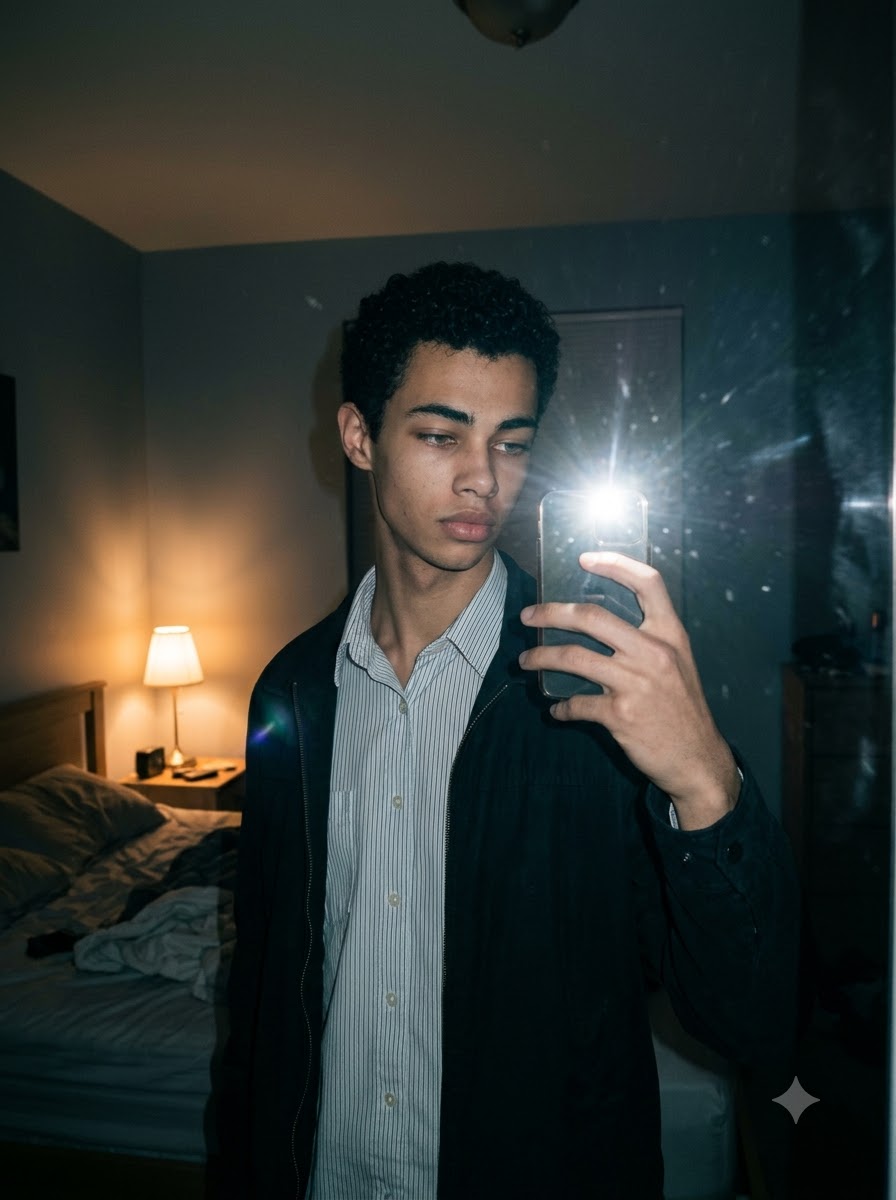
Recommended framing: Preserve the original mirror-selfie crop.
9. Lofi Dusk Side-Profile Portrait Prompt
Look: A cinematic side profile with a narrow line of light around the face and hair. This version changes the camera angle and facial orientation, creating a more editorial result.

Recommended framing: Side-profile close-up.
10. Lofi Dusk Fashion Street Portrait Prompt
Look: A fashion-focused outdoor portrait with visible clothing texture and a moody urban background. This version is designed for outfit photos where the clothing should remain an important part of the image.
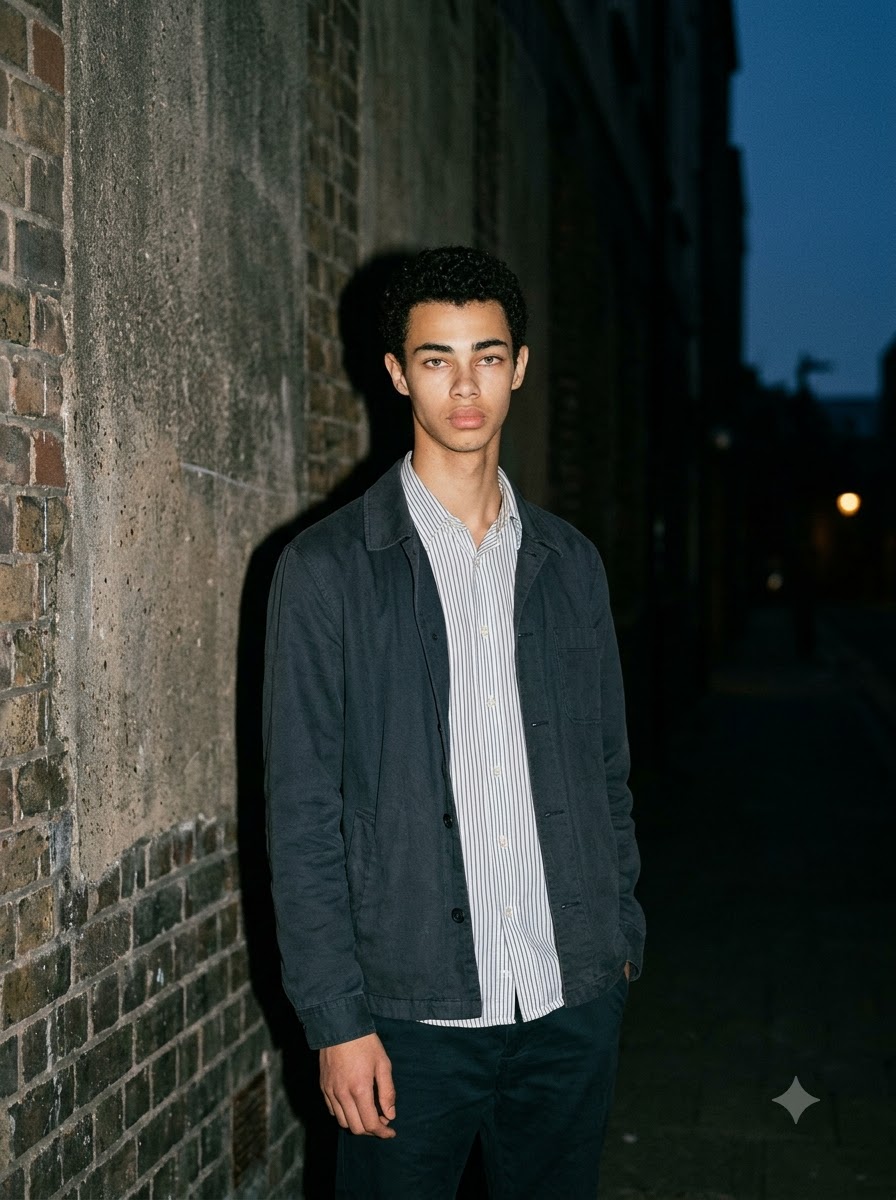
Recommended framing: Three-quarter body.
11. Golden Twilight Lofi Dusk Prompt
Look: A warmer dusk portrait with the last sunlight meeting the first evening shadows. Unlike the blue-hour and neon concepts, this prompt keeps a visible amber-to-blue sky transition.
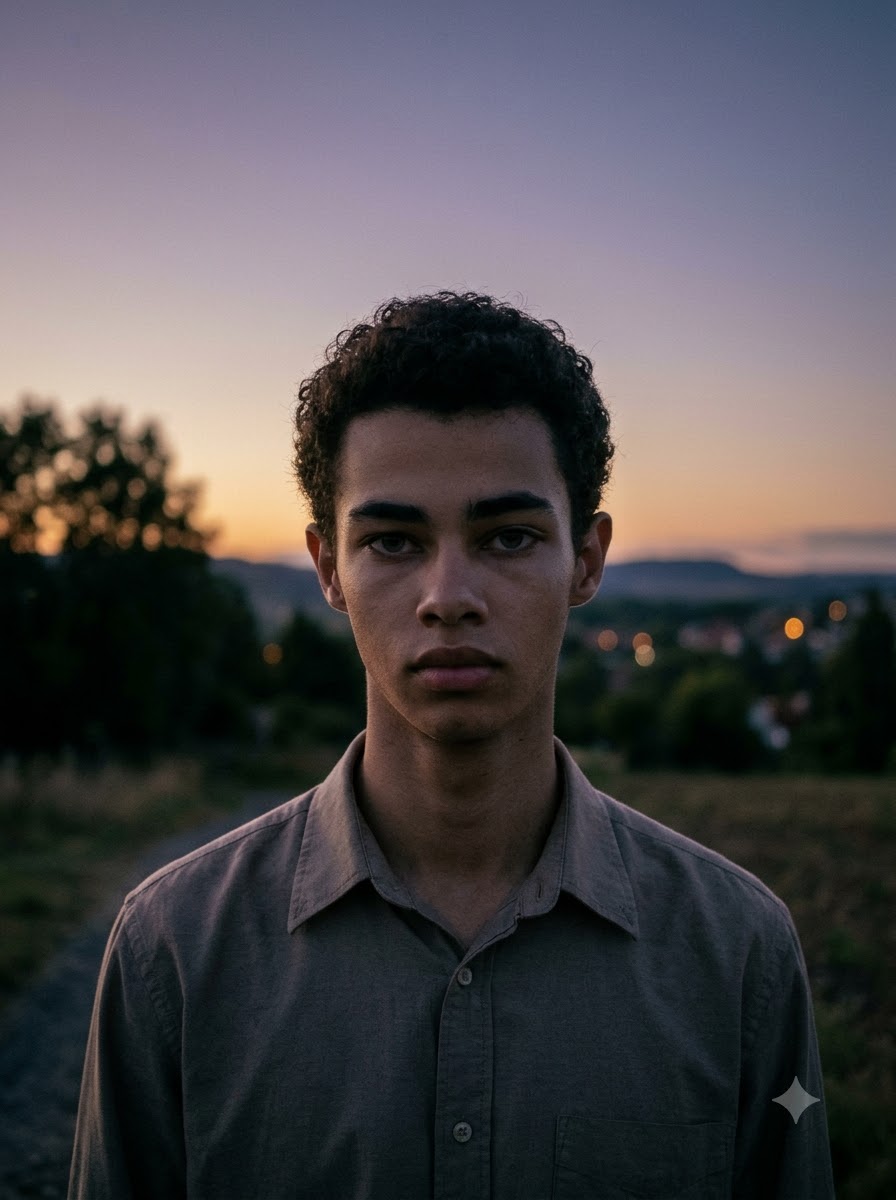
Recommended framing: Waist-up portrait with visible sky.
12. Lofi Dusk Silhouette and Backlight Prompt
Look: A dramatic silhouette with a visible rim light and a darker, cinematic composition. Choose this when you want a more artistic result rather than a clearly front-lit portrait.
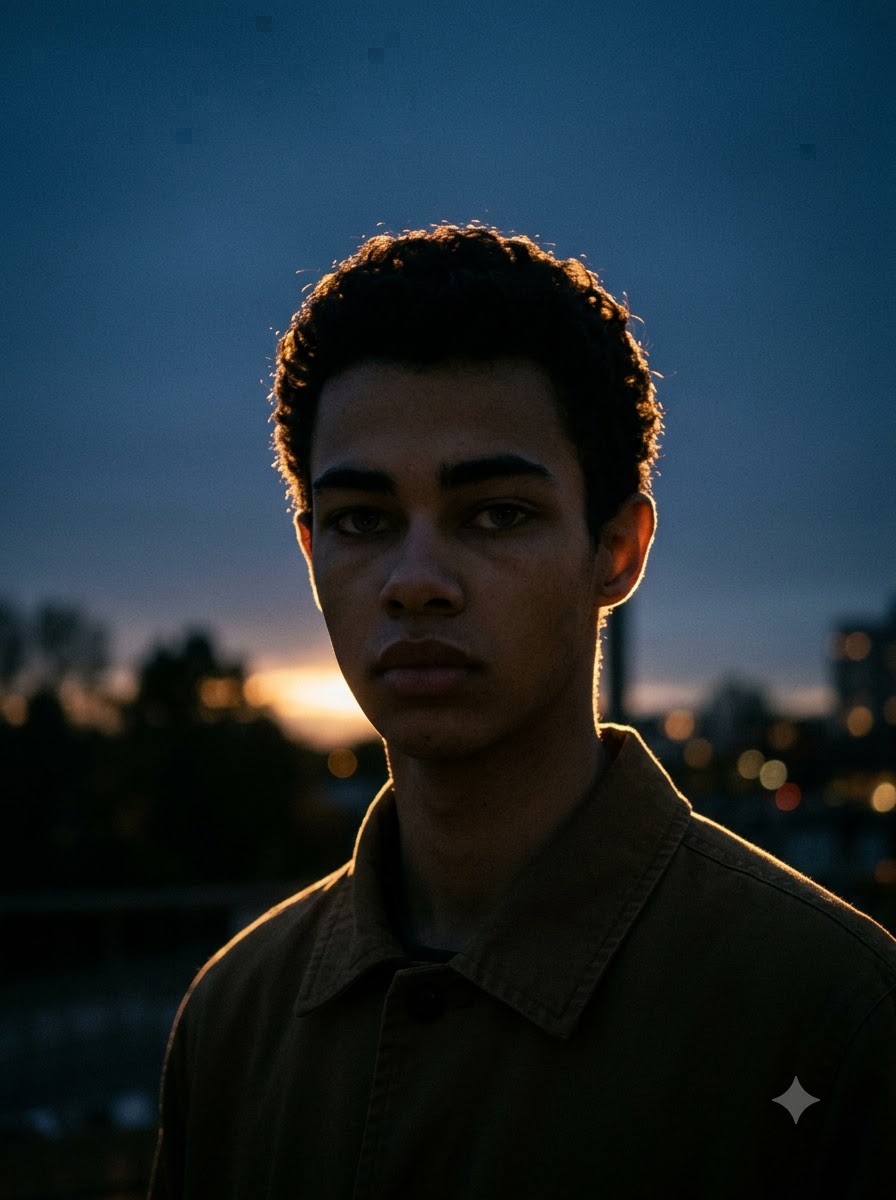
Recommended framing: Wide vertical portrait with negative space.
How to Use Lofi Dusk Prompts in Gemini
Follow these steps to create your own Lofi Dusk AI photo:
- 1. Open Gemini: Use an image-editing or image-generation workflow that accepts a reference photo.
- 2. Choose your photo: Select a clear image where the face and important details are visible.
- 3. Upload the reference: Use a photo you own or have permission to edit.
- 4. Copy a prompt: Choose the visual concept you want and paste the full prompt into the conversation.
- 5. Generate the edit: Ask Gemini to apply the requested lighting, background and texture while preserving the details specified in the prompt.
- 6. Review the result: Check the face, hands, clothing, background and lighting.
- 7. Refine one detail at a time: If the image is too bright, adjust flash strength. If the background is too dark, ask for more visible ambient light.
For a broader guide to writing effective instructions, see our guide to using AI prompts.
How to Get Better Lofi Dusk Results
- Start with a suitable reference photo: A clear portrait with visible facial details gives the image editor a better starting point. Avoid heavily compressed images or photos where the face is already hidden in deep shadow.
- Describe the lighting precisely: Instead of writing only "make it cinematic," explain the lighting setup. Specify whether you want direct flash, diffused front light, a warm streetlamp, a cool twilight background or a backlight.
- Keep the background readable: A Lofi Dusk photo should feel like an evening photograph, not simply a black background. If the surroundings disappear, ask for slightly brighter ambient light and more background detail.
- Protect natural skin texture: Ask for realistic skin texture, natural facial proportions and restrained retouching. Too much glow or smoothing can make the result look artificial.
- Change one variable at a time: If the first result is close to what you want, do not rewrite the entire prompt. Change only the element that needs improvement, such as flash intensity, background brightness, grain or framing.
For more portrait-composition ideas, explore our AI camera angle prompts and aesthetic soft portrait prompts.
Common Lofi Dusk Prompt Problems and Fixes
- Why does my Lofi Dusk photo look too dark? The prompt may be asking for deep shadows without enough fill light. Add this instruction: "Keep the evening background dark but readable. Increase ambient exposure slightly and preserve detail in the face, hair and clothing."
- Why does the AI change my face? Image editors may alter facial details even when asked to preserve identity. Strengthen the reference-preservation instructions: "Use the uploaded image as the primary identity reference. Preserve the person's recognizable facial structure, expression, hairstyle, skin tone and proportions. Apply the requested lighting and atmosphere without unnecessary facial redesign." Review the result rather than assuming that every detail will remain identical.
- Why does the glow look artificial? Excessive bloom and rim light can create a white outline that looks digitally added. Ask for a narrower, softer rim light and restrained bloom. Keep the lighting consistent with the scene's actual light sources.
- Why does the image look too smooth? Add a request for natural skin texture, realistic tonal variation and subtle digital-camera grain. Avoid asking for heavy beauty retouching if you want a photographic result.
- Why is the background changing too much? If you want to preserve the original location, state that clearly: "Keep the original background objects, layout and camera perspective. Change only the lighting, colour grading and subtle photographic texture."
Frequently Asked Questions
What is a Lofi Dusk prompt?
A Lofi Dusk prompt is a text instruction used to create a moody evening-photo aesthetic with elements such as low-light ambience, controlled flash, subtle glow, deep shadows and nostalgic digital-camera grain.
How do I use a Lofi Dusk prompt in Gemini?
Upload a reference photo to a Gemini workflow that supports image editing, paste your chosen prompt and generate the result. Review the image and refine the lighting or background instructions if necessary.
Can I copy and paste these Lofi Dusk prompts into ChatGPT?
Yes. You can use these prompts as starting instructions in ChatGPT or another image editor that supports reference photos and text instructions. The exact result depends on the tool, model and source image.
Can I use my own selfie for a Lofi Dusk edit?
Yes. Use a photo you own or have permission to edit. A clear selfie or portrait usually makes it easier to review facial details and the effect of the lighting.
How do I get a realistic Lofi Dusk filter effect?
Describe the light source, background brightness, colour temperature, grain and camera framing. Keep the glow restrained and request natural skin texture. Review the generated image and adjust one variable at a time.
Is Lofi Dusk the same as a vintage photo filter?
Not exactly. Vintage effects can imitate many eras and film stocks. Lofi Dusk usually focuses on a moody evening environment, controlled flash or backlighting, subtle glow and a low-fidelity digital-camera finish.
Why does my Lofi Dusk prompt give a different result every time?
Image-generation systems can interpret the same instructions differently. The source image, model, prompt wording and available editing controls all affect the output. Refine the prompt and inspect each result rather than expecting identical images.
Are these Lofi Dusk prompts free to copy?
The text prompts in this article are available for you to copy and use. Image-generation tools may have their own account requirements, usage limits or paid features, which can change over time.
Final Thoughts
The best Lofi Dusk result comes from balancing evening ambience, subject lighting, background detail and subtle camera texture. Start with the classic prompt if you want the familiar look, or choose a more specific concept such as rainy streets, neon city lights, mirror selfies or golden twilight.
Try a prompt, review the result and refine only what needs improvement. This approach gives you more control over the final photograph than repeatedly adding generic words such as "viral," "cinematic" or "8K."



















