9 Fitness Gym AI Prompts for Realistic Face-Lock Photos 🔥

AI Image Prompts

Fitness Gym AI Prompts: 9+ Prompts for Realistic Workout Photos

By GeminiPrompt Editorial Team
September 01, 2026
4 Min Read

Creating realistic gym photos with AI becomes much easier when you use a clear reference image and a detailed fitness gym AI prompt.

With the right instructions, you can place yourself in different fitness environments while experimenting with workout poses, athletic outfits, cinematic lighting, mirror selfies, and professional fitness photoshoots. If your AI image tool supports reference images, you can also guide it to preserve recognizable facial characteristics while changing the scene.

In this collection, you will find 9 fitness gym AI prompts for different styles, including cinematic workout portraits, locker room photos, gym mirror selfies, professional fitness photography, influencer-style images, and fitness couple photos.

What Is a Fitness Gym AI Prompt?

A fitness gym AI prompt is a detailed instruction used to generate a gym or fitness-themed image.

A good prompt can describe:

  • The person
  • Gym environment
  • Athletic clothing
  • Body pose
  • Camera composition
  • Lighting
  • Photography style
  • Background details

When used with a reference image, these prompts can also help guide the AI toward maintaining recognizable facial features while placing the subject in a completely different fitness setting.

How to Create Realistic Face-Lock Gym Photos with AI

  1. Step 1: Upload a Clear Reference Photo: Start with a clear photo of the person you want to recreate. A front-facing image with good lighting usually gives the AI more facial information to work with.
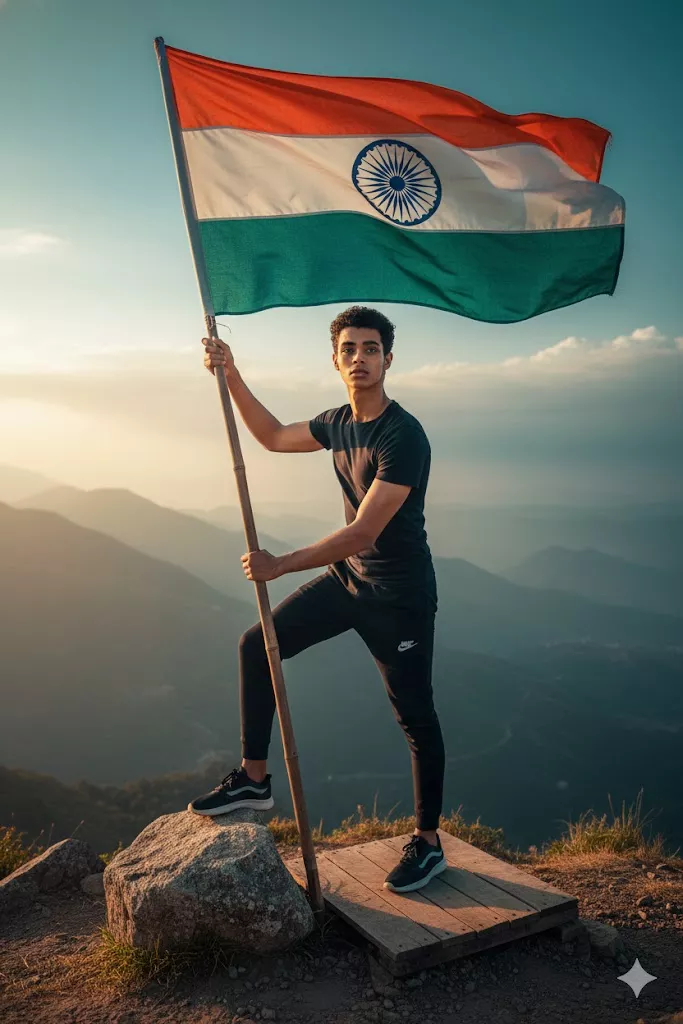
  2. Step 2: Ask the AI to Preserve Facial Features: If your AI tool supports reference images, include instructions to maintain important facial characteristics such as facial structure, skin tone, eye shape, and hair characteristics. Avoid changing too many identity-related details at the same time.
  3. Step 3: Choose Your Gym Environment: The environment changes the overall feeling of the image. You can experiment with modern luxury gyms, dark cinematic gyms, locker rooms, fitness studios, running tracks, and industrial workout spaces.
  4. Step 4: Describe the Pose and Outfit: Be specific about what the person is doing, such as holding dumbbells, sitting on a gym bench, taking a mirror selfie, standing beside gym equipment, or performing a workout pose. Also describe the outfit clearly, including colors and clothing style.
  5. Step 5: Generate Multiple Variations: AI image results can vary from one generation to another. Try generating multiple versions and compare the lighting, pose, facial consistency, and overall realism before choosing the best result.

9 Best Fitness Gym AI Prompts

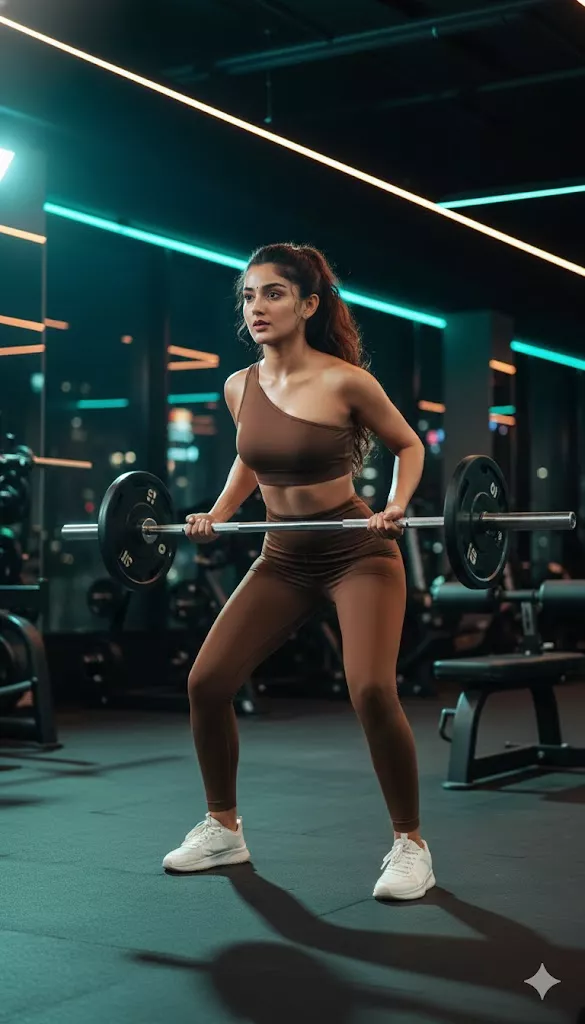
Cinematic Female Gym Workout AI Prompt

Create a dramatic fitness portrait of a woman training inside a modern gym with stylish athletic clothing and cinematic lighting.

Cinematic Female Gym Workout
Prompt
Create a woman with my face training inside a modern gym with dramatic cinematic lighting. She is wearing an elegant brown gym outfit with a one-shoulder sports top, fitted leggings, and clean white sneakers. Her hair is tied in a stylish bun or braid, and her skin has a natural workout glow. Her expression is focused and confident. Add soft lighting, strong contrast, and a powerful atmosphere inspired by a high-end cinematic fitness photoshoot. Preserve the recognizable facial characteristics from the reference image.

Realistic Male Gym Locker Room Portrait Prompt

Create a realistic locker room portrait with a relaxed pose, confident expression, and detailed fitness environment.

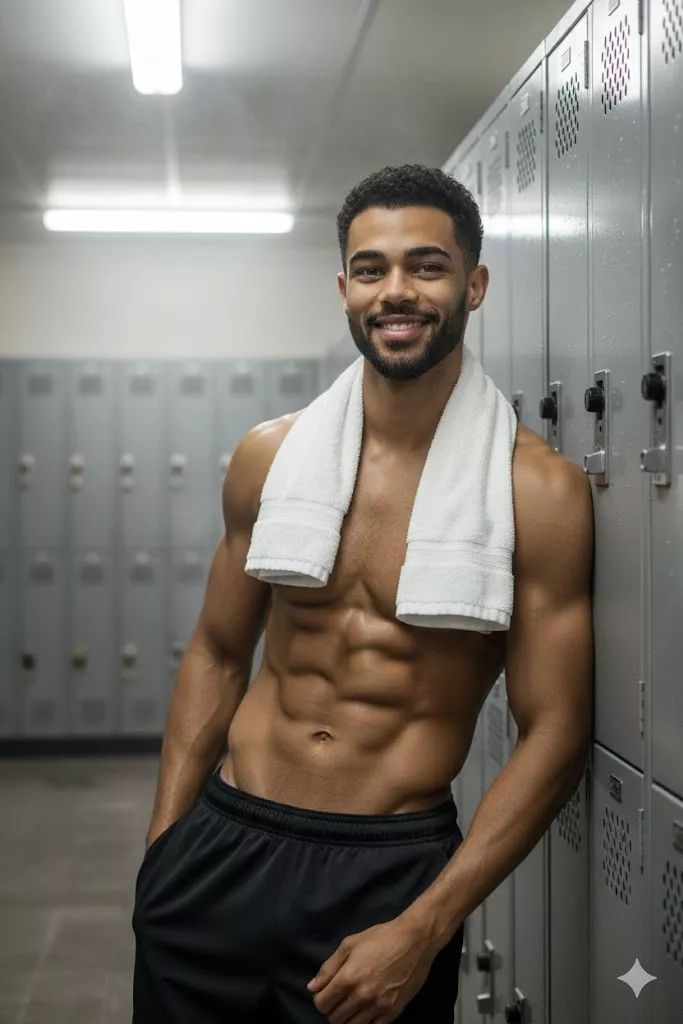
Realistic Male Gym Locker Room Portrait
Prompt
Create a realistic portrait and preserve the recognizable facial features from the reference photo. A hyper-realistic locker room portrait of a muscular 41-year-old man with a beard and slightly gray hair. He is leaning against metal lockers with a confident smile, a towel hanging around his neck, and a relaxed but self-assured posture. Realistic skin texture, detailed gym locker room environment, natural lighting, professional fitness photography style.

Athletic Female Running Track Fitness Prompt

Create a realistic athletic portrait of a woman posing confidently near a running track and gym environment.

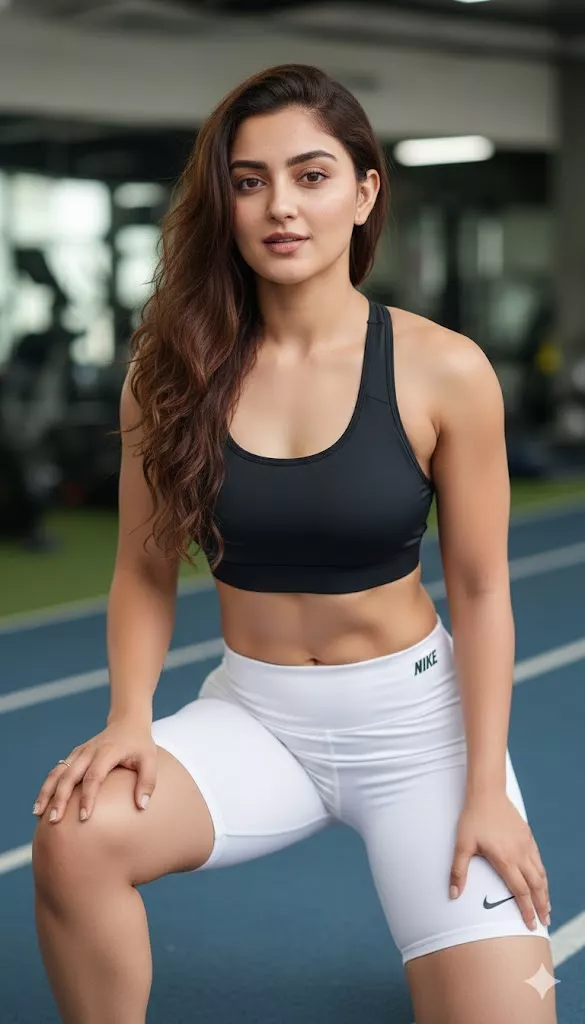
Athletic Female Running Track Fitness
Prompt
Reference image: uploaded photo. Preserve the recognizable facial characteristics of the woman without changing her facial structure, hair color, eye color, or skin tone. Hyper-realistic athletic woman in her 30s with lightly tanned skin, loose brown hair, and natural makeup. She is wearing a black sports top and white cycling shorts, kneeling on one knee with her hands resting on her thighs while looking confidently toward the camera. Medium shot from a slightly low angle, bright studio lighting, blue running track in the background with a softly blurred gym environment, sharp realistic photography.

Realistic Male Gym Mirror Selfie AI Prompt

Create a realistic gym mirror selfie with cinematic lighting and a casual confident expression.

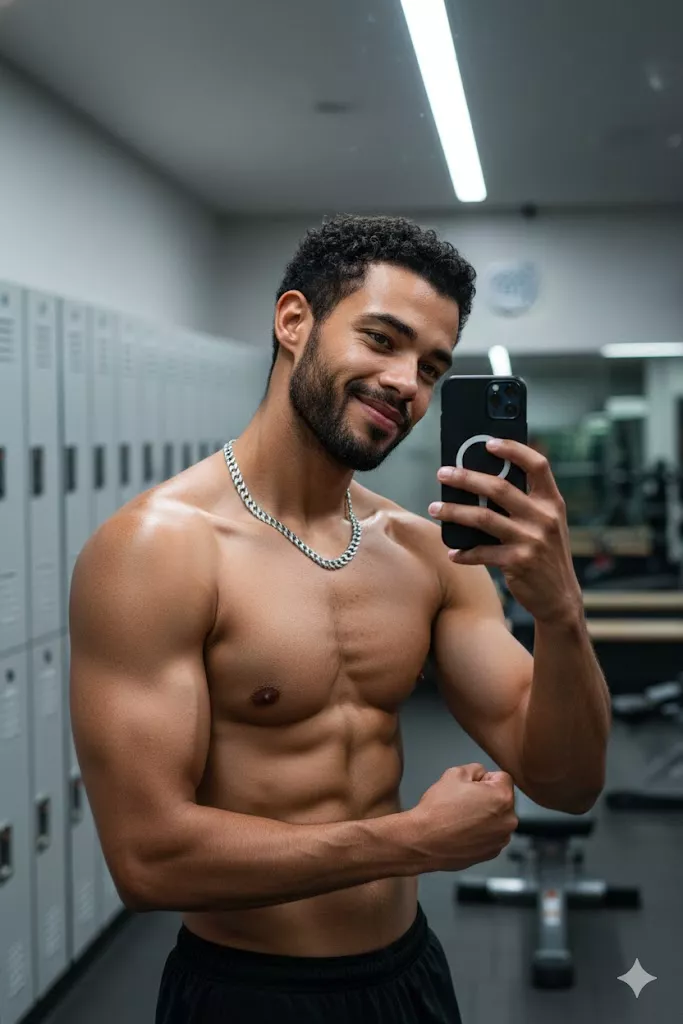
Realistic Male Gym Mirror Selfie
Prompt
Create a realistic image and preserve the recognizable facial features from the reference photo. A hyper-realistic gym mirror selfie of a 40-year-old shirtless man wearing a silver chain necklace. He is taking a selfie in a locker room mirror with a playful and confident expression. Sharp cinematic lighting, realistic reflections, detailed skin texture, natural gym environment, professional photography quality.

Female Dumbbell Workout AI Prompt

Create a strong and stylish female fitness portrait inside a modern gym while holding dumbbells.

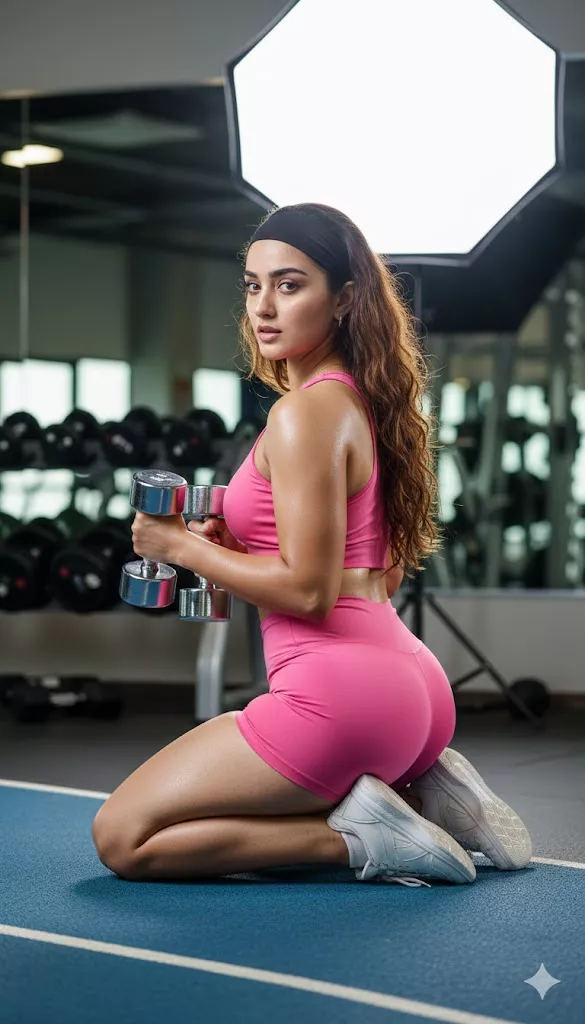
Female Dumbbell Workout
Prompt
Create a realistic woman inside a modern gym holding two silver 5 kg dumbbells, looking over her shoulder toward the camera with a confident and natural expression. She is wearing a fitted black sports outfit consisting of a sports top and fitted lycra shorts with a smooth texture and subtle natural shine. She wears a matching black headband, and her long highlighted brown hair has volume and soft waves. The gym is illuminated with bright diffused white lighting reflected from a large hexagonal softbox in the background. Include large mirrors, weight training equipment, organized dumbbells, and black rubber flooring. The scene should communicate focus, strength, and femininity. Preserve the recognizable facial characteristics from the reference image.

Professional Fitness Studio Portrait Prompt

Create a professional fitness portrait with a defined athletic silhouette and a clean gym environment.

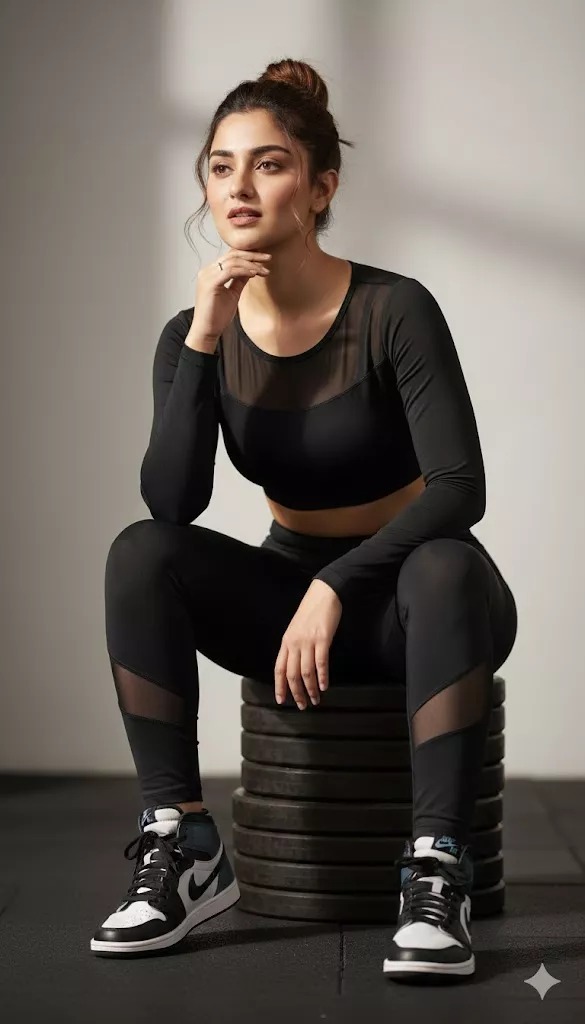
Professional Fitness Studio Portrait
Prompt
Create an ultra-realistic professional fitness photograph using the uploaded woman as a reference while preserving her recognizable facial characteristics. Show her toned and defined silhouette in a professional studio-style composition. She is sitting on a large weight plate, looking forward while leaning slightly forward with one elbow resting on her knee and her hand supporting her chin. Natural makeup with soft nude-pink lipstick. The background is softly blurred and resembles a modern gym. Realistic lighting, detailed skin texture, professional fitness editorial photography.

Female Gym Mirror Selfie Prompt

Create a realistic gym mirror selfie with modern workout clothing and a bright fitness environment.

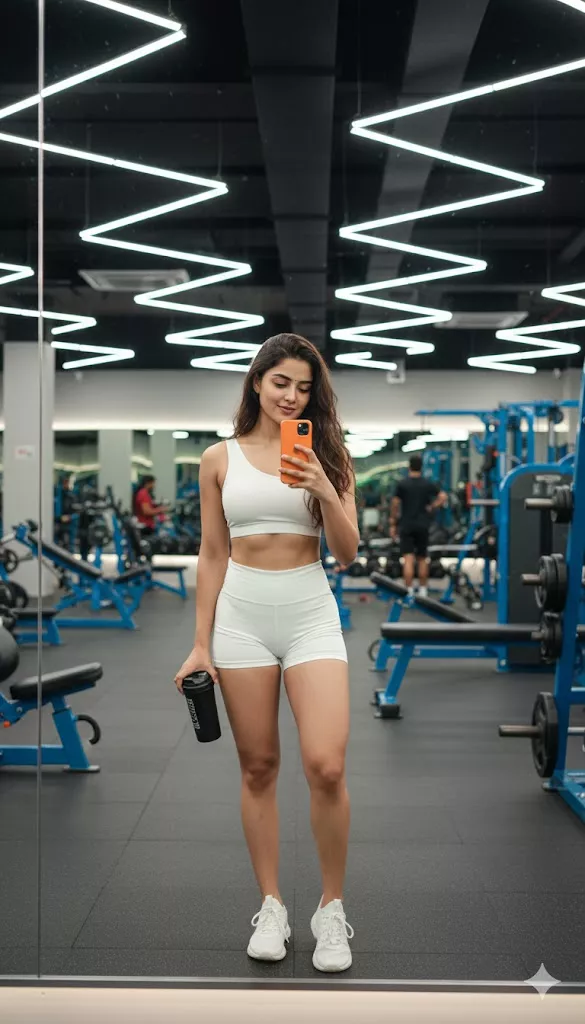
Female Gym Mirror Selfie
Prompt
Create a realistic woman taking a mirror selfie inside a bright modern gym surrounded by blue strength-training equipment. She is standing in front of a large mirror, holding a smartphone and looking toward the reflection with a relaxed and confident expression. She is wearing a white workout outfit with a one-shoulder sports top and fitted shorts. Preserve her recognizable facial features and maintain her long dark brown hair reaching toward her waist. Include an orange smartphone in her hand. Ultra-detailed realistic photography, natural reflections, sharp gym environment.

Fitness Influencer Gym Outfit AI Prompt

Create a modern fitness influencer-style portrait with athletic fashion and dramatic natural lighting.

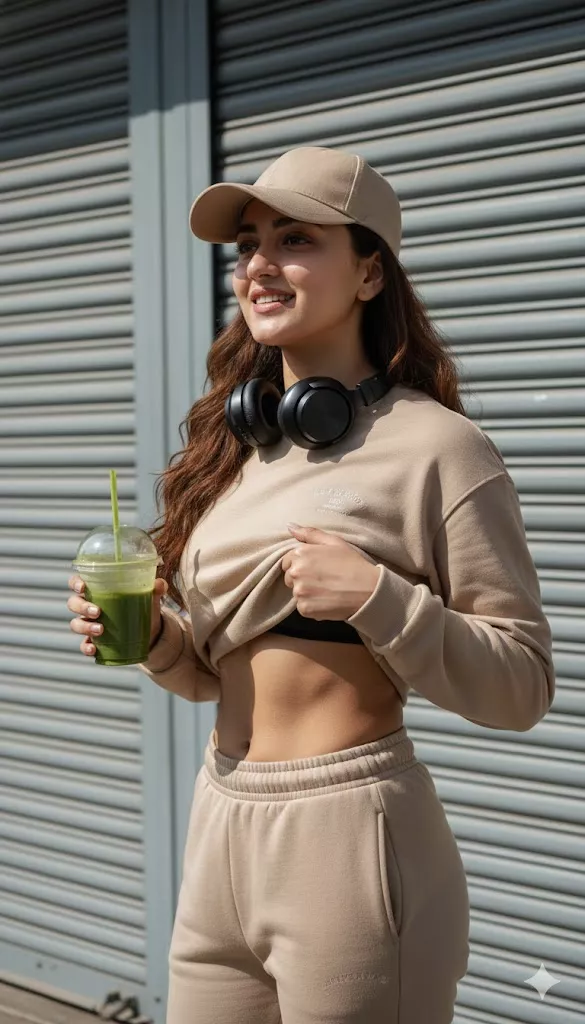
Fitness Influencer Gym Outfit
Prompt
Reference image: uploaded photo. Preserve the recognizable facial characteristics of the person from the reference image. The subject is standing slightly sideways, lifting the sweatshirt with one hand to reveal the abdomen while holding a plastic smoothie cup in the other hand. Outfit: monochromatic beige tracksuit. Accessories: beige cap and large black headphones. Background: gray industrial metal doors. Lighting: strong sunlight with dramatic contrast. Minimalist fitness influencer photography style. Portrait composition, realistic textures, detailed natural lighting.

Fitness Gym Couple AI Prompt

Create a realistic athletic couple portrait inside a dark cinematic gym environment.

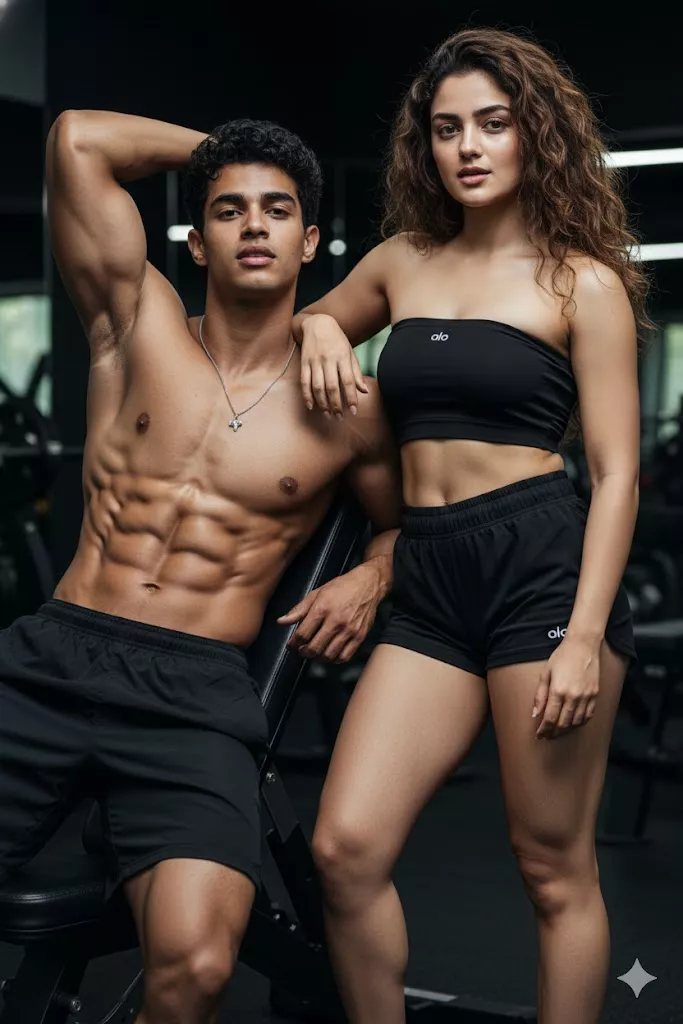
Fitness Gym Couple
Prompt
Reference image: uploaded photo. Preserve the recognizable facial characteristics of both people from the reference image. Create a realistic portrait of an athletic young man wearing black athletic shorts with a defined physique, sitting casually on a gym bench with one arm raised. Add an athletic woman wearing a black crop top and matching shorts. Both subjects should have a natural confident pose. Use cinematic lighting with a dark gym environment in the background, realistic skin texture, professional fitness photography, detailed gym equipment, and a polished cinematic atmosphere.

How to Customize These Fitness Gym AI Prompts

The same prompt structure can create very different results by changing a few visual elements.

Change the Gym Outfit: Try replacing the clothing with sports bra and leggings, tank top, athletic shorts, compression clothing, tracksuit, gym hoodie, or professional fitness wear.

Change the Workout Pose: You can experiment with standing poses, sitting on a gym bench, mirror selfies, holding dumbbells, kneeling poses, or workout action shots.

Change the Gym Background: Try different environments such as a luxury gym, dark cinematic gym, locker room, modern fitness studio, running track, or industrial training space.

Change the Photography Style: You can also change the visual direction to cinematic, ultra-realistic, professional studio, fitness editorial, lifestyle photography, or natural gym selfie.

Tips for Realistic Gym AI Photos

  • Upload a clear reference image.
  • Keep facial consistency instructions simple and specific.
  • Describe the pose clearly.
  • Mention the gym environment.
  • Add detailed outfit information.
  • Specify the lighting direction and style.
  • Avoid unrealistic body proportions.
  • Generate multiple variations.
  • Change only a few prompt elements at a time when testing results.

Frequently Asked Questions

What is a fitness gym AI prompt?

A fitness gym AI prompt is a detailed instruction used to create gym and workout-themed images with specific subjects, poses, outfits, lighting, and fitness environments.

Can I use my own face in AI gym photos?

If your AI image tool supports reference images, you can upload a photo and use instructions that guide the model to preserve recognizable facial characteristics.

How do I create a realistic gym mirror selfie with AI?

Describe the mirror, phone position, gym environment, clothing, lighting, and pose. Using a reference image can also help guide facial consistency.

Can AI create male and female fitness photos?

Yes. You can change the subject description, clothing, pose, and environment to create different male and female fitness styles.

How do I keep my face consistent in AI-generated gym photos?

Use a clear reference image and avoid changing too many facial characteristics in the same prompt. Ask the AI to preserve recognizable facial features.

Can I customize the gym outfit and background?

Yes. You can change clothing, colors, gym environments, poses, lighting, and photography styles.

Which AI tool can generate gym photos from prompts?

AI image tools that support detailed prompts and reference images can be used for this purpose. Available features can vary depending on the platform and model.

Can I use these gym AI prompts for social media photos?

Yes. You can adapt the prompts for portrait-style fitness content, gym photos, workout posts, and other social media visuals.

Prompt Explore
Subscription Form

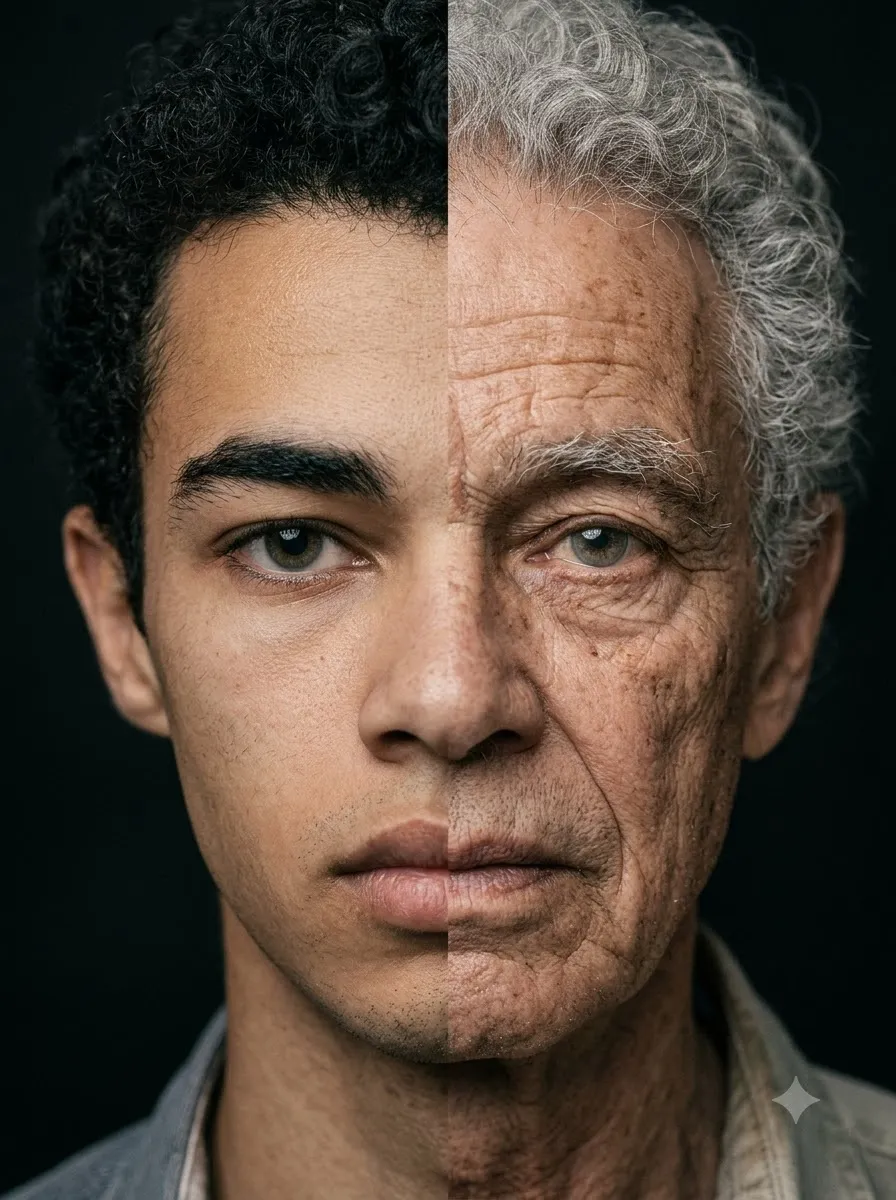
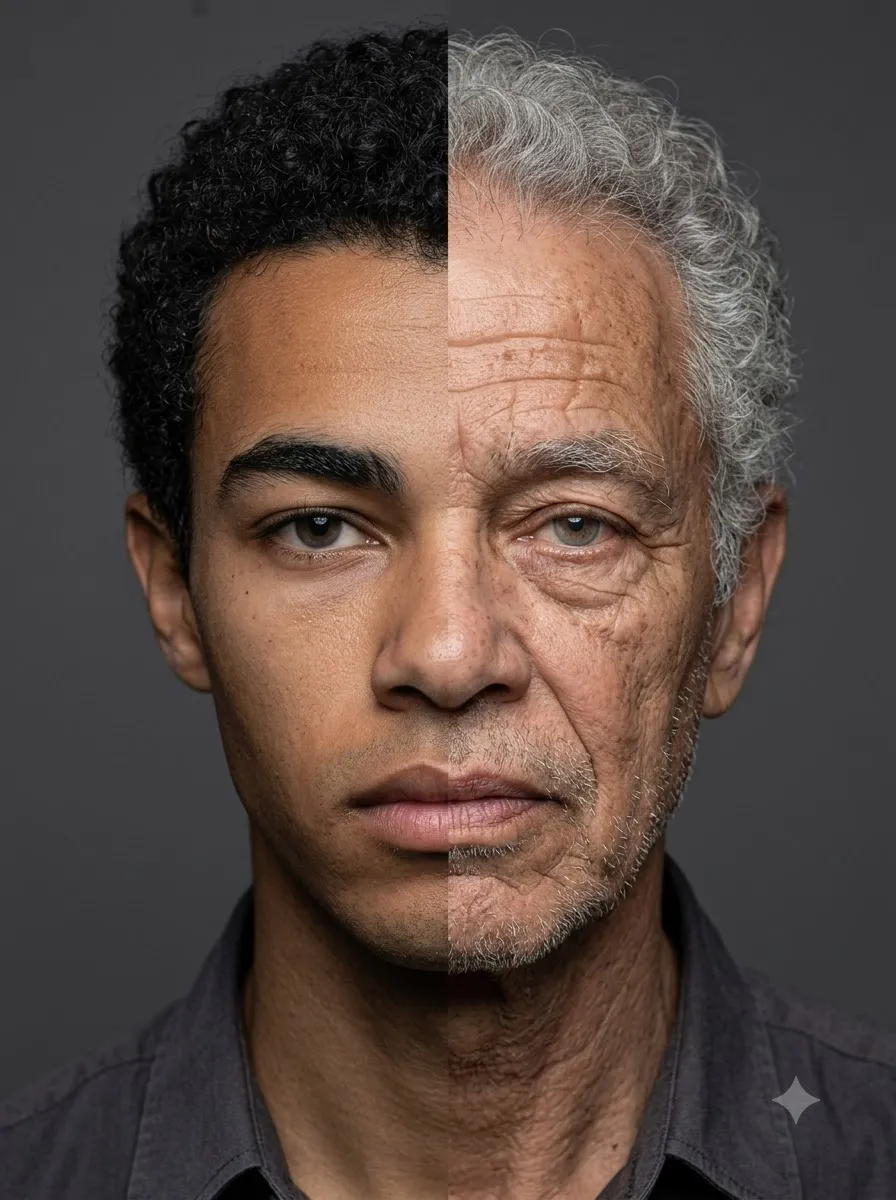
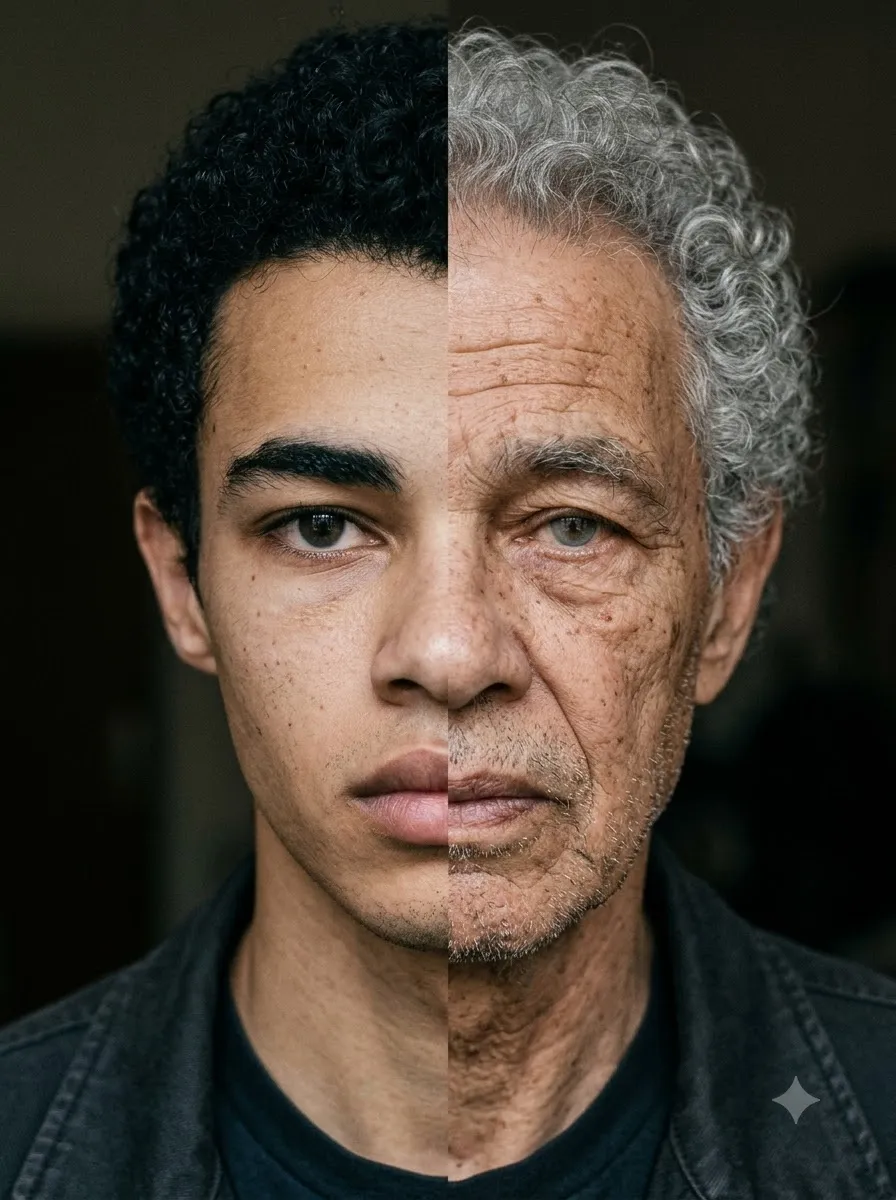
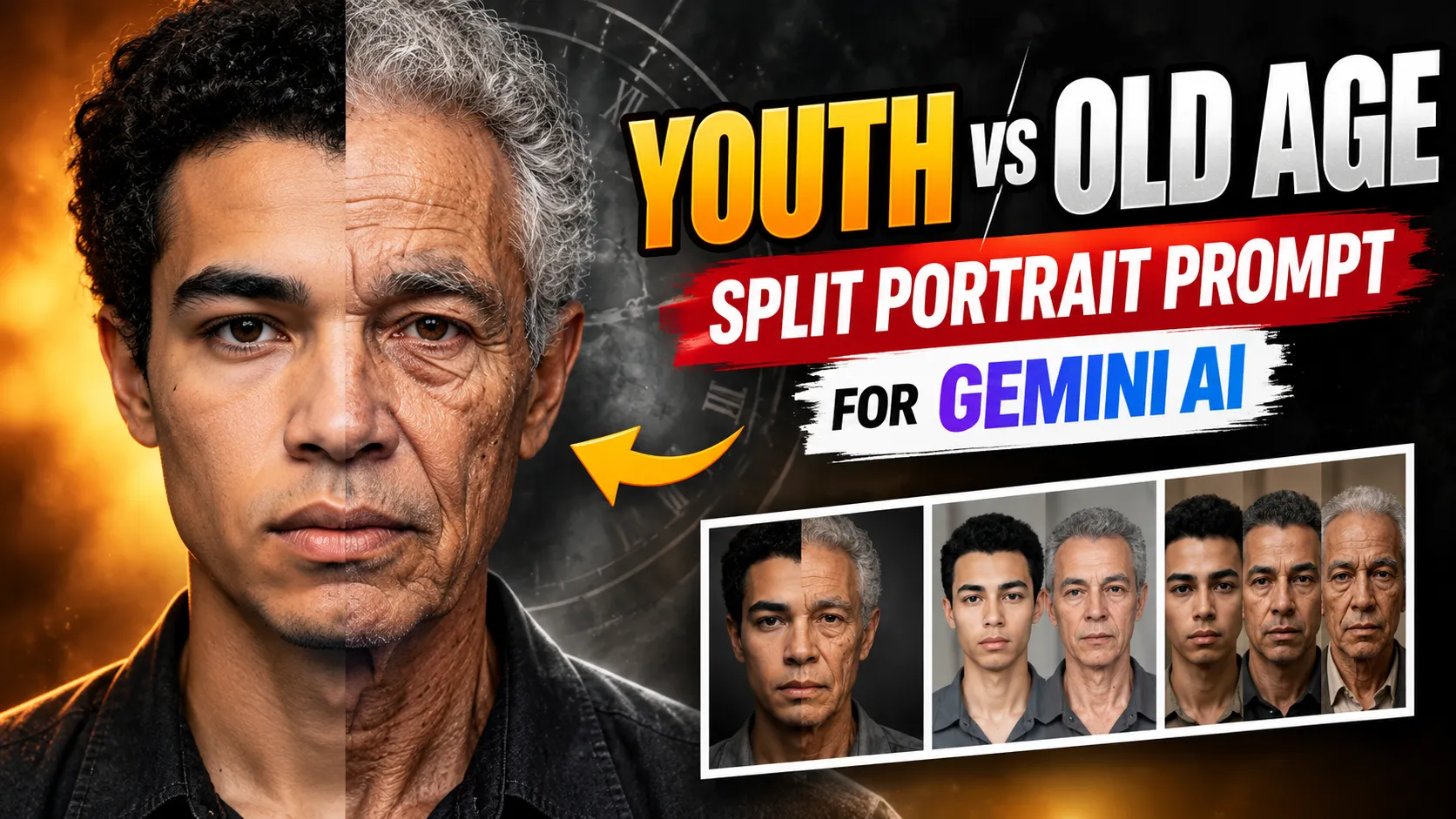
Youth vs Old Age Split Portrait Prompt – Ultra Realistic Gemini AI

Youth vs Old Age Split Portrait Prompt – Ultra Realistic Gemini AI

Youth vs Old Age Split Portrait Prompt for Gemini AI

This prompt creates a powerful split portrait showing the same person in two timelines. One side stays youthful, while the other side becomes realistically aged with wrinkles, gray hair, and a dramatic cinematic contrast on a clean black background.

split portrait youth vs old age photorealistic black background
View Prompt
Create a striking, symmetrically split portrait of a single person, visually divided vertically down from the center. On one side, depict them in their original youth. On the other, render a realistically aged version as an elderly individual, with detailed wrinkles, gray hair, and the wisdom of time. The two halves should merge carefully at the center against a clean,black background, creating a powerful contrast. Use dramatic, stylish lighting and ensure professional, high-quality, photorealistic detail throughout the composition
young to old age split face portrait dramatic lighting
View Prompt
Create a striking, symmetrically split portrait of a single person, visually divided vertically down from the center. On one side, depict them in their original youth. On the other, render a realistically aged version as an elderly individual, with detailed wrinkles, gray hair, and the wisdom of time. The two halves should merge carefully at the center against a clean,black background, creating a powerful contrast. Use dramatic, stylish lighting and ensure professional, high-quality, photorealistic detail throughout the composition
half young half old portrait split effect cinematic studio look
View Prompt
Create a striking, symmetrically split portrait of a single person, visually divided vertically down from the center. On one side, depict them in their original youth. On the other, render a realistically aged version as an elderly individual, with detailed wrinkles, gray hair, and the wisdom of time. The two halves should merge carefully at the center against a clean,black background, creating a powerful contrast. Use dramatic, stylish lighting and ensure professional, high-quality, photorealistic detail throughout the composition
realistic age transformation split portrait clean black background
View Prompt
Create a striking, symmetrically split portrait of a single person, visually divided vertically down from the center. On one side, depict them in their original youth. On the other, render a realistically aged version as an elderly individual, with detailed wrinkles, gray hair, and the wisdom of time. The two halves should merge carefully at the center against a clean,black background, creating a powerful contrast. Use dramatic, stylish lighting and ensure professional, high-quality, photorealistic detail throughout the composition

FAQ

Does this prompt keep the same identity?

Yes. The prompt is designed to keep the face consistent while applying realistic aging on one side.

What background works best?

A clean black background increases contrast and makes the split effect more dramatic.

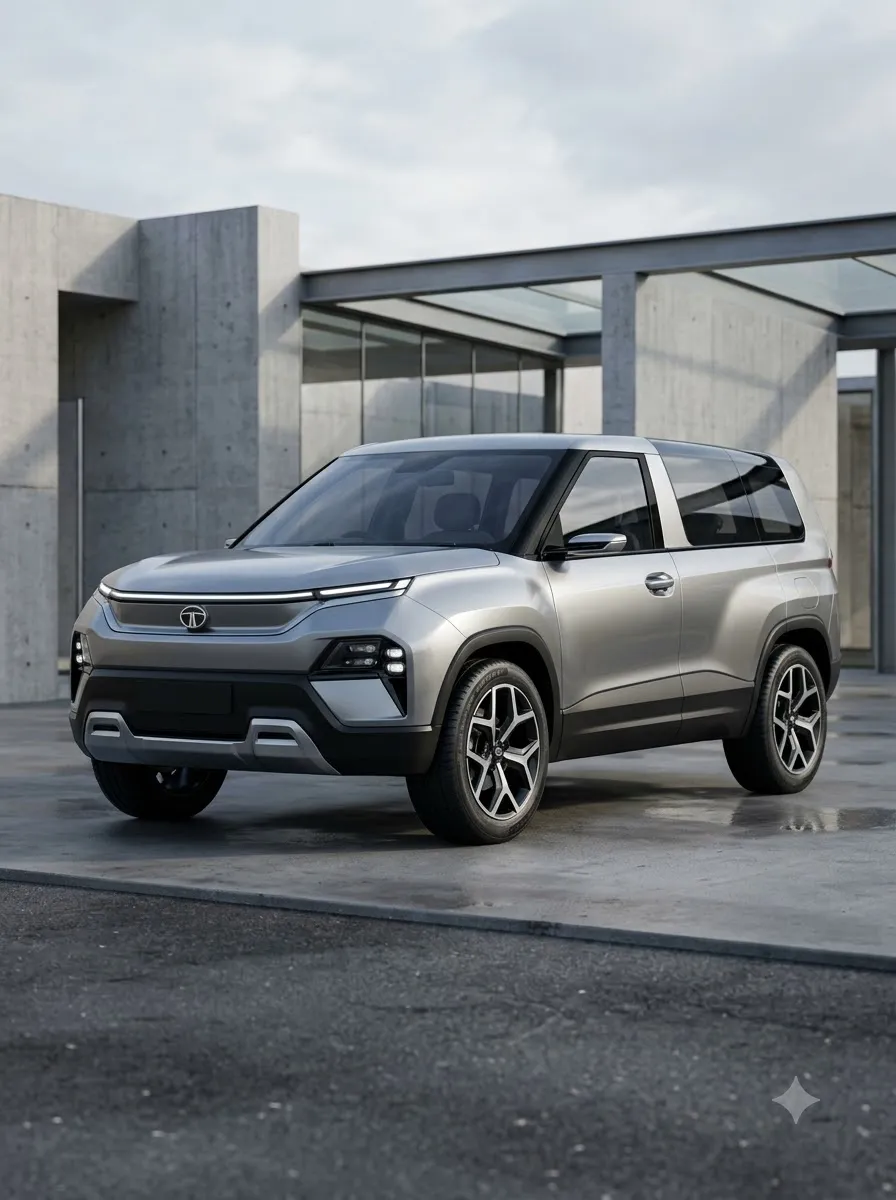
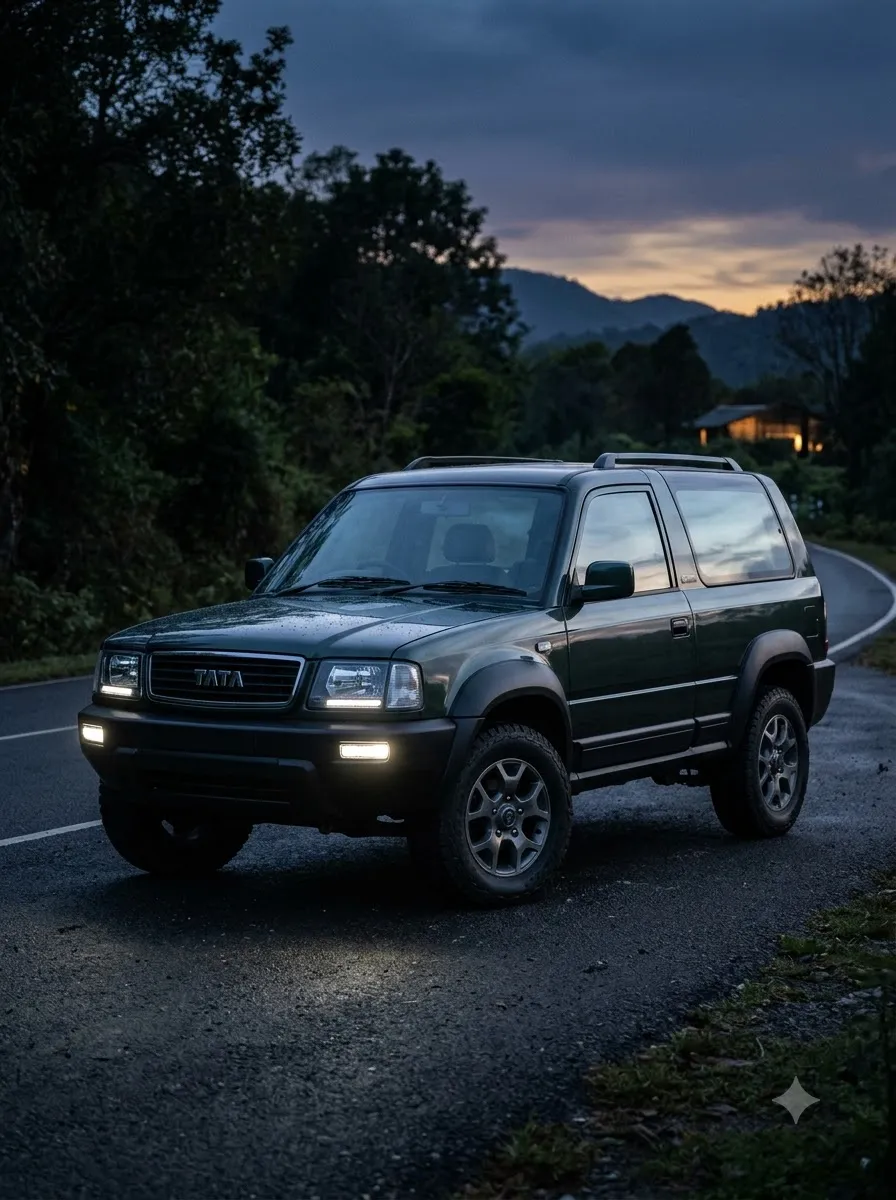
Tata Sierra AI Photo Prompts – Ultra Realistic Automotive Lifestyle

Tata Sierra AI Photo Prompts – Ultra Realistic Automotive Lifestyle

Tata Sierra Ultra-Realistic Automotive AI Prompts

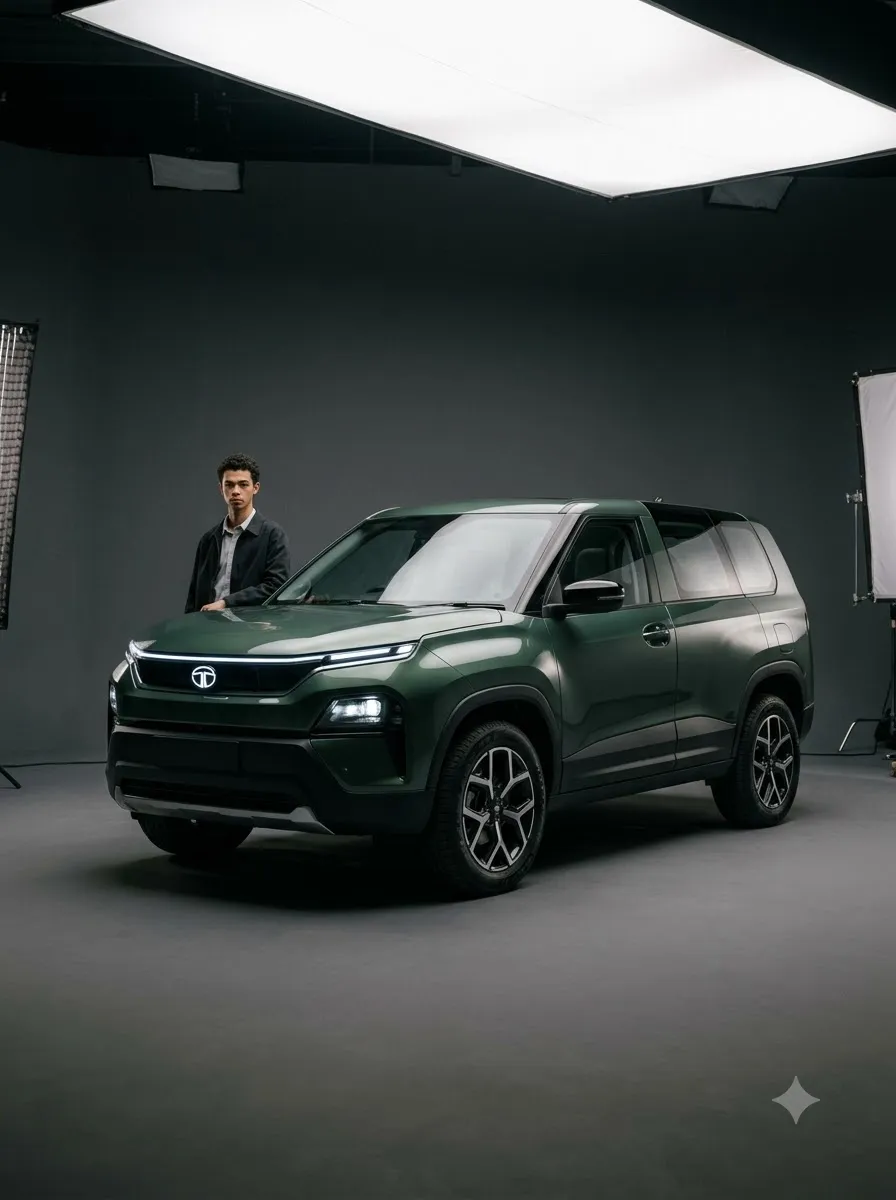
These ultra-realistic Tata Sierra prompts are designed for Gemini AI image generation. They focus on natural daylight, authentic lifestyle photography, cinematic angles, and identity-accurate face matching for premium automotive visuals.

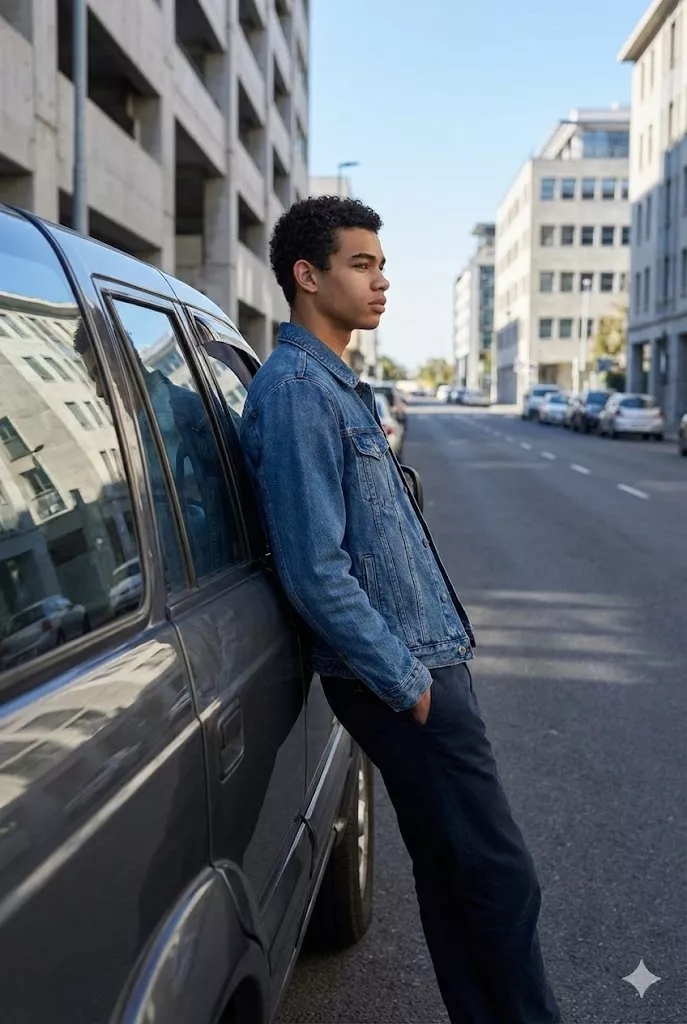
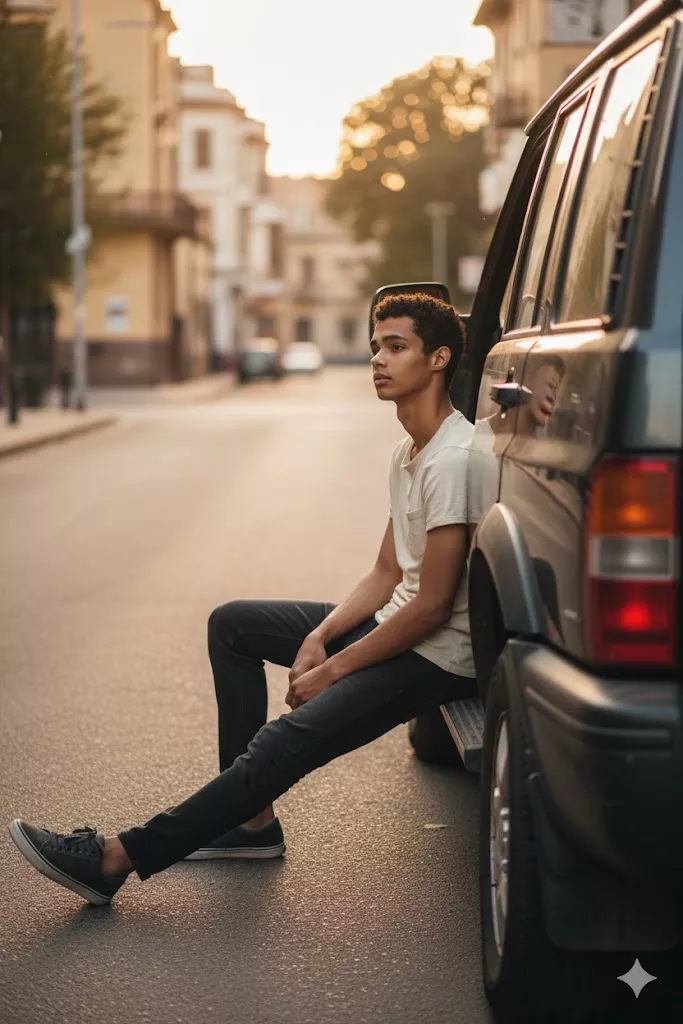
man leaning against tata sierra lifestyle automotive photo
View Prompt
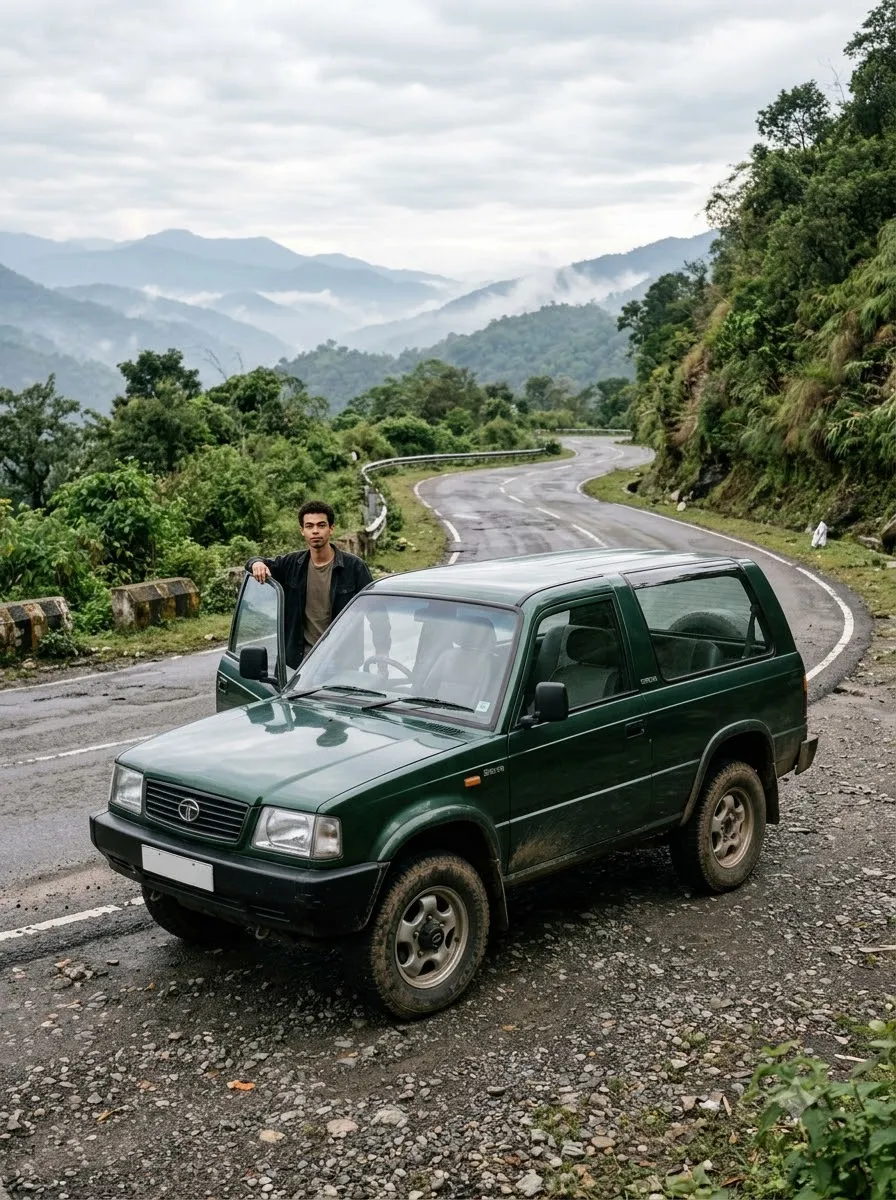
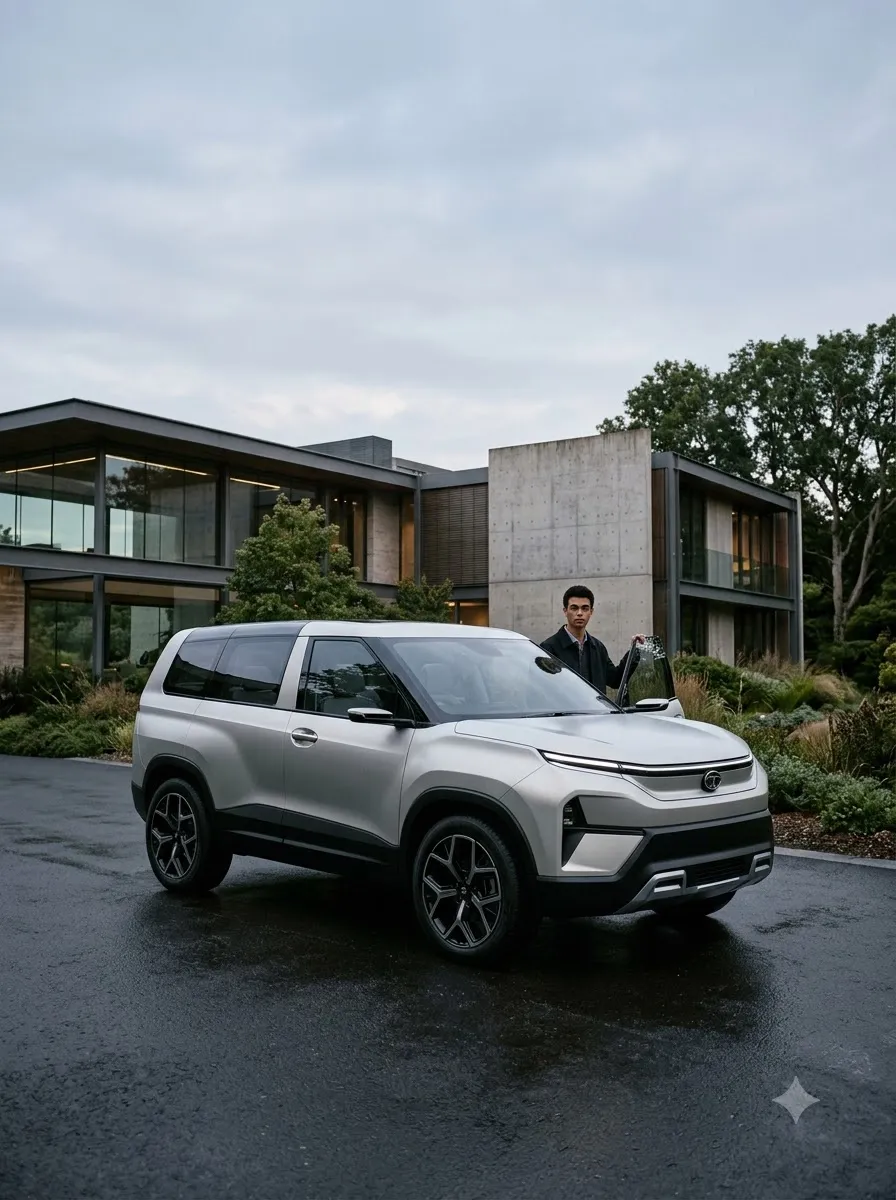
Create an ultra-realistic lifestyle automotive image. A man is casually leaning against the side door of a Tata Sierra, body relaxed, hands naturally resting, calm and confident expression. Clean side profile composition showing the full silhouette of both the man and the car. Scene set on an open city road or modern parking area with subtle background blur. Natural lifestyle photography style with real-world reflections, natural daylight, no artificial lighting, realistic textures and proportions.
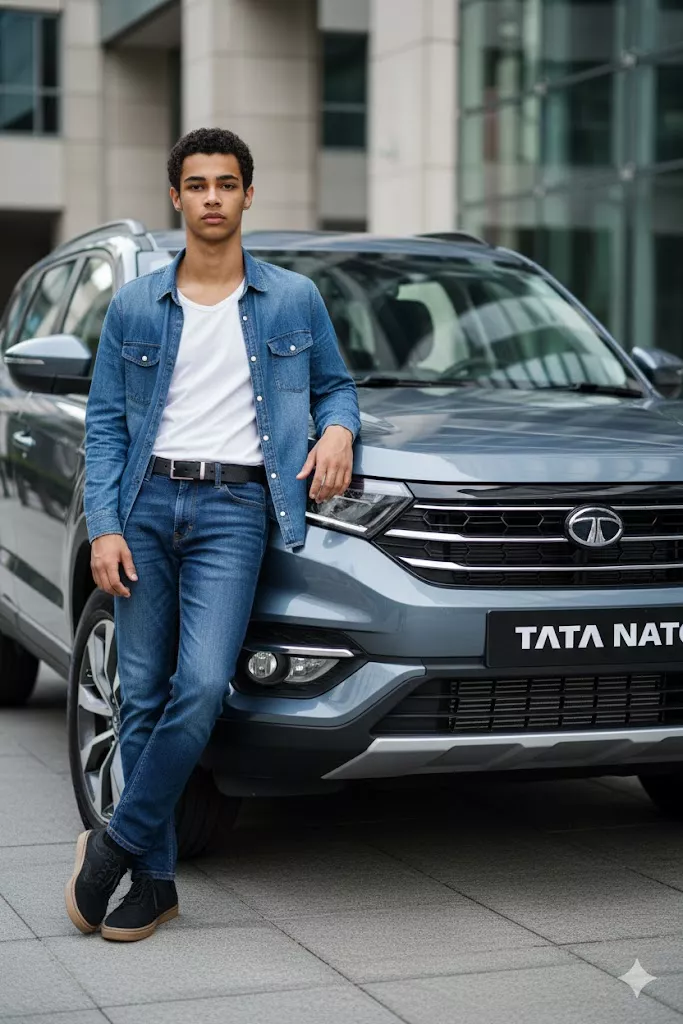
low angle tata sierra car launch style cinematic photo
View Prompt
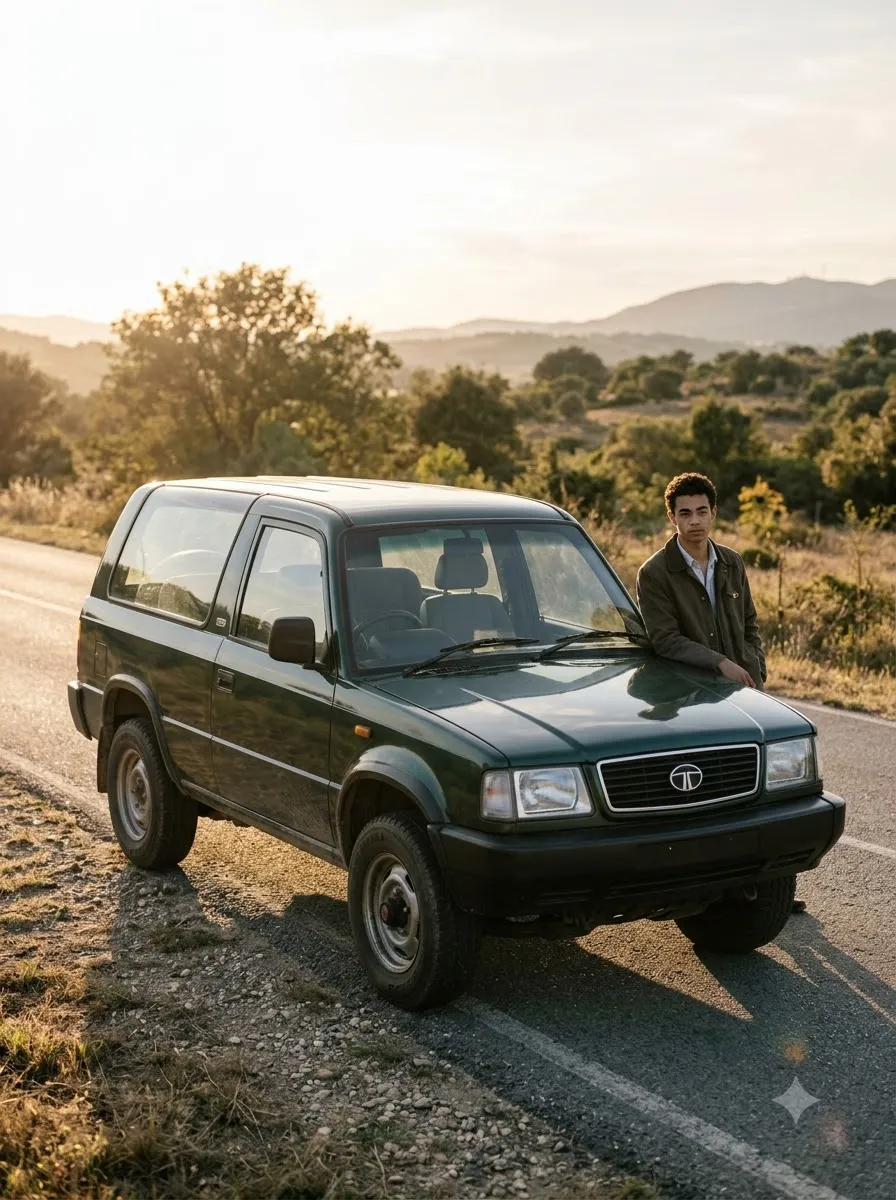
Create an ultra-realistic cinematic automotive image using the exact same face as the attached reference image, identity must match perfectly. The man is standing confidently beside the front corner of a new Tata Sierra, one hand resting lightly on the hood, shoulders relaxed. Low-angle camera shot from near ground level to make the man and car appear bold and powerful. Urban outdoor location with natural daylight and soft shadows beneath the car. Premium car launch photography style with natural colors, high dynamic range, DSLR-level realism.
man sitting on open door tata sierra documentary lifestyle photo
View Prompt
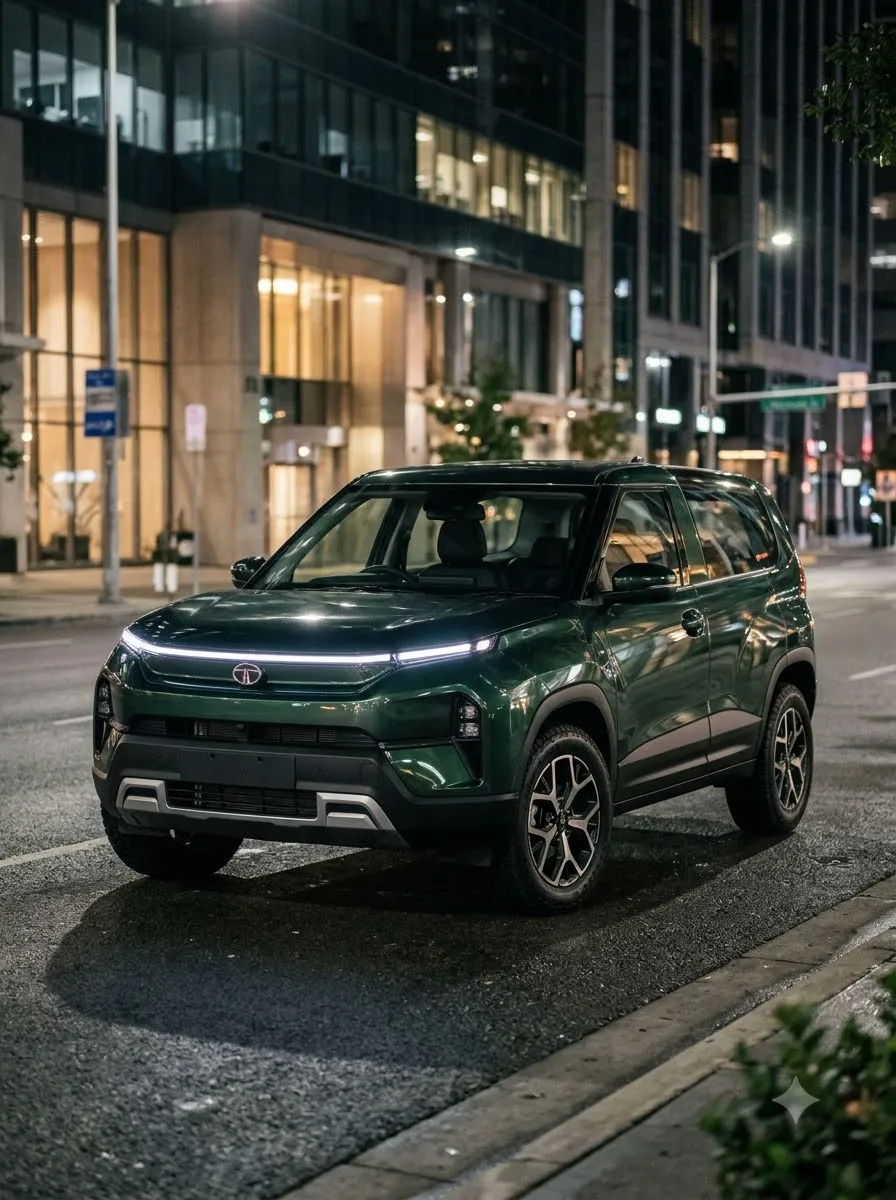
Create an ultra-realistic natural photo using a face that is 100 percent identical to the attached image. The man is sitting casually on the edge of the car’s open door or side step, posture relaxed and natural. Eye-level medium shot from a realistic human perspective. Scene is a quiet urban street with a parked Tata Sierra under soft afternoon light. Documentary lifestyle photography style with slight imperfections, natural colors, and authentic realism.
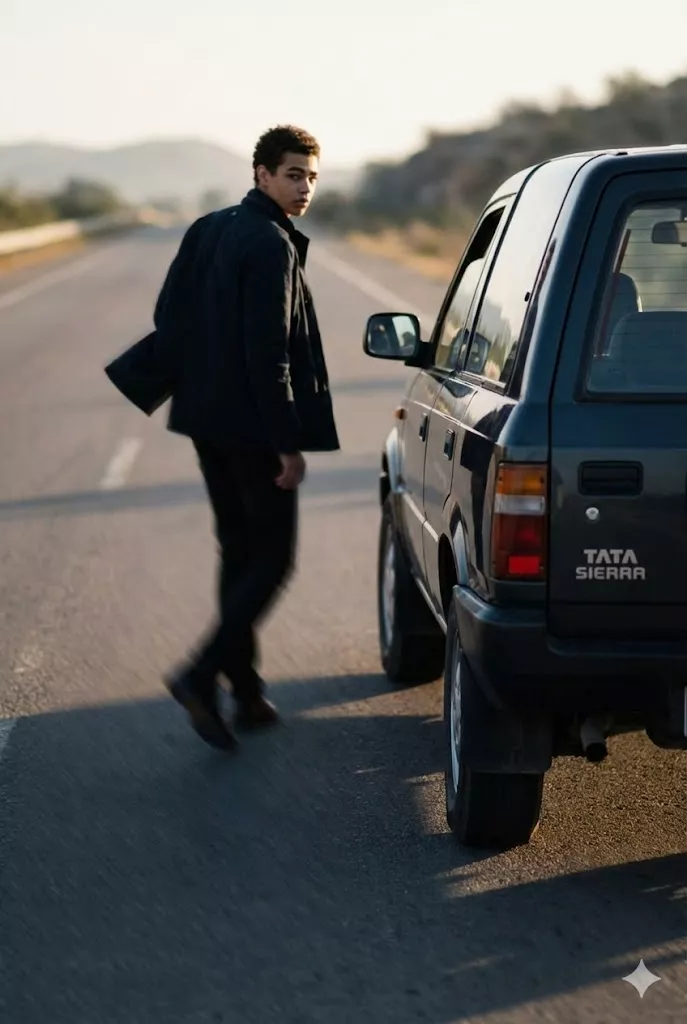
man walking past tata sierra cinematic storytelling automotive photo
View Prompt
Create an ultra-realistic cinematic automotive scene using the exact same face as the reference image. The man is walking past the Tata Sierra while slightly looking back at the car, jacket moving naturally with motion. Rear three-quarter camera angle capturing depth and movement. Scene set on an open road with natural sunlight and long soft shadows. Storytelling automotive photography style with realistic motion blur, depth of field, and high-resolution DSLR look.

FAQ

Do these prompts preserve the original face?

Yes. Prompts 2–4 explicitly lock identity to the reference image for accurate face matching.

Which style works best for realistic car photos?

Natural daylight, documentary lifestyle angles, and clean reflections produce the most believable output.

Can I use these prompts for Instagram car edits?

Yes. These prompts are designed for premium automotive visuals and high-engagement social content.

Hyper-Realistic Cartoon AI Prompt (4K Style) – Gemini Image Generator

Hyper-Realistic 4K Cartoon Portrait Prompt – Gemini AI

Hyper-Realistic 4K Cartoon Portrait Prompt for Gemini AI

This prompt is designed to convert a real human photo into a hyper-realistic cartoon portrait with exaggerated facial proportions while maintaining precise identity and professional visual quality. Ideal for profile images, avatars, and stylized personal branding.

hyper realistic 4k cartoon portrait exaggerated facial features
View Prompt
Transform the provided image into a hyper- realistic 4K cartoon. Exaggerate facial features such as eyes, nose, and mouth, maintaining the essence of the face but with comical proportions. The head should be larger in proportion to the body, but the details should be extremely precise, with smooth and realistic textures. The colors should be vibrant and well-defined, achieving a refined cartoon look while maintaining the high visual quality characteristic of hyperrealism. The lighting should enhance facial features, giving them depth and realism, while the background should be minimalist and detailed in 4K.
hyper realistic 4k cartoon portrait exaggerated facial features
View Prompt
Transform the provided image into a hyper- realistic 4K cartoon. Exaggerate facial features such as eyes, nose, and mouth, maintaining the essence of the face but with comical proportions. The head should be larger in proportion to the body, but the details should be extremely precise, with smooth and realistic textures. The colors should be vibrant and well-defined, achieving a refined cartoon look while maintaining the high visual quality characteristic of hyperrealism. The lighting should enhance facial features, giving them depth and realism, while the background should be minimalist and detailed in 4K.
hyper realistic 4k cartoon portrait exaggerated facial features
View Prompt
Transform the provided image into a hyper- realistic 4K cartoon. Exaggerate facial features such as eyes, nose, and mouth, maintaining the essence of the face but with comical proportions. The head should be larger in proportion to the body, but the details should be extremely precise, with smooth and realistic textures. The colors should be vibrant and well-defined, achieving a refined cartoon look while maintaining the high visual quality characteristic of hyperrealism. The lighting should enhance facial features, giving them depth and realism, while the background should be minimalist and detailed in 4K.
hyper realistic 4k cartoon portrait exaggerated facial features
View Prompt
Transform the provided image into a hyper- realistic 4K cartoon. Exaggerate facial features such as eyes, nose, and mouth, maintaining the essence of the face but with comical proportions. The head should be larger in proportion to the body, but the details should be extremely precise, with smooth and realistic textures. The colors should be vibrant and well-defined, achieving a refined cartoon look while maintaining the high visual quality characteristic of hyperrealism. The lighting should enhance facial features, giving them depth and realism, while the background should be minimalist and detailed in 4K.
hyper realistic 4k cartoon portrait exaggerated facial features
View Prompt
Transform the provided image into a hyper- realistic 4K cartoon. Exaggerate facial features such as eyes, nose, and mouth, maintaining the essence of the face but with comical proportions. The head should be larger in proportion to the body, but the details should be extremely precise, with smooth and realistic textures. The colors should be vibrant and well-defined, achieving a refined cartoon look while maintaining the high visual quality characteristic of hyperrealism. The lighting should enhance facial features, giving them depth and realism, while the background should be minimalist and detailed in 4K.
hyper realistic 4k cartoon portrait exaggerated facial features
View Prompt
Transform the provided image into a hyper- realistic 4K cartoon. Exaggerate facial features such as eyes, nose, and mouth, maintaining the essence of the face but with comical proportions. The head should be larger in proportion to the body, but the details should be extremely precise, with smooth and realistic textures. The colors should be vibrant and well-defined, achieving a refined cartoon look while maintaining the high visual quality characteristic of hyperrealism. The lighting should enhance facial features, giving them depth and realism, while the background should be minimalist and detailed in 4K.
hyper realistic 4k cartoon portrait exaggerated facial features
View Prompt
Transform the provided image into a hyper- realistic 4K cartoon. Exaggerate facial features such as eyes, nose, and mouth, maintaining the essence of the face but with comical proportions. The head should be larger in proportion to the body, but the details should be extremely precise, with smooth and realistic textures. The colors should be vibrant and well-defined, achieving a refined cartoon look while maintaining the high visual quality characteristic of hyperrealism. The lighting should enhance facial features, giving them depth and realism, while the background should be minimalist and detailed in 4K.
hyper realistic 4k cartoon portrait exaggerated facial features
View Prompt
Transform the provided image into a hyper- realistic 4K cartoon. Exaggerate facial features such as eyes, nose, and mouth, maintaining the essence of the face but with comical proportions. The head should be larger in proportion to the body, but the details should be extremely precise, with smooth and realistic textures. The colors should be vibrant and well-defined, achieving a refined cartoon look while maintaining the high visual quality characteristic of hyperrealism. The lighting should enhance facial features, giving them depth and realism, while the background should be minimalist and detailed in 4K.

FAQ

Does this prompt preserve face identity?

Yes. The facial structure is exaggerated but identity and proportions remain recognizable.

Is this compatible with Gemini AI?

Yes. The prompt is optimized for Gemini image generation.

What is this best used for?

Avatars, profile pictures, cartoons, and stylized personal branding images.

4K Hyper Realistic Image Enhancement Prompt for Gemini AI

4K Hyper-Realistic Image Enhancement Prompt – Gemini AI

4K Hyper-Realistic Image Enhancement Prompt for Gemini AI

This article demonstrates how the same Gemini AI prompt can produce different high-quality 4K hyper-realistic results depending on the input image and render behavior. Below are before and after previews using the exact same prompt.

Before Enhancement (Original Image)
original image before 4k hyper realistic ai enhancement
View Prompt (Same Prompt Used)
Recreate the provided image in 4K, maintaining the key elements and enhancing every detail with a hyperrealistic approach. Increase the resolution so that fine details are visibly sharp, such as skin textures, clothing, landscapes, or any surface in the photo. The colors should be vibrant and precise, emphasizing depth and light. Ensure the lighting highlights the most detailed features, creating soft, accurate shadows for a realistic look. The image should maintain a professional level of quality, with details capturing even the smallest elements, from textures to reflections on metal or water surfaces
After 4K Enhancement – Result 1
after 4k hyper realistic ai enhancement sharper textures
View Prompt (Same Prompt Used)
Recreate the provided image in 4K, maintaining the key elements and enhancing every detail with a hyperrealistic approach. Increase the resolution so that fine details are visibly sharp, such as skin textures, clothing, landscapes, or any surface in the photo. The colors should be vibrant and precise, emphasizing depth and light. Ensure the lighting highlights the most detailed features, creating soft, accurate shadows for a realistic look. The image should maintain a professional level of quality, with details capturing even the smallest elements, from textures to reflections on metal or water surfaces
After 4K Enhancement – Result 2
second upscale result using same ai prompt with improved lighting
View Prompt (Same Prompt Used)
Recreate the provided image in 4K, maintaining the key elements and enhancing every detail with a hyperrealistic approach. Increase the resolution so that fine details are visibly sharp, such as skin textures, clothing, landscapes, or any surface in the photo. The colors should be vibrant and precise, emphasizing depth and light. Ensure the lighting highlights the most detailed features, creating soft, accurate shadows for a realistic look. The image should maintain a professional level of quality, with details capturing even the smallest elements, from textures to reflections on metal or water surfaces

FAQ

Why is the same prompt shown multiple times?

To demonstrate how one prompt can generate different high-quality results based on image input and AI rendering.

Does using the same prompt reduce accuracy?

No. The prompt remains stable; only the output varies depending on image and render conditions.

Editorial Photographer Portrait Prompts – Ultra Realistic Gemini AI

Editorial Photographer AI Prompt: 10+ Free Prompts
AI Image Prompts

Editorial Photographer AI Prompt: 10+ Free Prompts

By GeminiPrompt Editorial Team
August 25, 2026
10 Min Read

Editorial Photographer AI Prompts

Creating professional editorial-style images with AI works best when the prompt clearly defines the subject, styling, environment, camera perspective, lighting, and overall mood.

With a well-structured editorial photographer AI prompt, you can create realistic photographer portraits for personal branding, fashion concepts, studio scenes, street photography, and creative editorial projects.

Below are copy-and-paste prompts covering different editorial photography styles.

Professional Editorial Photographer

Professional Editorial Photographer
Prompt
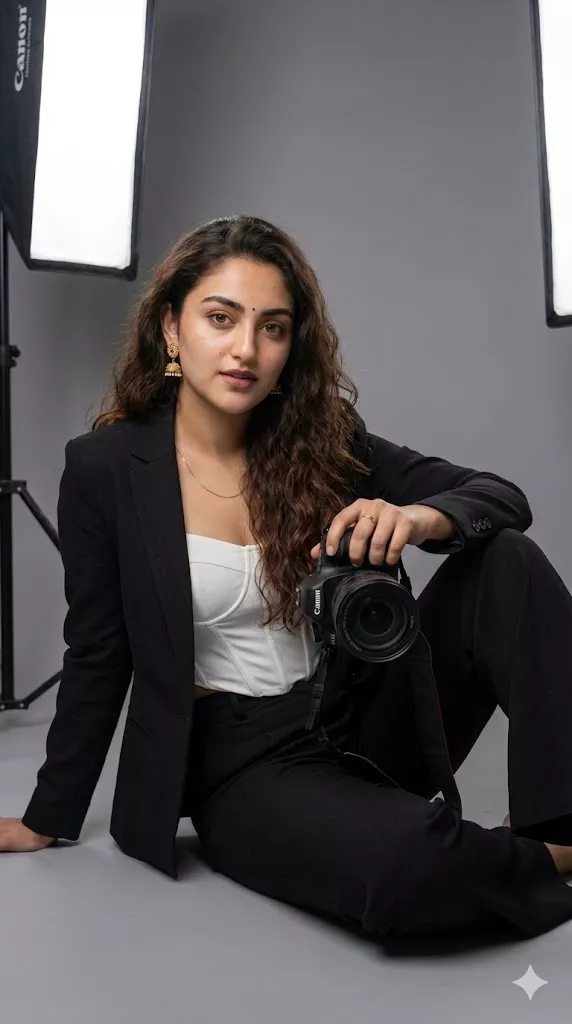
Use the reference image to create a highly realistic editorial portrait of the adult subject as a professional photographer in a contemporary studio. Preserve the subject's recognizable facial features, identity, hairstyle, and natural appearance. Dress the subject in a structured black tailored blazer over a minimalist white top with high-waisted black trousers. The subject holds a professional DSLR camera naturally against the body, conveying confidence and creative professionalism. Use a clean neutral-gray studio background with subtle depth. Add controlled cinematic studio lighting with soft side lighting, natural skin texture, balanced contrast, and realistic shadows. Maintain the original facial characteristics and overall composition of the reference image. Create a polished contemporary fashion-editorial photography aesthetic with realistic camera depth of field and precise focus.

Best for: Professional photographer portraits and personal branding.

Studio Photographer

Studio Photographer
Prompt
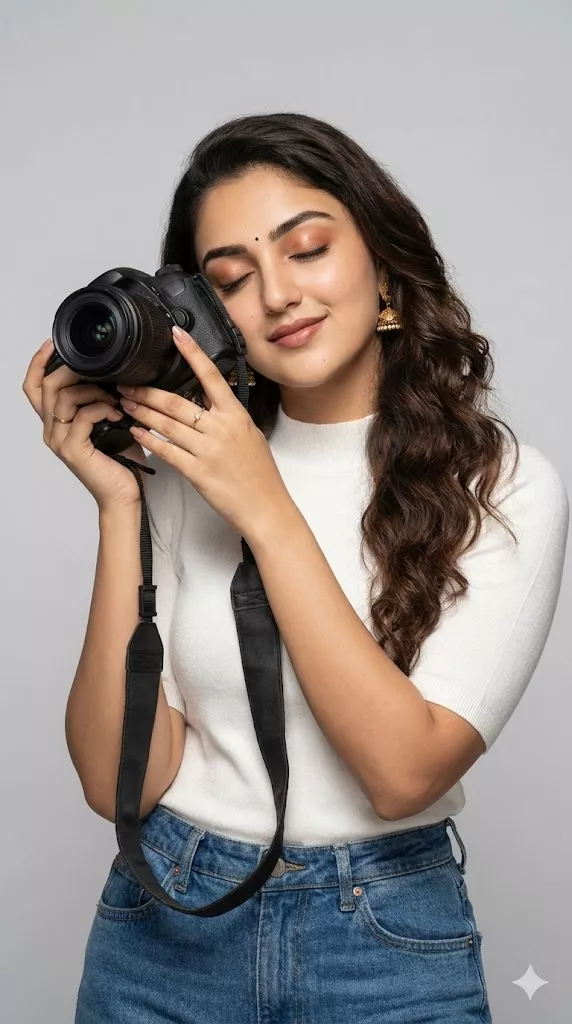
Use the reference image to create a clean contemporary editorial studio portrait of the subject as a professional photographer. Preserve the subject's facial identity, hairstyle, natural skin tone, and recognizable appearance. Frame the subject in a vertical medium shot against a light gray or soft beige seamless background. The subject holds a black DSLR camera naturally with the lens positioned near the face, creating an authentic photographer pose. Use a simple modern outfit with a light knit top and tailored trousers. Add soft diffused studio lighting from the side with controlled highlights and balanced contrast. Keep the composition minimal, professional, and realistic.

Best for: Clean studio portraits and professional profiles.

Fashion Editorial Photographer

Fashion Editorial Photographer
Prompt
Use the reference image to create a high-end fashion editorial portrait of the subject as a professional photographer. Preserve the subject's recognizable face, identity, hairstyle, and natural appearance. Place the subject in a sophisticated modern fashion studio or architectural editorial setting. Dress the subject in a structured monochromatic black suit with refined styling. The subject holds a professional DSLR camera naturally while maintaining a confident editorial pose. Use soft directional lighting, controlled background separation, subtle shadows, and a sophisticated monochrome color palette. Create the visual language of a premium fashion magazine while keeping the subject realistic and recognizable.
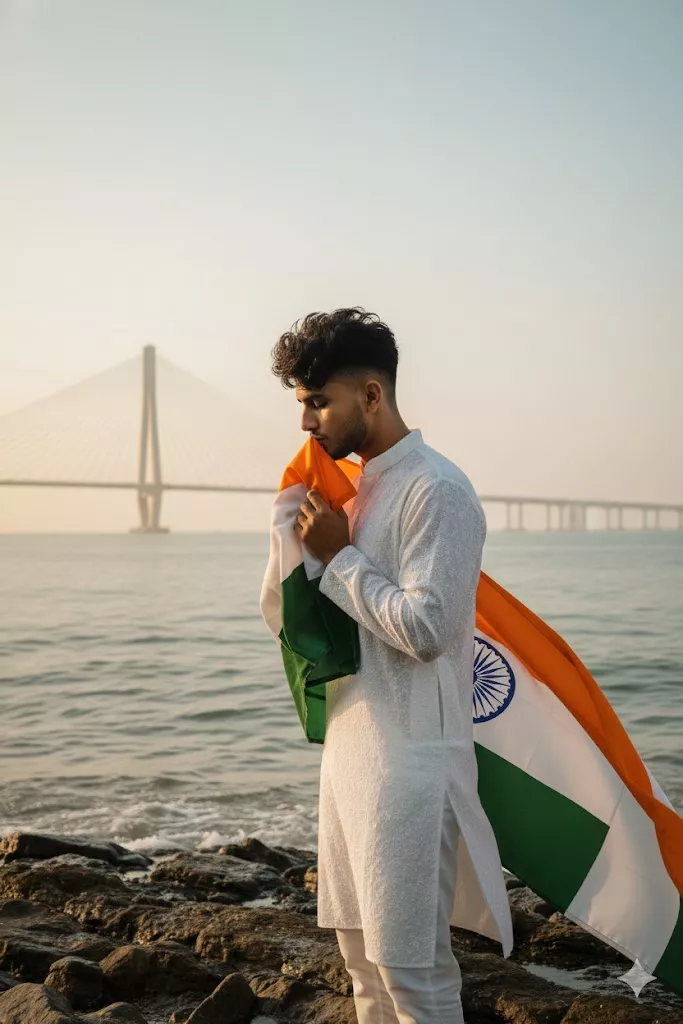
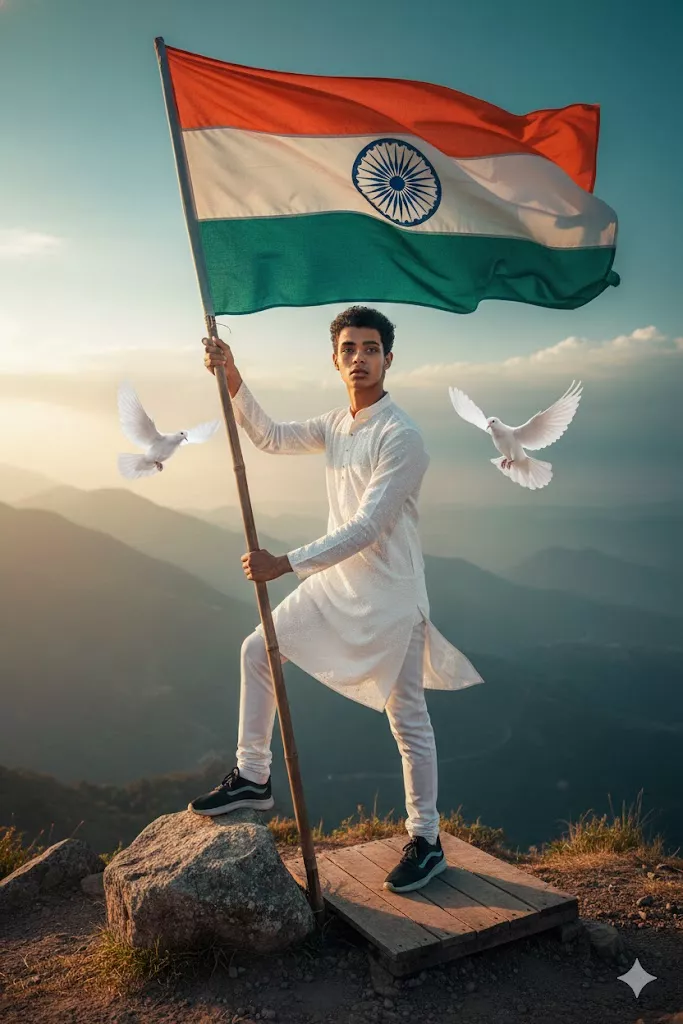
Best for: Fashion photography concepts and magazine-style portraits.
Street Photographer

Street Photographer
Prompt
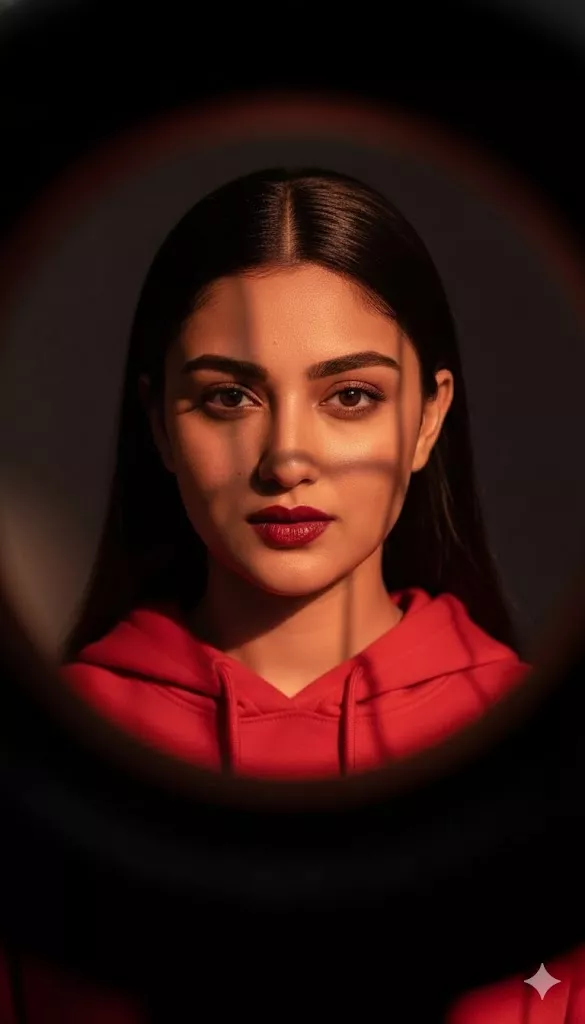
Use the reference image to create a realistic editorial street-photography portrait of the subject working as a professional photographer in a modern downtown district. Preserve the subject's recognizable facial features and natural appearance. Dress the subject in a tailored trench coat over a minimalist black outfit and give them a professional or vintage camera with a natural leather strap. Surround the subject with realistic urban architecture, storefronts, sidewalks, and subtle background movement. Use soft overcast daylight, shallow depth of field, natural environmental shadows, and a documentary-inspired composition. Create an authentic candid editorial photography atmosphere rather than a posed studio look.

Best for: Urban, candid, and documentary-inspired photographer portraits.

Documentary Photographer

Documentary Photographer
Prompt
Use the reference image to create a candid documentary-style portrait of the subject working as a professional photojournalist inside a busy newsroom. Preserve the subject's recognizable identity and natural facial features. Show the subject reviewing photographs or contact sheets at a workstation while editors and computer screens remain softly blurred in the background. Use realistic office details, natural mixed indoor lighting, subtle shadows, and an unposed working posture. Create an authentic documentary photography mood with realistic environmental depth, natural skin texture, and understated styling.

Best for: Photojournalist and documentary photography concepts.

Luxury Editorial Photographer

Luxury Editorial Photographer
Prompt
Use the reference image to create a sophisticated luxury editorial portrait of the subject as a professional photographer inside a high-end minimalist interior. Preserve the subject's recognizable facial identity and natural appearance. Place the subject beside professional photography equipment in an elegant architectural environment with floor-to-ceiling windows. Use refined clothing, subtle luxury accessories, clean architectural lines, and a muted neutral color palette. Combine soft natural window light with subtle warm interior lighting. Create a polished high-fashion magazine aesthetic with realistic textures, controlled contrast, and sophisticated composition.
Best for: Luxury branding and high-fashion editorial concepts.

Black-and-White Photographer

Black-and-White Photographer
Prompt
Use the reference image to create a classic black-and-white editorial portrait of the subject as a professional photographer in a fine-art studio. Preserve the subject's recognizable facial identity and natural facial characteristics. Dress the subject in a sophisticated dark outfit and position a professional camera naturally against the shoulder. Use directional side lighting to create defined facial highlights and deep but detailed shadows. Add a textured dark-gray studio backdrop, rich grayscale tones, subtle film-inspired grain, realistic skin texture, and strong editorial composition. Create a timeless monochrome photography aesthetic.

Best for: Fine-art, monochrome, and timeless editorial portraits.

Cinematic Editorial Photographer

Cinematic Editorial Photographer
Prompt
Use the reference image to create a highly realistic cinematic editorial portrait of the subject as a professional photographer in a low-light urban environment. Preserve the subject's recognizable face, identity, hairstyle, and natural skin texture. The subject holds a professional camera naturally near the face and maintains a confident, focused expression. Use a dark modern outfit, soft directional side lighting, subtle background bokeh, controlled highlights, and realistic shadow falloff. Create a dramatic cinematic atmosphere while maintaining realistic skin texture, natural proportions, and editorial photographic composition.
Best for: Dramatic and cinematic photographer portraits.

Outdoor Editorial Photographer

Outdoor Editorial Photographer
Prompt
Use the reference image to create a realistic outdoor editorial portrait of the subject as a professional photographer on a dramatic coastal landscape during golden hour. Preserve the subject's recognizable identity, facial features, and natural appearance. Dress the subject in a sophisticated earth-tone coat and tailored trousers while holding professional photography equipment naturally. Use warm directional sunlight from the side, subtle rim lighting, a distant ocean horizon, and a shallow depth of field. Maintain realistic environmental textures, natural shadows, and an elegant editorial composition.

Best for: Travel, outdoor, and lifestyle editorial photography.

Creative Photographer Portrait

Creative Photographer Portrait
Prompt
Use the reference image to create a minimalist editorial portrait of the subject as a creative photographer inside a contemporary white studio. Preserve the subject's recognizable facial identity, hairstyle, and natural appearance. Position the subject in a confident but relaxed pose while holding a professional camera naturally. Use minimalist black-and-white clothing, a clean white studio background, subtle geometric furniture, and soft diffused lighting with controlled lateral shadows. Create a refined fine-art photography aesthetic with realistic skin texture, clean composition, and sophisticated editorial styling.

Best for: Creative portfolios and artistic photographer branding.

Editorial Photographer Portrait Prompts

You can change the composition of an editorial photographer portrait without completely changing the concept.

Close-Up Portrait

Create a close-up editorial portrait of the subject as a professional photographer. Preserve the subject's facial identity, natural skin texture, hairstyle, and recognizable features. Focus tightly on the eyes and facial expression while keeping the professional camera partially visible in the frame. Use soft directional lighting, realistic skin texture, subtle background blur, and a sophisticated magazine-editorial composition.

Medium Portrait

Create a medium editorial portrait of the subject from the waist up as a professional photographer. Preserve the subject's identity and natural appearance. Show the subject interacting naturally with a professional camera while maintaining a confident editorial pose. Use controlled studio lighting, clean background separation, realistic textures, and refined fashion-editorial styling.

Full-Body Portrait

Create a full-body editorial portrait of the subject as a professional photographer. Preserve the subject's identity, clothing style, and recognizable appearance. Show the complete outfit, professional camera equipment, posture, and surrounding environment. Use balanced composition, realistic lighting, natural proportions, and a sophisticated editorial photography aesthetic.

Camera-in-Hand Portrait

Create a realistic editorial portrait of the subject holding a professional camera naturally in their hands. Preserve the subject's facial identity, hairstyle, clothing style, and natural appearance. Make the camera an important part of the composition without obscuring the face. Use professional lighting, realistic shadows, natural skin texture, and a refined magazine-style composition.

Candid Photographer Portrait

Create a candid editorial photograph of the subject working as a professional photographer rather than posing directly at the camera. Preserve the subject's identity and recognizable appearance. Show natural body movement while the subject adjusts or operates a professional camera. Use environmental depth, natural lighting, realistic shadows, and documentary-inspired editorial composition.

Studio Portrait

Create a professional studio editorial portrait of the subject as a photographer. Preserve the subject's identity and natural facial characteristics. Use a seamless neutral backdrop, controlled softbox lighting, subtle rim lighting, professional camera equipment, and a clean vertical composition. Maintain realistic skin texture and natural proportions.

Fashion Editorial Photographer AI Prompts

Luxury Fashion

Create a high-end fashion editorial portrait of the subject as a professional photographer. Preserve the subject's identity and natural appearance. Use sophisticated tailoring, refined accessories, rich fabric textures, professional camera equipment, and elegant architectural surroundings. Add controlled directional lighting, subtle shadows, and a polished luxury magazine aesthetic.

Street Fashion

Create a realistic street-fashion editorial portrait of the subject as a professional photographer working in a contemporary city. Preserve the subject's identity and natural appearance. Combine modern clothing with urban architecture, storefronts, sidewalks, and natural daylight. Use candid movement, environmental depth, realistic shadows, and an authentic editorial photography mood.

Studio Fashion

Create a high-fashion studio portrait of the subject as a professional photographer. Preserve the subject's identity while using structured clothing, bold silhouettes, professional camera equipment, and a clean seamless background. Use controlled studio lighting, symmetrical composition, subtle shadows, and sophisticated editorial styling.

Magazine Editorial

Create a premium magazine-style editorial portrait of the subject as a professional photographer. Preserve the subject's recognizable identity and natural appearance. Use strong negative space, deliberate posing, sophisticated wardrobe styling, professional camera equipment, and dramatic but controlled lighting. Create a polished fashion-editorial composition suitable for a modern magazine concept.

Campaign-Style Photography

Create a commercial editorial portrait of the subject as a professional photographer working on a high-end brand campaign. Preserve the subject's identity and natural appearance. Include professional camera equipment, coordinated wardrobe styling, a refined environment, subtle brand-production details, and purposeful lighting. Create a cohesive commercial photography aesthetic with clean composition and realistic textures.

Studio Editorial Photographer Prompts

For stronger studio results, specify the lighting, background, camera position, and composition instead of simply asking for a "professional studio."

Studio Setup

Create a realistic editorial photographer portrait inside a professional photography studio. Include softboxes, strip lights, reflector panels, and a clean shooting environment. Preserve the subject's identity and natural appearance. Use organized equipment placement, realistic shadows, and a polished editorial composition.

Professional Lighting

Create an editorial portrait of the subject as a professional photographer using controlled studio lighting. Use a soft key light, subtle fill light, and gentle rim lighting to shape the face and separate the subject from the background. Preserve natural skin texture and realistic facial features.

Camera Gear

Create a realistic professional photographer portrait featuring a modern camera body and portrait lens as visible elements of the composition. Preserve the subject's identity and natural appearance. Make the equipment look naturally positioned and proportionate to the subject.

Clean Background

Create a minimalist editorial photographer portrait against a seamless matte-gray studio background. Preserve the subject's identity, clothing style, and natural appearance. Use soft diffused lighting, clean composition, subtle shadows, and professional editorial styling.

Black-and-White Studio

Create a black-and-white studio portrait of the subject as a professional photographer. Preserve the subject's facial identity and natural features. Use directional lighting, deep blacks, detailed highlights, subtle film grain, and a textured neutral backdrop to create a timeless editorial photography aesthetic.

Street and Documentary Photographer Prompts

Street Photographer

Create a candid editorial portrait of the subject working as a photographer in a busy urban environment. Preserve the subject's identity and natural appearance. Use contemporary architecture, street details, natural daylight, subtle background movement, and realistic environmental depth. Make the scene feel observed rather than staged.

Candid Photographer

Create a candid photograph of the subject working with a professional camera in a real-world environment. Preserve the subject's identity and natural appearance. Avoid direct posing and show natural movement, concentration, and interaction with the surroundings. Use realistic ambient lighting and documentary-style composition.

Urban Editorial

Create an urban editorial portrait of the subject as a professional photographer surrounded by modern city architecture. Preserve the subject's identity and natural appearance. Balance geometric buildings with human movement, realistic daylight, environmental depth, and sophisticated editorial styling.

Documentary-Style Portrait

Create a realistic documentary-style portrait of the subject working as a professional photographer in an authentic workplace. Preserve the subject's identity and natural appearance. Use realistic environmental details, natural lighting, subtle imperfections, and an unposed working moment to create a believable editorial photograph.

Black and White Editorial Photographer Prompts

Monochrome Treatment

Transform the reference image into a sophisticated black-and-white editorial portrait of the subject as a professional photographer. Preserve facial identity and natural skin texture. Use a rich grayscale range with detailed highlights, controlled shadows, and subtle film-inspired grain.

Editorial Lighting

Create a black-and-white editorial portrait using directional side lighting to define the subject's facial structure and clothing. Preserve the subject's identity and natural features. Use controlled highlights, detailed shadows, and a refined studio composition.

High Contrast

Create a high-contrast black-and-white editorial portrait of the subject as a professional photographer. Preserve facial identity and natural skin texture. Use deep blacks, crisp highlights, controlled midtones, and subtle photographic grain without losing facial detail.

Portrait Composition

Create a clean monochrome editorial portrait with sharp focus on the subject's eyes and a balanced professional composition. Preserve facial identity, natural proportions, and recognizable features while using sophisticated black-and-white tonal treatment.

Timeless Editorial Mood

Create a timeless black-and-white editorial portrait of the subject as a professional photographer. Preserve the subject's identity and natural appearance. Use classic composition, subtle film grain, directional lighting, rich grayscale tones, and understated styling.

Hyper-Realistic Editorial Photographer Prompts

Natural Skin Texture

Create a highly realistic editorial portrait of the subject as a professional photographer. Preserve natural skin texture, subtle pores, fine facial details, and realistic tonal variation. Avoid excessive skin smoothing or artificial beauty-filter effects.

Realistic Hair

Create a realistic editorial photographer portrait while preserving the subject's natural hairstyle, hair texture, individual strands, and natural movement. Use realistic lighting and subtle highlights without making the hair appear artificially smooth.

Camera and Lens Details

Create a realistic editorial portrait of the subject as a professional photographer with a professional camera naturally integrated into the composition. Use a portrait-oriented photographic perspective with realistic depth of field, natural background separation, and believable optical characteristics.

Professional Lighting

Create a realistic editorial photographer portrait using purposeful directional lighting with soft shadows and controlled highlight falloff. Preserve the subject's natural facial features and skin texture while maintaining realistic environmental lighting.

Editorial Composition

Create a highly realistic editorial portrait with deliberate framing, clean composition, balanced negative space, and professional subject placement. Preserve the subject's identity and natural proportions while maintaining a sophisticated magazine-photography aesthetic.

How to Create an Editorial Photographer Image With AI

A detailed prompt becomes easier to control when you build it in a logical order.

  1. Upload a Reference Image: If you want to preserve a person's appearance, start with a clear reference image and tell the AI which characteristics should remain unchanged.
  2. Define the Subject: Describe the role, pose, expression, and general appearance of the subject.
  3. Define Clothing and Styling: Specify clothing cuts, fabrics, colors, accessories, and the overall editorial style.
  4. Define the Environment: Use a specific location instead of a vague instruction such as "beautiful background." Examples include a professional studio, urban street, modern architecture, newsroom, or coastal landscape.
  5. Define Camera and Composition: You can specify framing, perspective, focal length, depth of field, or visible camera equipment when these details are relevant to the desired look.
  6. Define Lighting: Describe the direction and quality of the light. For example, you can request softbox lighting, directional side light, golden-hour light, or controlled studio illumination.
  7. Generate the Image: Submit the prompt together with your reference image and review the result.
  8. Refine the Prompt: If the output changes the face, clothing, camera position, lighting, or composition too much, add a targeted correction instead of rewriting the entire prompt.

How to Preserve Your Face and Identity

When using a reference image, clear preservation instructions can help reduce unwanted changes.

  • Preserve Facial Structure: Preserve the subject's recognizable facial structure, including the natural shape of the eyes, nose, jawline, and overall facial proportions.
  • Preserve Skin Tone: Preserve the subject's original skin tone and natural complexion without changing the overall appearance.
  • Preserve Hairstyle: Preserve the subject's recognizable hairstyle, hair color, parting, texture, and natural appearance.
  • Preserve Natural Features: Preserve recognizable natural facial characteristics such as facial proportions, subtle asymmetry, moles, and expression lines visible in the reference image.
  • Identity Preservation: Keep the subject's recognizable facial identity consistent with the uploaded reference image while changing only the requested styling, environment, lighting, or composition.

Tips for Better Editorial AI Photos

  • Be Specific About the Subject: Instead of writing "professional photographer," describe the pose, expression, clothing, camera interaction, and overall role.
  • Use a Specific Environment: Name the actual setting you want, such as a modern studio, urban street, newsroom, coastal landscape, or luxury interior.
  • Describe Camera and Lens Details: Camera and lens information can help communicate the photographic style you want. Use these details as visual guidance rather than treating them as guaranteed camera behavior.
  • Define the Lighting Direction: Tell the AI where the light is coming from and whether it should be soft, directional, dramatic, or natural.
  • Set the Mood: Use clear mood descriptions such as confident, contemplative, cinematic, elegant, documentary, or understated.
  • Describe Styling: Mention clothing materials, colors, silhouettes, accessories, and other details that contribute to the editorial look.
  • Specify the Composition: Tell the AI whether you want a close-up, medium portrait, full-body composition, vertical framing, environmental portrait, or another specific arrangement.

Frequently Asked Questions

How do I write an editorial photography prompt for AI?

Structure the prompt around the subject, styling, environment, camera or composition, lighting, and desired mood. The more specific the visual instructions, the easier it is to control the intended editorial style.

Can AI preserve my face when generating editorial portraits?

When using a reference image, you can explicitly instruct the AI to preserve recognizable facial features, skin tone, hairstyle, and other identity-related characteristics. Results can vary depending on the image-editing system and reference image.

What camera settings should I include in an AI photo prompt?

You can describe camera type, focal length, aperture, depth of field, and composition when these details help communicate the photographic look you want. For example, 50mm or 85mm portrait-lens language can be used as visual guidance.

How do I make AI photos look less artificial?

Describe natural skin texture, realistic hair, specific lighting, believable environments, and intentional composition instead of relying only on generic quality terms. These elements are also highlighted in the research as important components of effective editorial prompts.

Which AI tools can use reference images for portraits?

Tools that support image uploads and image-generation or editing instructions can be used for this type of workflow. The exact features and interface can change over time, so check the current capabilities of the tool you are using.

Subscription Form

Toruk Avatar Cinematic Fantasy Prompts – Ultra Realistic Gemini AI

Toruk Avatar Cinematic Fantasy Prompts – Ultra Realistic Gemini AI

Toruk Avatar Cinematic Fantasy Prompts for Gemini AI

These ultra-high-resolution fantasy prompts are inspired by the world of Pandora. They focus on massive Toruk scale, extreme aerial height, cinematic depth, and powerful rider poses designed for Gemini image generation.

toruk avatar cinematic lean back command pose aerial scale
View Prompt
Ultra-high-resolution cinematic fantasy scene inspired by the world of Pandora (Avatar).
A gigantic Toruk with an enormous wingspan, clearly much larger than the rider,
movie-accurate anatomy and scale.

The full Toruk is completely visible in the frame from head to tail,
captured with an extra-wide-angle aerial view to emphasize size and dominance.
The Toruk dominates the center of the composition.

Background: Floating mountains positioned far below on the lower-right side,
volcanic regions pushed into the distant horizon,
vast open sky and dramatic clouds filling the top and left areas.
Strong depth layering exaggerates height and epic scale.

Pose: Place me riding the Toruk in a powerful lean-back command pose.
Upper body slightly leaned back with chest open,
one hand gripping the reins firmly,
legs locked and balanced on the Toruk’s back.
Heroic, commanding presence.
blue toruk avatar low crouch aerodynamic pose cinematic
View Prompt
Ultra-high-resolution cinematic fantasy scene inspired by the world of Pandora (Avatar).
A gigantic blue-colored Toruk with deep sapphire tones,
massive wingspan, movie-accurate anatomy,
clearly larger than the rider and visually dominant.

Full Toruk visible from head to tail,
flying at extreme altitude above Pandora.
Floating mountains appear directly below the Toruk,
very small due to height.
Volcanic regions sit far along the horizon line.
Layered clouds frame the scene with strong atmospheric perspective.

Pose: Place me riding the Toruk in a low-crouch aerodynamic pose.
Upper body lowered close to the Toruk’s neck,
both hands gripping the reins tightly,
head lowered showing focus and control,
legs compact and firmly locked.
toruk avatar forward extended command pose epic scale
View Prompt
Ultra-high-resolution cinematic fantasy scene inspired by the world of Pandora (Avatar).
A gigantic Toruk with massive wingspan and movie-accurate scale,
clearly larger than the rider.

Full creature visible from head to tail,
captured from a wide-angle aerial perspective emphasizing height and dominance.
Floating mountains positioned far in the distance on the lower-left.
Volcanic terrain spreads beneath thick dramatic clouds.
Strong depth layering enhances realism and epic scale.

Pose: Place me riding the Toruk in a strong forward-extended command pose.
Upper body leaned slightly forward with authority,
one hand gripping the reins,
the other hand extended forward as if guiding the flight.
Legs firmly locked and balanced.
toruk avatar side leaning action pose modern rider style
View Prompt
Ultra-high-resolution cinematic fantasy shot inspired by the world of Pandora (Avatar).
A massive Toruk flying at extreme speed through open sky.

Pose: Place me riding the Toruk in a side-leaning action pose.
One hand gripping the reins firmly,
the other arm stretched outward for balance.
Strong wind motion visible in clothing.

Character appearance: Young human rider with a fearless, confident expression,
wearing black reflective sunglasses,
a blue denim jacket flowing in the wind,
black jeans and white Nike sneakers.
Bright daylight, clear sky, realistic lighting,
heroic silhouette against the clouds.
toruk avatar forward leaning commanding pose cinematic fantasy
View Prompt
Ultra-high-resolution cinematic fantasy scene inspired by the world of Pandora (Avatar).
A powerful Toruk flying at extreme altitude above floating mountains,
volcanic regions, and vast clouds.
Strong aerial depth with dramatic sense of speed and motion.

Pose: Place me riding the Toruk in a forward-leaning commanding pose.
Upper body leaned slightly forward with confidence,
both hands gripping the reins firmly,
legs locked and stable.
Heroic posture showing dominance and control.

Character appearance: Young human rider wearing black sunglasses,
blue denim jacket, black t-shirt, black jeans, and white Nike sneakers.
Cinematic lighting, epic scale, high-motion realism.

FAQ

Do these prompts work with Gemini?

Yes. These prompts are structured for stable Gemini image generation.

Can I change the rider outfit?

Yes, but modern clothing contrasts best with the Pandora environment.

Why is full Toruk visibility important?

It preserves scale accuracy and cinematic impact.

Venom Symbiote Cinematic Action Prompts – Ultra Realistic Gemini AI

Venom Symbiote Cinematic Action Prompts – Ultra Realistic Movie Scene AI

Venom Symbiote Cinematic Action Scene Prompts for Gemini AI

These ultra-realistic cinematic action prompts are designed for Gemini image generation. They preserve the user’s exact facial identity while adding a Venom-style symbiote transformation in a dark industrial movie-poster environment.

venom symbiote cinematic action pose industrial warehouse
View Prompt
16K ultra-realistic cinematic movie scene of the same young man.
Keep his real facial features, skin texture, and proportions exactly as in the reference photo.
Do not change or stylize his face in any way.

The man is in a dynamic action pose inside a dark industrial warehouse.
He is crouched forward, one knee bent, one hand pressed firmly on the ground,
the other hand reaching forward as if about to leap or attack.

From his back, a Venom-like symbiote bursts outward, forming large black organic tendrils
and a snarling symbiote face rising above his shoulder.
The symbiote looks aggressive, wet, and alive.

The background is misty and smoke-filled, with sharp white light beams cutting through the fog.
Camera angle is low and slightly tilted for dramatic impact.
Add warm cinematic highlights, motion blur, subtle lens flares,
and fine film-grain texture for a Hollywood action-movie poster look.
cinematic venom transformation crouched attack pose
View Prompt
16K ultra-realistic cinematic action scene.
Preserve the exact facial identity of the young man from the reference image.
No facial changes, no exaggeration, no stylization.

He is positioned low to the ground in a powerful crouched stance,
one knee forward, one hand touching the concrete floor,
the other arm extended toward the camera.

A Venom-style symbiote erupts from his back,
creating thick black tendrils and an aggressive symbiote head
hovering just behind his shoulder.

The environment is an abandoned industrial warehouse with fog,
floating dust particles, and directional light rays.
Low-angle camera, slight tilt, dramatic shadows,
cinematic contrast, realistic textures, movie-poster realism.
venom symbiote cinematic leap preparation scene
View Prompt
Create a 16K ultra-realistic cinematic movie frame.
Maintain the exact face, proportions, and natural expression of the same young man.

He is captured mid-motion, crouched low as if preparing to jump forward.
One hand supports his weight on the floor,
the other reaches outward in an aggressive attack stance.

Behind him, a Venom-like symbiote explodes into the air,
forming long organic tendrils and a snarling creature face.
Industrial warehouse setting with smoke, fog, and hard light beams.

Low camera angle, dynamic perspective, realistic motion blur,
cinematic lighting, subtle grain, Hollywood action poster style.
dark warehouse venom symbiote action cinematic poster
View Prompt
16K ultra-realistic cinematic action portrait.
The young man’s face must remain identical to the reference photo.

He is positioned in a powerful crouch inside a dark warehouse,
one knee bent forward, one palm pressed to the ground,
the other arm extended aggressively.

A Venom-inspired symbiote grows from his back,
with sharp tendrils and a hostile symbiote face looming behind him.
Fog, smoke, and strong directional lights define the space.

Low tilted camera angle, high energy composition,
warm highlights, cinematic shadows, film-grain texture,
blockbuster movie poster realism.
venom symbiote industrial cinematic movie scene
View Prompt
16K ultra-realistic Hollywood-style action scene.
Keep the man’s face completely unchanged from the reference image.

He is crouched forward in a combat-ready stance,
one hand grounded, one arm reaching out,
body tense as if seconds away from attacking.

A Venom-like symbiote erupts from his back,
with thick black tendrils and a feral symbiote head above his shoulder.
The warehouse environment is dark, foggy, and industrial.

Low-angle cinematic camera, dramatic lighting,
realistic motion blur, lens flares,
subtle film grain, high-impact movie poster look.

FAQ

Why is facial identity preserved?

These prompts are written to lock facial structure and prevent AI face replacement.

Which AI model works best?

Gemini image generation models provide the most stable cinematic results.

Can the symbiote color be changed?

Yes, but black gives the most realistic Venom-style output.

Dhurender Film Set AI Portrait Prompts with Ranveer Singh & Akshaye Khanna

Dhurender Film Set Cinematic Portrait Prompts – Gemini AI

Dhurender Film Set Cinematic Portrait Prompts for Gemini AI

These Gemini-ready cinematic portrait prompts are crafted for ultra-realistic daytime outdoor film-set visuals inspired by the shooting environment of the film "Dhurender". Each prompt focuses on natural body language, close-bond chemistry, and authentic on-set cinematic realism.

dhurender film set cinematic portrait with ranveer singh and akshaye khanna
View Prompt
8K hyper-realistic daytime outdoor cinematic portrait on the shooting stage of the film "Dhurender" Half-body framing with warm daylight, crisp highlights, and a Pakistani outdoor film-set vibe: colorful fabric tents, reflector boards, wooden carts, chai stall props, and a dusty bright environment. The user stands at the center, wearing a black shirt with the top two chest buttons open and black cargo pants (waist visible only). The user has a friendly confident smile, body slightly angled, with both shoulders relaxed. The user's left hand rests casually on Ranveer's shoulder while the right hand hangs naturally by the side, giving a close-friend vibe. On the left, Ranveer Singh in his gray half-sleeve khandress, rugged beard, and messy voluminous hair stands very close, smiling wide with expressive warmth. He leans toward the user slightly, giving a playful, brotherly presence. On the right, Akshay Khanna wears a black kurta with a fitted black sadri coat, along with black.
dhurender movie set mid body cinematic portrait gemini ai
View Prompt
8K hyper-realistic daytime outdoor cinematic portrait on the shooting stage of the film "Dhurender" Mid-body framing of all three, crisp natural daylight with warm highlights and soft film-set shadows. Pakistani outdoor shooting vibe with colorful tents, reflector boards, wooden carts, chai stall elements, and dusty textured ground. The user stands confidently in the center wearing black cargo pants and a black shirt with the top two chest buttons open, giving a stylish, relaxed hero presence. The user is posing with both hands casually resting in the cargo pockets, body slightly angled, smiling naturally toward the camera. On the user's left, Ranveer Singh (in gray half-sleeve khandress) stands very close in a friendly manner, leaning slightly inward, giving a cheerful expressive smile. His rugged beard, voluminous slightly messy hair, and Dhurender-character attitude enhance the cinematic feel. On the user's right, Akshay Khanna (wearing black kurta with a fitted black sadri
dhurender shooting location cinematic portrait close bond scene
View Prompt
8K hyper-realistic daytime outdoor cinematic portrait on the shooting stage of the film "Dhurender". lalf-body framing of all three, natural warm daylight, soft shadows, and Pakistani outdoor film-set environment with colorful cloth tents, reflector boards, wooden gear carts, and subtle background crew activity. The user stands confidently in the center wearing a black shirt with the top two chest buttons open and black cargo pants (visible only at waist). The user's pose is stylish and relaxed: one hand lightly gripping the shirt near the collar and the other resting casually by the side, with a warm friendly smile toward the camera. On the left, Ranveer Singh in his gray half-sleeve khandress stands close, leaning in slightly with a lively expressive smile. His rugged beard, textured messy hair, and Dhurender-style intensity give a cinematic charm. He places a friendly hand on the user's shoulder, showing close-bond energy. On the right, Akshay Khanna in his elegant.
dhurender film set close friend cinematic portrait ai
View Prompt
8K hyper-realistic daytime outdoor cinematic portrait on the shooting stage of the film "Dhurender" Half-body traming, warm daylight, natural shadows, and Pakistani outdoor film-set vibe: colorful tents, reflector boards, chai stall elements, dusty textured ground, subtle crew movement. The user stands in the center wearing a black shirt with top two chest buttons open and black cargo pants (waist only visible). The user is smiling genuinely, leaning slightly toward both actors, giving a real close-friend energy. One hand is gently placed on Ranveer's shoulder while the other hand rests casually near the waist. On the left, Ranveer Singh (gray half-sleeve khandress, rugged beard, messy voluminous hair) stands very close, shoulder touching the user, giving a wide friendly smile. He lightly bumps his forehead toward the user in a playful, brother-like gesture, showing genuine warmth. On the right, Akshay Khanna (black kurta with black sadri coat) also stands close, with his hand.
dhurender outdoor film set friendly cinematic portrait
View Prompt
8K hyper-realistic daytime outdoor cinematic portrait on the shooting stage of the film "Dhurender". Half-body framing with warm sunlight, soft realistic shadows, and Pakistani outdoor film-set elements: colorful cloth tents, reflector boards, wooden carts, chai stall props, and a slightly dusty bright environment. The user stands in the center wearing a black shirt with the top two chest buttons open and black cargo pants (waist visible only). The user is smiling gently with a relaxed confident vibe, body slightly angled. The user's left arm is around Ranveer's back, and the right and is raised in a small friendly gesture, giving a lose-friend natural feel. On the left, Ranveer Singh in his gray half-sleeve khandress, rugged beard, and voluminous messy hair stands close with cheerful energy. He places one hand lightly on the user's chest near the open collar in a playful brother-like moment, smiling wide. On the right, Akshay Khanna in a black kurta with a black sadri coat.

FAQ

Which AI works best for these prompts?

Gemini image generation models give the most accurate cinematic results.

Are these prompts editable?

Yes, but exact wording gives the closest match to the intended output.

Do these prompts work for Instagram content?

Yes, they are optimized for realistic, high-engagement visuals.

Gemini Mini Prompt – Ultra-Realistic Surveillance Street Portrait AI

Gemini Mini Prompt - Ultra Realistic Surveillance Street Portraits

Gemini Mini Prompt - Ultra-Realistic Surveillance Street Portraits

These Gemini Mini Prompts are designed to transform a single uploaded image into ultra-realistic DSLR-style surveillance portraits with cinematic urban fashion, natural body language, and authentic street photography realism.

gemini surveillance style dslr street portrait urban fashion
View Prompt
Transform the uploaded image into an ultra-high-resolution DSLR portrait with a fixed image size of 1664x2080, captured in a futuristic surveillance CCTV style using a wide-angle lens. The subject is mid-walk, slightly leaning forward, with exaggerated perspective, dramatic lighting, and natural street motion blur.
gemini mini prompt wide angle surveillance portrait walking
View Prompt
Transform the uploaded image into an ultra-high-resolution DSLR-style portrait with a fixed image size of 1664x2080, captured in a dramatic WIDE-ANGLE perspective, as if recorded by a smart -city CCTV camera using a wide field-of-view lens mounted high above the street. young, handsome 8-year-oid man with a clearly im and skinny body (same face as the uploaded nage, 100% face accur racy) is captured mid-stride hile crossing a pedestrian zebra crossing. The wide-angle lens slightly exaggerates perspective. making the road lines stretch and converge dramatically toward the edges of the frame. The man is leaning slightly forward while walking shoulders relaxed. One hand is pushed deep into his black jeans pocket, while the other hand is raised slightly forward holding a takeaway coffee cup with a red sleeve. His head is tilted down just a little, eyes hidden behind black stylish sunglasses, giving a calm, mysterious, surveillance-aware expression.
gemini surveillance ai prompt pedestrian crossing street
View Prompt
transtorm the unloaded image into an ultra-high-resolution DSLR-style image with a fixed portrait resolution of 1664x2080, maintaining the photography style as before, as if captured by a smart-city cerV camera. The scene is viewed from a high, slightly tilted oenead ansie, preservne the cellook, our when a NEW BACKGROUND POSITION and NEW POSE. A young, handsome 18-year-old man with a clearly slim and skinny body (same face as the uploaded image, 100% face accuracy) is walking diagonally across a pedestrian zebra crossing on an asphalt road. NEW POSE (SIMILAR VIBE, DIFFERENT ACTION): The man is captured mid-turn while walking, as if he has just glanced sideways. His torso is slightly twisted, one shoulder leading forward. One hand is swinging naturally by his side, while the other hand is holding a takeaway coffee cup with a red sleeve closer to his chest. His head is turned sideways, not looking at the camera, giving a natural cand
gemini cctv style portrait standing urban street
View Prompt
ultra-high-resolution DSLR-style portrait with a fixed image size of 1664x2080, keeping the futuristic surveillance-aesthetic street photography style, as if captured by a smart-city CCTV camera mounted on a A young, handsome 18-year-old man with a clearly POSE 100 COMPLETEL NEW BACKGROUNE tured in a NEW NEW POSE: The man is walking DOWN a short set of urban concrete stairs. His body is angled slightly downward, a caune a a namie moton pose. One nano is tesune the stair handrail for balance, while the set hand holds a takeaway coffee cup with a red sleeve close to his waist. His head is slightly tilted wn, face partiall os hidden behind black stylish sunglasse, Biving natural unnoticed-by-him surveillance moment. No bag or backpack present.
gemini mini prompt empty pedestrian crossing surveillance look
View Prompt
Transform the uploaded image into an ultra-high-resolution DSLR-style portrait with a fixed image size of 1664x2080, captured in a futuristic surveillance-aesthetic street photography style, as if recorded by a sana bilding Corner. CCTV camera mounted high A young, handsome 18-year-old man with a clearly slim and skinny body (same face as the uploaded image, 100% face accuracy) is captured in a NEW POSE, standing in the middle of an empty pedestrian crossing after crossing halfway. NEW POSE DETAILS: The man is standing still, slightly leaning back with relaxed shoulders. One leg is forward while the other is slightly behind, creating a natural pause-in-motion stance. One hand is raised near his chest adjusting the silver chain necklace, while the other hand hangs naturally by his side. His head is turned to the side, looking away from the camera through black stylish sunglasses, giving an unaware-yet-observed feeling. OUTFIT & ACCESSORIES: Black fitted t-shirt,

FAQ

Which AI model works best for these prompts?

Gemini image generation models provide the most realistic results.

Why surveillance-style portraits look realistic?

They mimic natural body language, imperfect framing, and real-world lighting.

Can I reuse the same image for multiple prompts?

Yes. These prompts are designed for variation from a single uploaded image.